Hi @lorepatti! Thank you for reporting this issue. What version of Rhino are you using? If it’s Rhino 6 then you might need to close and open Rhino three times to load all the three dependencies. See here for more information:
If you’re using Rhino 7 and you had an older version of the Rhino plugin installed, Rhino might not have detected the change to load the new DLLs.
Here are the steps to debug the process:
-
Run the
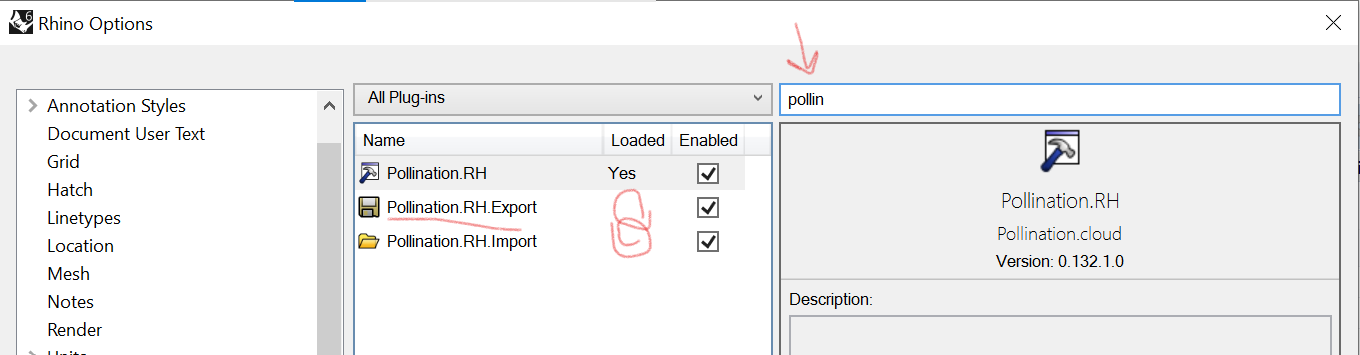
PluginManagercommand in Rhino and search forPollination. -
You should see 3 different plugins. I imagine in your case, similar to the image below the Export and Import plugins are not loaded.
-
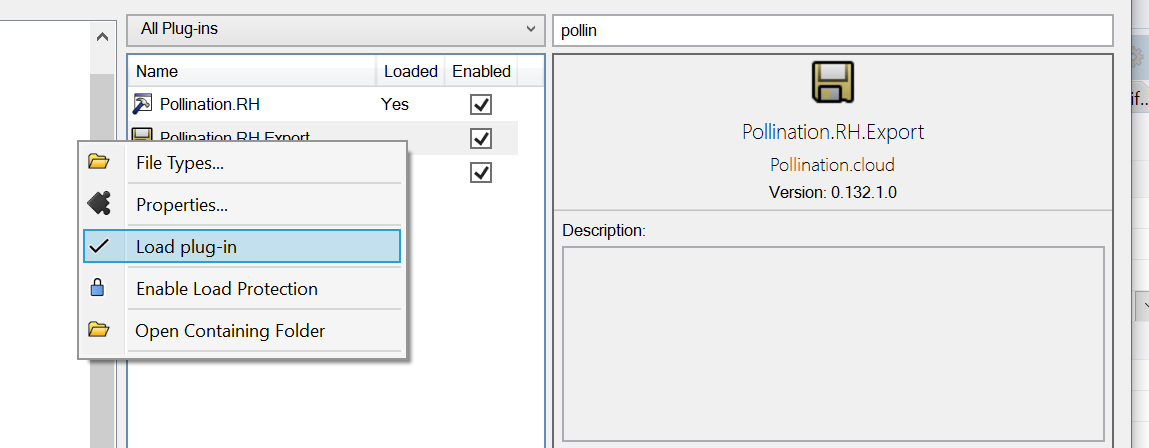
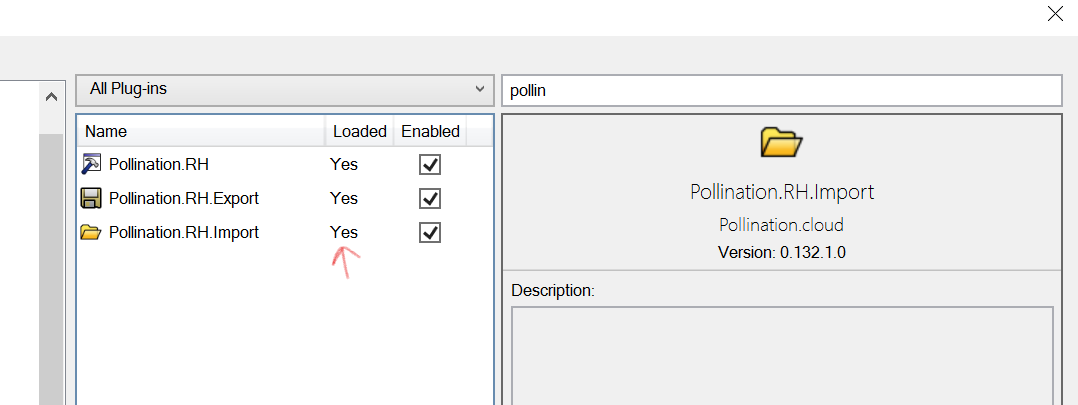
Right click and load the plugins manually.
-
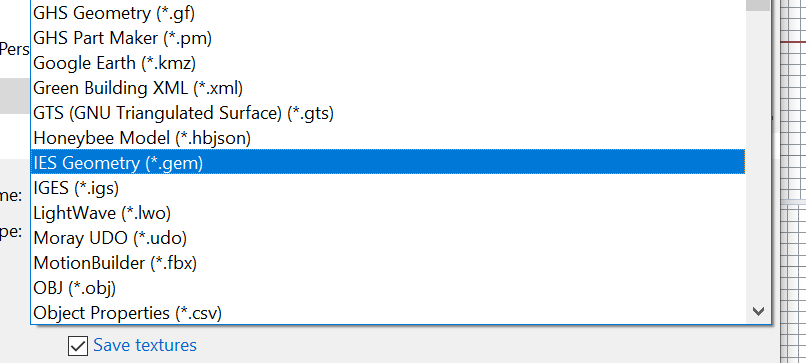
Now try SaveAs again and you should be able to see the IES Geometry file.
Here is an HBJSON file if you want to use it to test the workflow.
lab_building.hbjson (2.5 MB)
Let me know how it goes!