This was helpful to clarify some of the differences I was seeing. You answered my question well.
I wonder if it’s possible to let the gbxml exported name the walls more similar to the trace export (I believe @chriswmackey was able to help with that before).
It helps to have External walls and glazing + doors that designers can track better with expected Lengths and heights. Considering that the simplifications keep volume about the same without same roof / wall areas seems to impact heat loads some, due to insulation u-values being different on walls vs roofs.
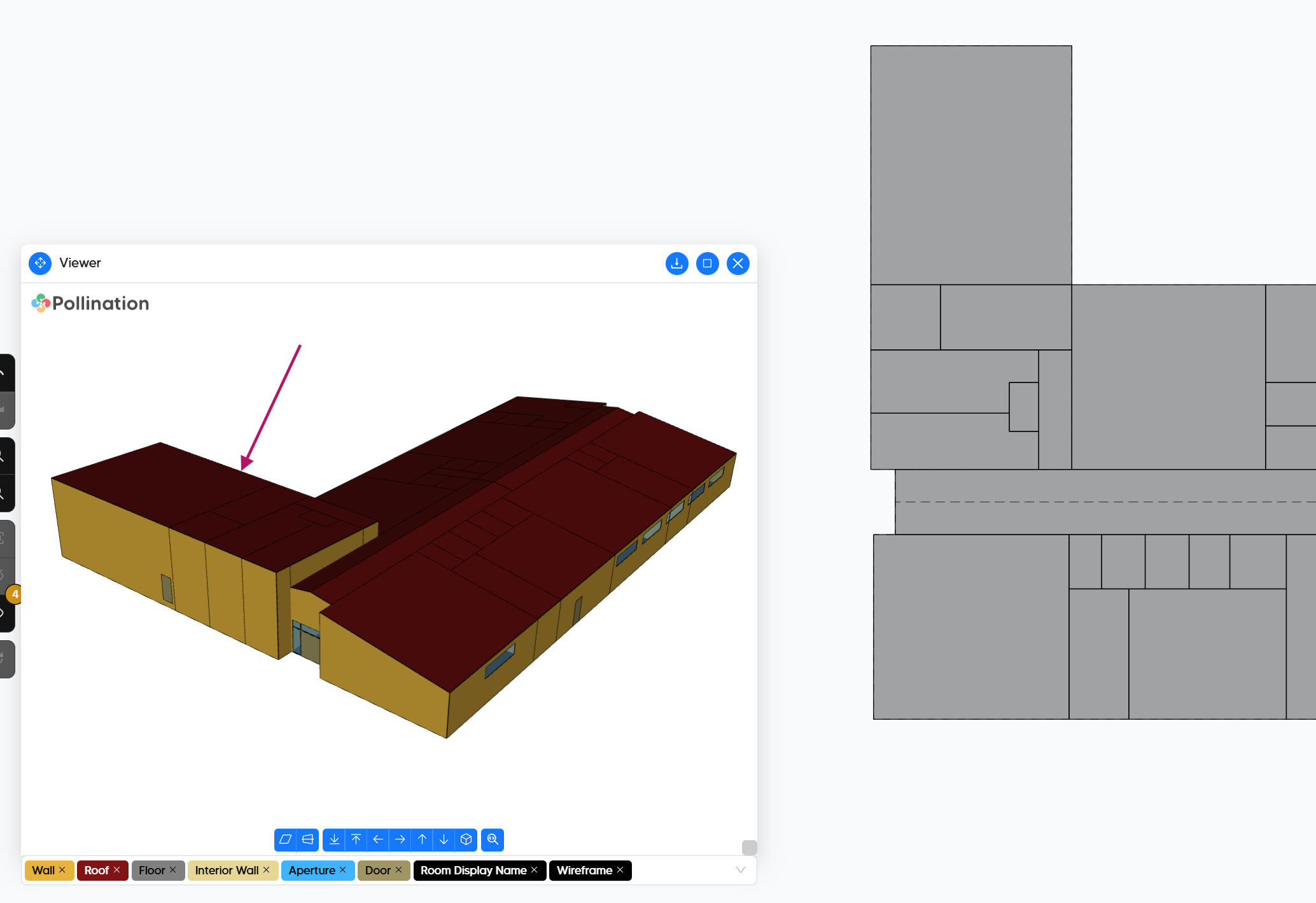
Thanks for giving the reference on the gbxml viewer, this is something you’ve shown before but now something I will adopt into my check process for clarity.
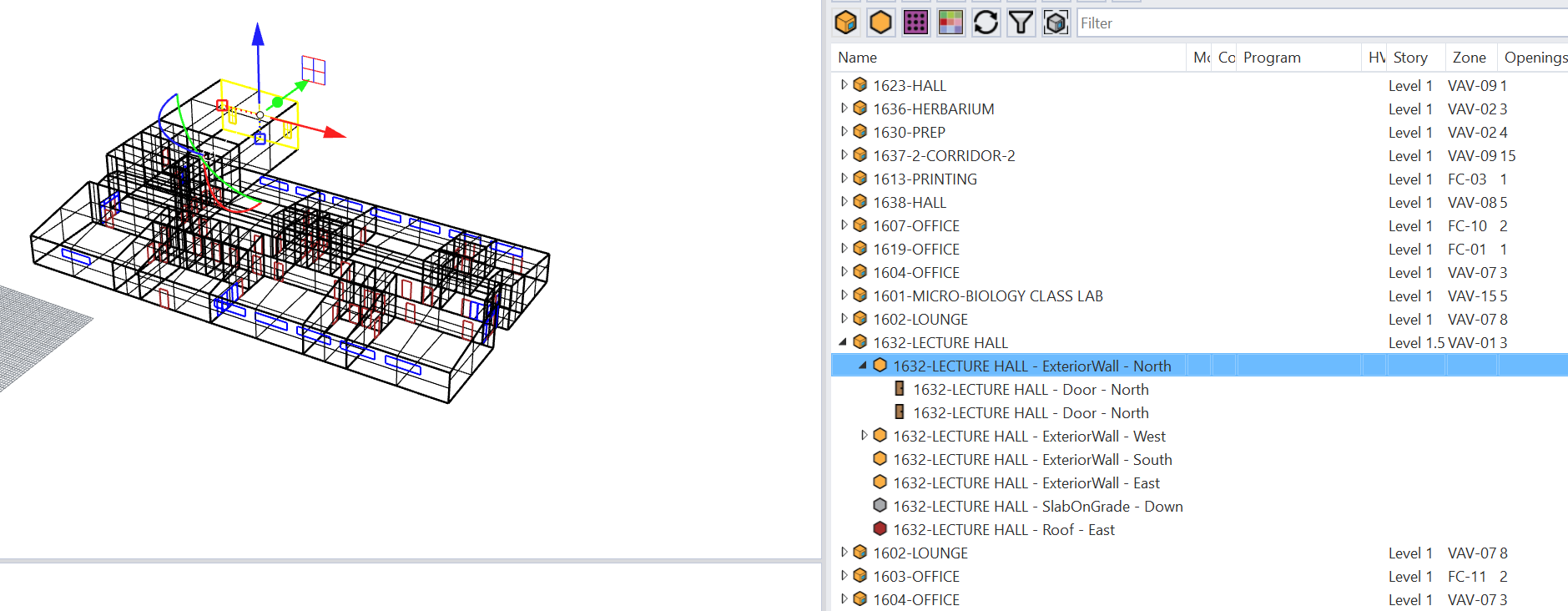
In the next release of the Revit plugin, the display names for the faces are much more human-readable. Here is a screenshot of your model exported to Rhino.
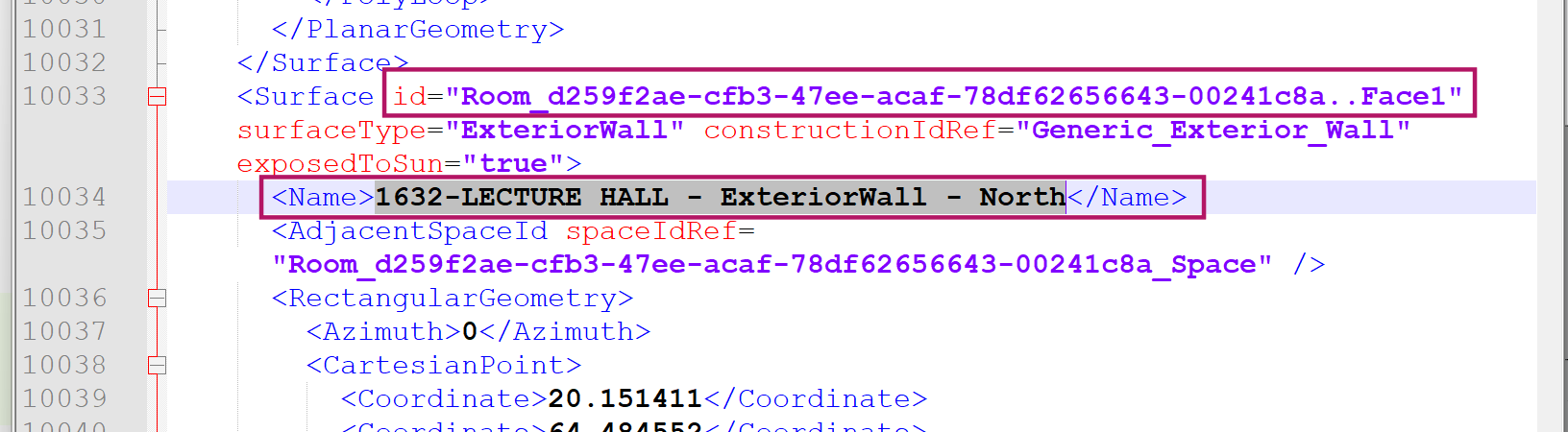
I just exported a gbXML which has these clean display names too. That said, I can see that the ID stays the same as what it used to be. Does TRACE 700 use the display name for faces or the identifier?
If it uses the name, then we should be all set. If it uses the ID, then we need to also change the ID. I can see in the TRACEXML model we also set the ID to the human readable name. @chriswmackey, should be able to help with this one.
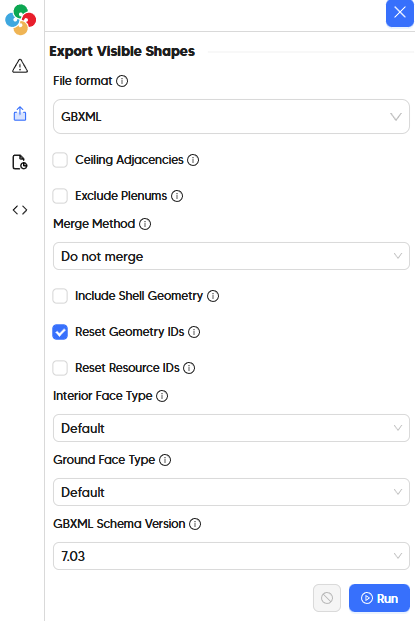
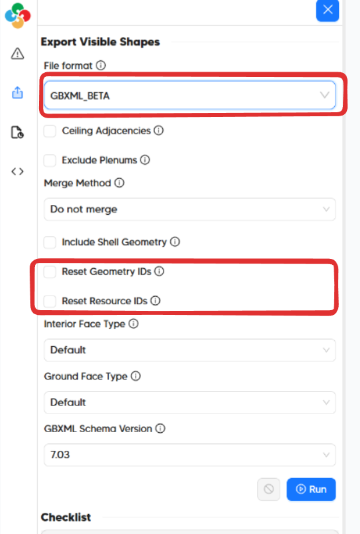
I’m just letting you know that I updated the gbXML exporter with an option for “Reset Geometry IDs”, which should give you both human-readable IDs and human readable names in your gbXML file.
I’m excited for the next release of the plugin that incorporated @chriswmackey 's new automatic human readable button.
And I appreciate your explanation on fixing my mistake for the roof above the lecture hall. Technically, there is also a Mechanical room above that lecture hall’s hallway also.
I may need to create a new thread, but that will be on the topic of how user friendly updating along with architectural model changes. I may need to unpack that question better, but will take better steps toward that later.
Thank you for your efforts to clean up the gbxml. Without knowing how the ins and outs work.. I have a follow up question for you. I think that will come in my next thread as well, along with revit updates and how best to update what we have done in pollination.
A new version of the Revit plugin is out (v2.305.1).
Once you download and install this version you should be able to use the gbXML_Beta option to export your model to gbXML with all the options that @chriswmackey shared above.
We had to make this separate from the original gbXML since it introduces some breaking changes that could have become a problem for users who can’t update their local installation quickly.
Sorry that it took longer than usual. The breaking change was something that we had to handle carefully. Now that it is in, making more changes should be much easier to do.
Hope the team is doing well!
Looks like the beta gbxml exporter functions as expected. Thank you for making the adjustment for geometry names. It’s much more human readable now.
I’ll reach out if I have other questions on the topic!
Cheers,
Josiah
If this can be done by me learning python and running a script, i’d be fine to chew on that and figure it out. If it’s something that can be done on your end and it seems easy enough to achieve, that would be great!
Eager to hear what you’d propose to adjust these names.
Yes, this renaming happens in the export process, specifically after the model has been translated from the easy-to-edit 2D-floor-plan format used by the model editor (aka. DFJSON) to the 3D format used throughout Pollination (aka. HBJSON) but before this 3D HBJSON is converted to a gbXML file.
As you can probably guess, this type of naming customizability is really tough to expose within the model editor because the geometry is in the 2D-floor-plan format and so the individual planar faces for walls and roofs don’t exist yet. Probably what I would have to do is add a new advanced input to the gbXML exporter for “Face Naming Template” that requires you to specify your naming logic in terms of the properties available on the 3D Honeybee Face objects that exist in the 3D format of the model. This is basically what the Honeybee Face.rename_by_attribute() method accepts as an input. I imagine that we’d also add separate naming template inputs for customizing the windows and doors as well.
It’s going to be really easy to get the export process to fail if there is a typo in the template or if the Honeybee Face documentation is not checked. So this isn’t something that I want to do unless we have a way of clearly identifying (and probably hiding by default) these advanced inputs on the model editor exporters. So maybe we can consider this type of feature in a few months after we’ve done the coordination to make this happen.
In the meantime, renaming things with Python is really straightforward if you’re willing to export a HBJSON from the model editor and then run a Python script on it. Just let me know if you would prefer to run this Python script in Rhino/Grasshopper (leveraging the Pollination Rhino plugin) or you need to have this renaming process run independently from Rhino, in which case you’ll need to install Python and an IDE yourself along with some other dependencies you have to pip install.
chriswmackey
It’s going to be really easy to get the export process to fail if there is a typo in the template or if the Honeybee Face documentation is not checked. So this isn’t something that I want to do unless we have a way of clearly identifying (and probably hiding by default) these advanced inputs on the model editor exporters.
I wonder if this risk of typo causing failures can be safeguarded by having preset name options. To expand this thought for moment…
Creating a geometry naming template parameter in pollination…
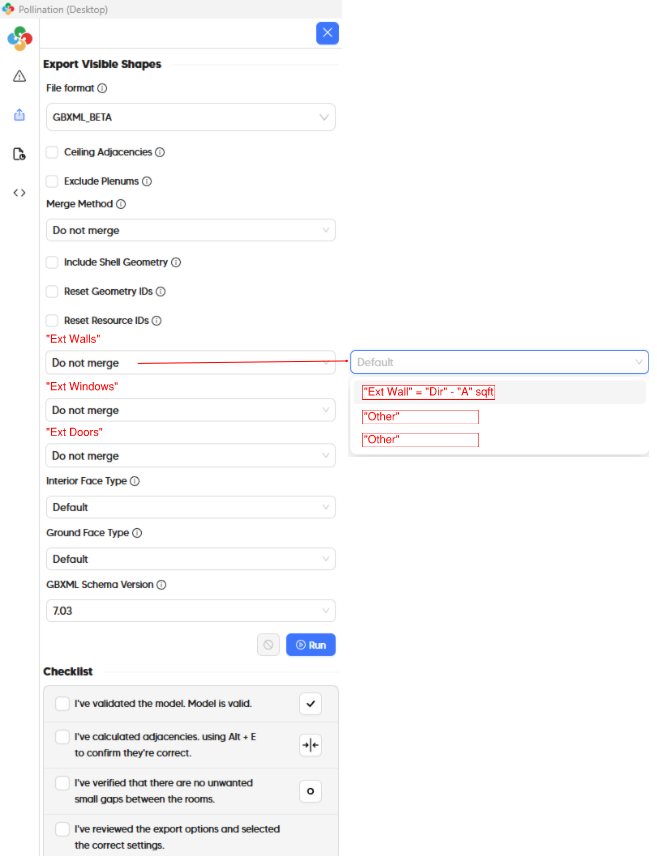
Give the GBXML_Beta exporter drop down options for “Ext Walls”, “Ext Windows”, “Ext Doors” above “Interior Face Type” and let the default dropdown option be set to “Default”.
The trick would be setting “Ext Wall” = “Dir” - “A” sqft
With defining “Dir” = 180 converted to South and only take S
and defining “A” to be Length times Height.
I realize this may be more complicated than I’m presenting. If it’s still muddy, I plan to look into the other part of your reply. Do you have any Python tips of where to start? I presume I can find resources online to learn. Youtube learning is a fine method by me.
@josiahfce, what is the level of urgency on this topic? Is it something that we could implement as part of our next development cycle when we improve the gbXML routine for better integration with TRACE700? We can provide support for templated formats for naming. I feel setting up Python locally just for renaming the geometry in gbXML might be too much to ask.
Low urgency. It’s something that would help our QoL on workflow. Follow me for a moment…
Now that TRACE is much more automated to generate, it’s still the resource we use to manually generate Energy Pro Models (IESVE was abandoned in hopes of TRACE HVAC becoming a beacon of hope)
This considered, we use TRACE 700 to go thru each space, wall, window, door, and roof to make the EP model in order to pass CA Title 24 compliance.
The priority is low because our workflow… well, works. It could just save time to have the proposed naming conventions due to how Energy takes Areas rather than dimensions, thus why when i was manually generating TRACE models, my naming convention was attempting to streamline the Energy model parts of our process.
If python is an option that makes sense to apply to more than this alone, it’s something I’d happily look into.
Thank you so much. This is very helpful. I will discuss this with @chriswmackey.
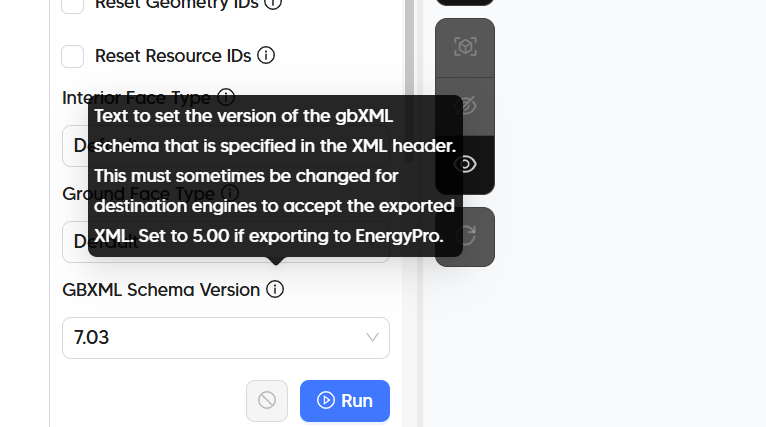
Regarding EnergyPro, have you tried to import the gbXML that is exported from Pollination to EnergyPro directly? Everything will be similar to the process of exporting to TRACE700 except that you need to select an older version of gbXML.
Consider my mind blown. I’ll get into some testing around phasing with Energy Pro, but this seemed to work well. Thanks for your suggestion and expertise!
Thanks for all of the feedback, @josiahfce . If this request is in the “important but not urgent” category, then I think it’s best that we implement it in our next development cycle so that we can do it right in a way that we don’t need to roll things back in the future.
You are not wrong about this:
But I have learned that every office has its own naming conventions and, if we have to add a new naming template option for each customer using Pollination, you can quickly end up with a dropdown that has an overwhelming number of options - making it difficult to find the one you want. Maybe if we make it modular such that you have 3 fields of Honeybee Face properties that you can each individually set to build a custom name, each of those fields can have a dropdown with a manageable dozen or so properties (eg. face_type, boundary_condtition, gbxml_type, area, azimuth, tilt, cardinal_direction, parent.display_name). This is not that dissimilar from what I think we did for the room names when naming them from Revit.
But give us a little more time to think about it and do it right. And let us know what you think of the EnergyPro workflow with the exported gbXML. I have only tried it with a couple of models so far so I’m sure there are a lot of improvements to be made.