Thanks for clarifying, @edmay .
You are right that it’s a little more complex that I was initially imagining because, as you said, many of these linear conditions in the envelope occur at locations where two rooms meet so avoiding double-counting the edge requires some extra work.
Nevertheless, I was able to add some methods to the Honeybee Model object, which analyze and group the different types of edges across the envelope without double-counting them (as long as adjacencies are solved correctly across the model). I added them with this commit:
… and I added a new Grasshopper component that returns the edges for the different types of conditions with this PR:
Here is a sample Grasshopper file showing how you can use it to visualize the different edge conditions across the large Revit sample model:
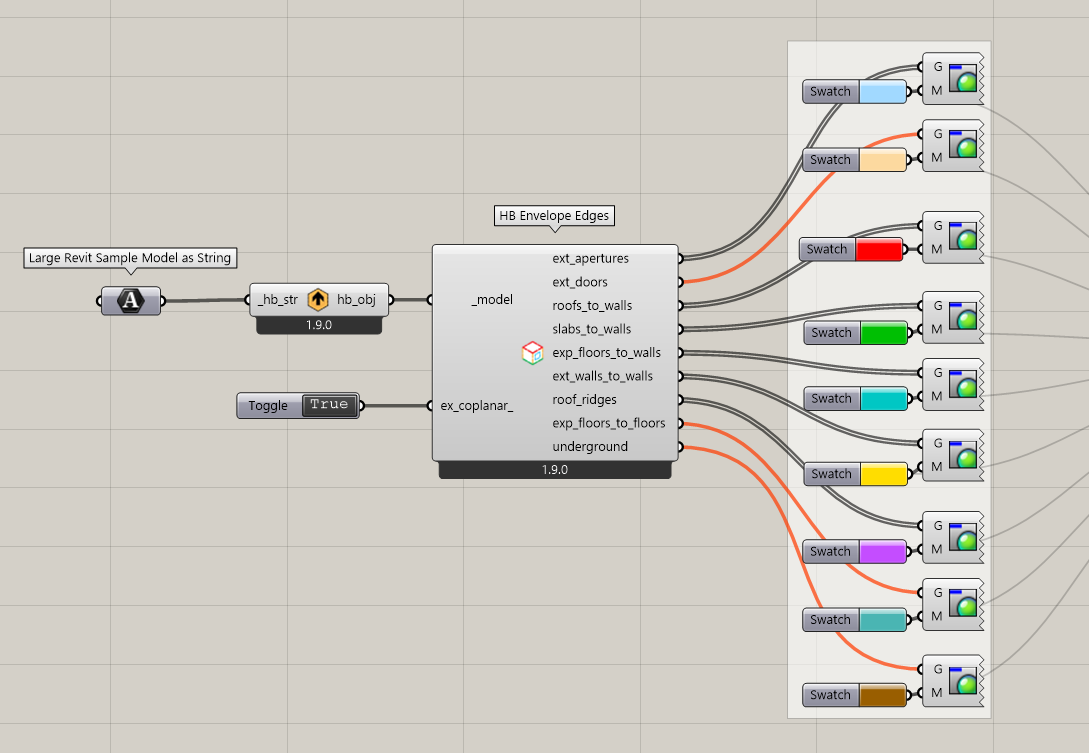
preview_envelope_edges.gh (239.8 KB)
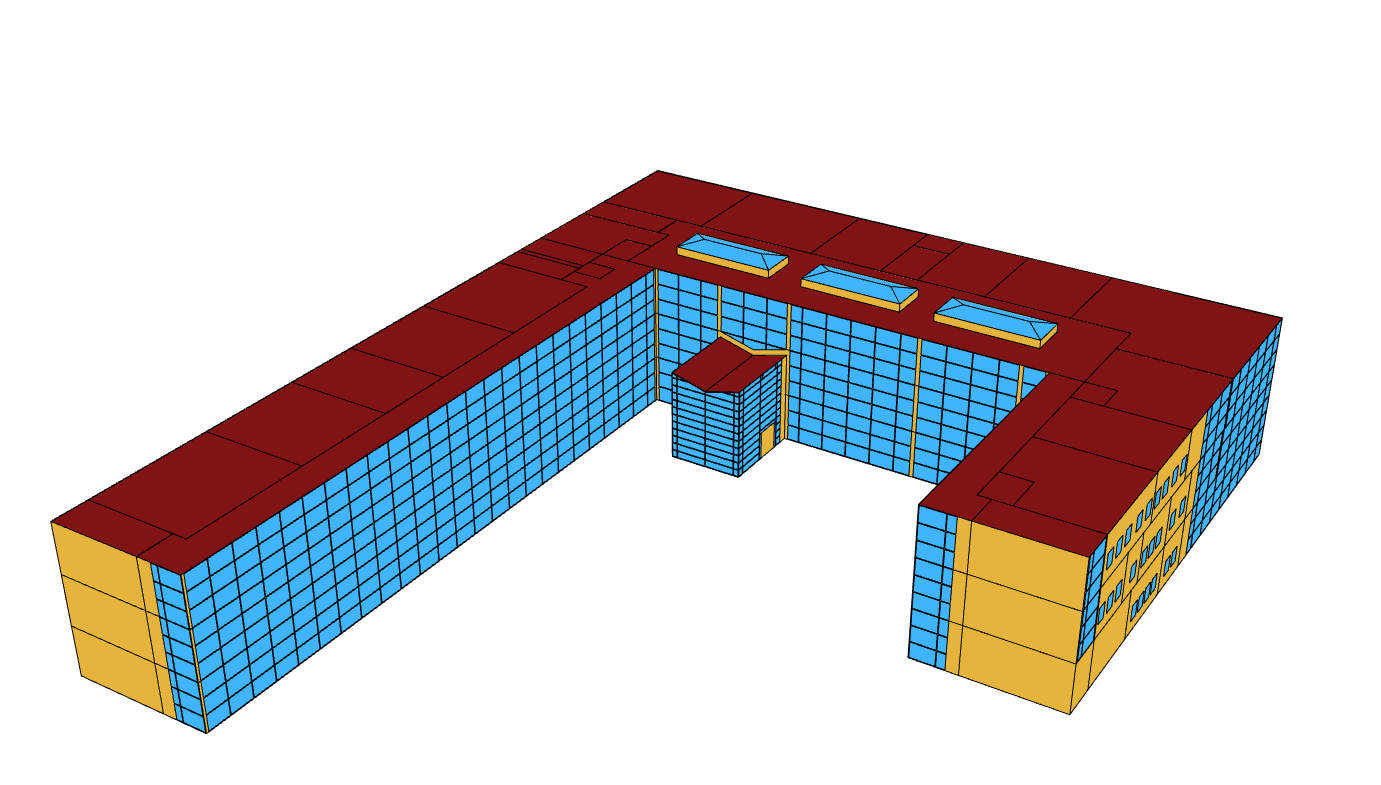
This is what the model looks like on its own:
… and this is what the new “HB Envelope Edges” component returns for the different conditions:
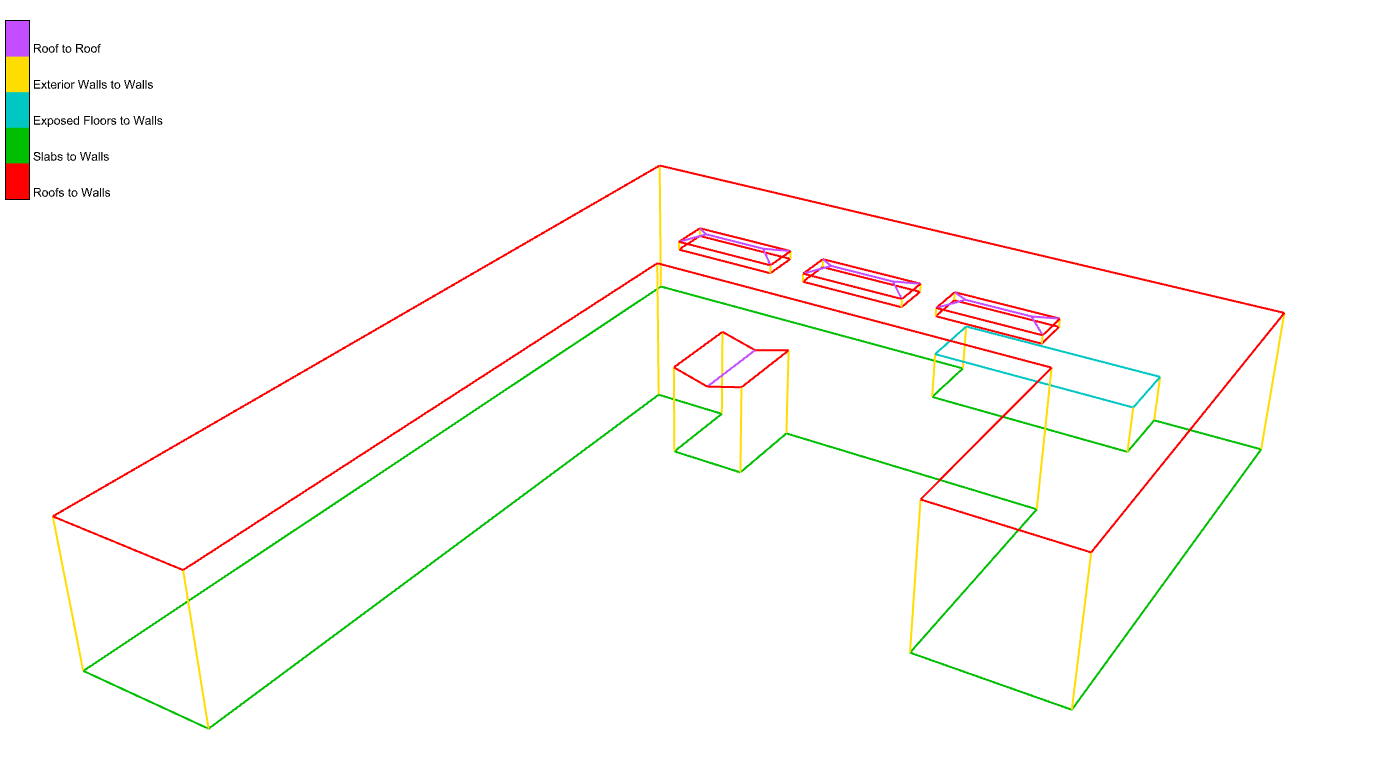
You have the option of getting the envelope edges between coplanar Faces thanks to the extra boolean option on the component (maybe this is useful for identifying balconies where two coplanar wall faces meet):

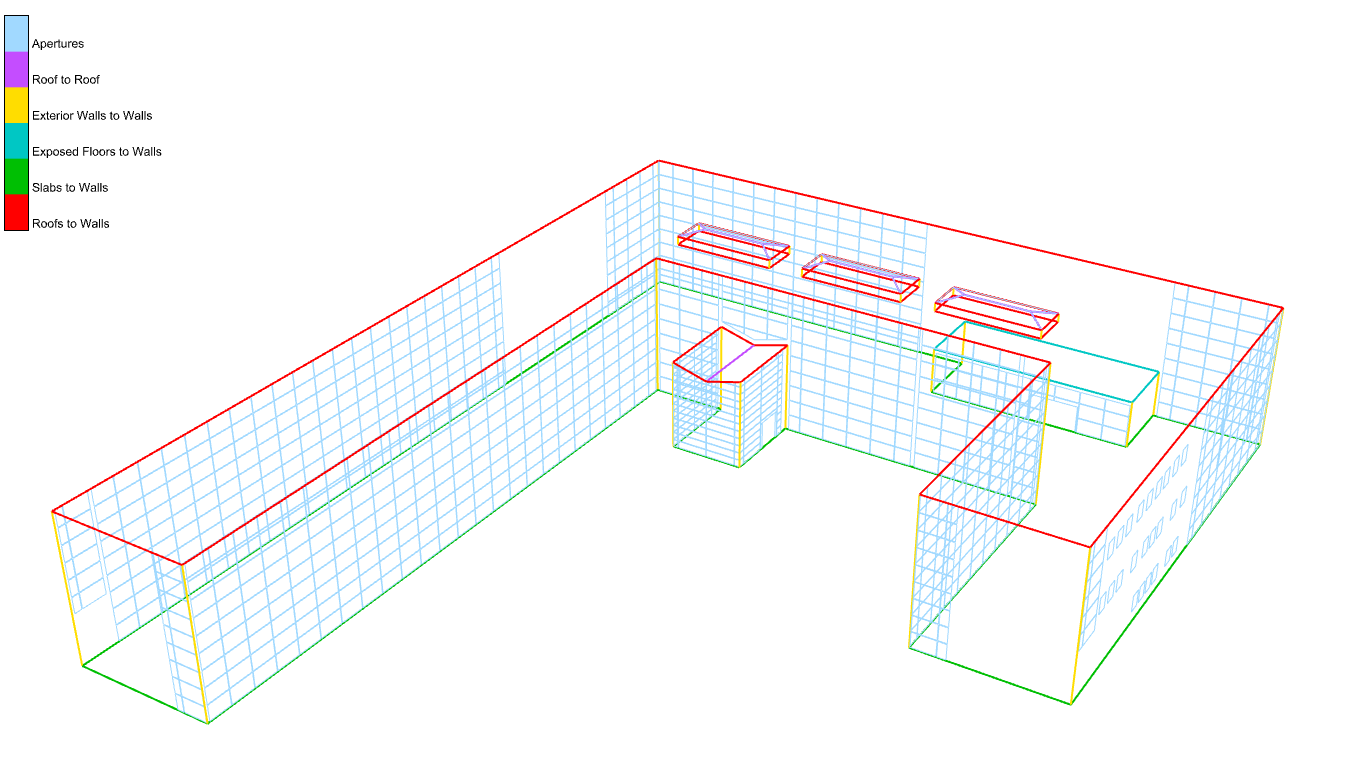
… and you can get the edges around the windows/doors as well:
You can get the new component on your end, @edmay, by running the LB Versioner if you want to test it out. This should give you an automated way of getting many of the lines that are input to your honeybee-PH components.
Now that we have these new core methods, @mikkel will work on making use of them to generate a PDF report from the Model Editor with a record of all of these linear conditions (along with total lengths for the different edge types). Granted, I realize that a few of the thermal bridge cases are not things that our geometry schema supports because it is designed for energy and Radiance simulation. So we will be missing certain point conditions like structural penetrations or roof penetrations because our schema is not designed to analyze building structure or roof drainage. But many of the tougher-to-calculate bridges that lie along linear dimensions or areas are easily automatically calculated using our schema and our geometry library. So we can hopefully get you a PDF report feature in the near future that gets you most of the way there.