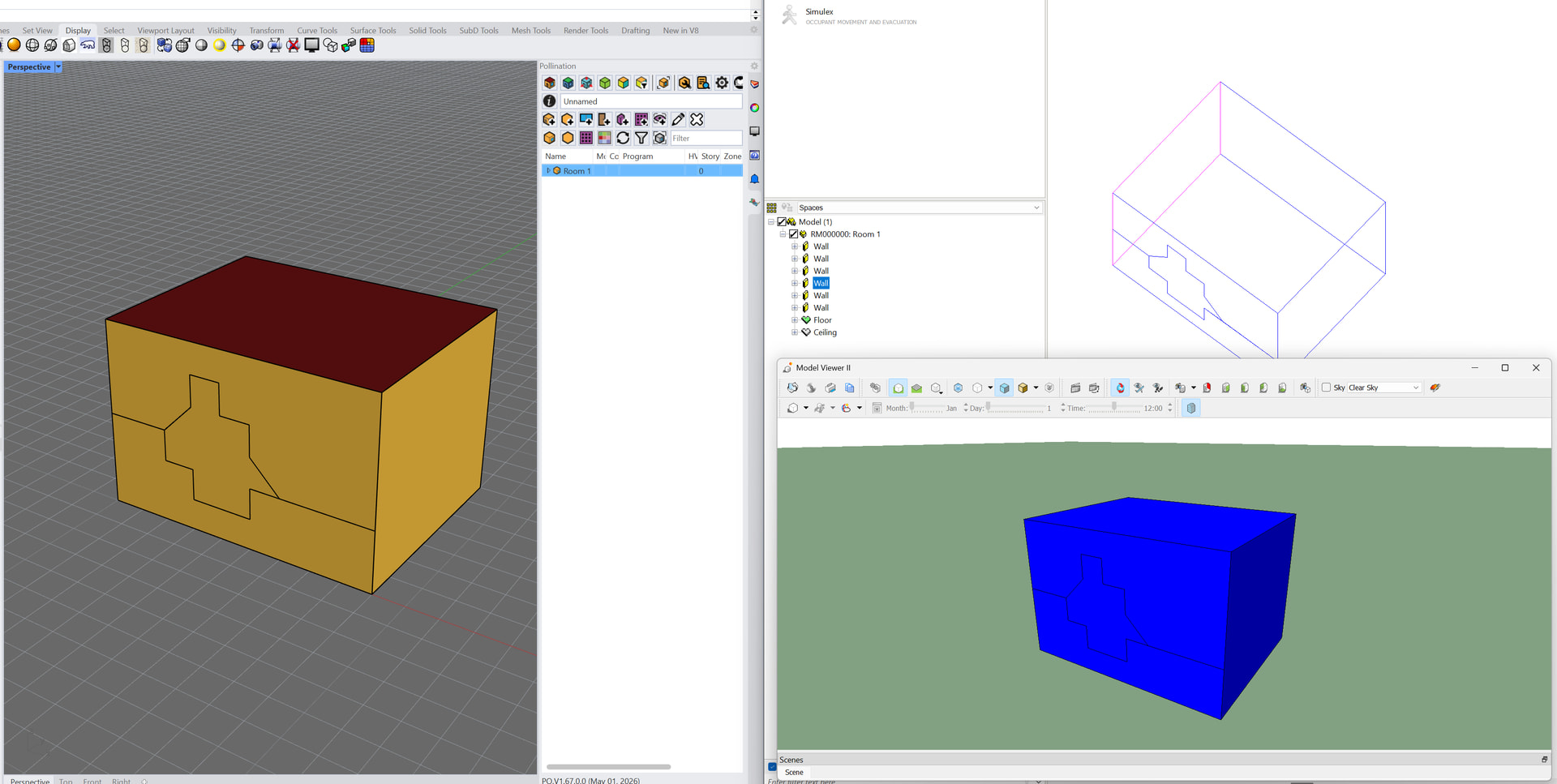
This is our usual workflow for spandrels-as-doors in VE, or sometimes with vertical stripes of metal panels of a different type within an exterior wall of a different type. The Pollination workflow + script is great for this!
I am curious of the Pollination team or any IESVE users have found a way to translate these as exterior wall objects instead that work?
For example, defining two different exterior wall surfaces that apply to a room/space. In VE, you can use a workaround to split a room on a vertical or horizontal axis and them “connect” the two together. This will give you separate wall surfaces on either side of the split, while connecting them makes it one room again. I assume that dragonfly / HBJSON allows this kind of approach (right??), but curious if the GEM import would lead to valid geometry with walls in IESVE.
That said, there is a difference in what would be possible in the Revit Plugin and the Model Editor that uses the Dragonfly schema under the hood vs the Rhino plugin that uses the Honeybee schema. The Honeybee schema supports any closed geometry shape as long as the faces are planar. That’s why you can model Sydney Opera House or any other strange shape that you may like.
Dragonfly schema on the other hand, only supports rooms with extruded walls. You can split the walls in the plan but you can’t change the wall profile in the section. That is a limitation by design. You can read more here about the strengths and limitations of Dragonfly’s abstraction.
If you are interested to learn more about the schemas you can check the documentation for Honeybee and Dragonfly schemas.