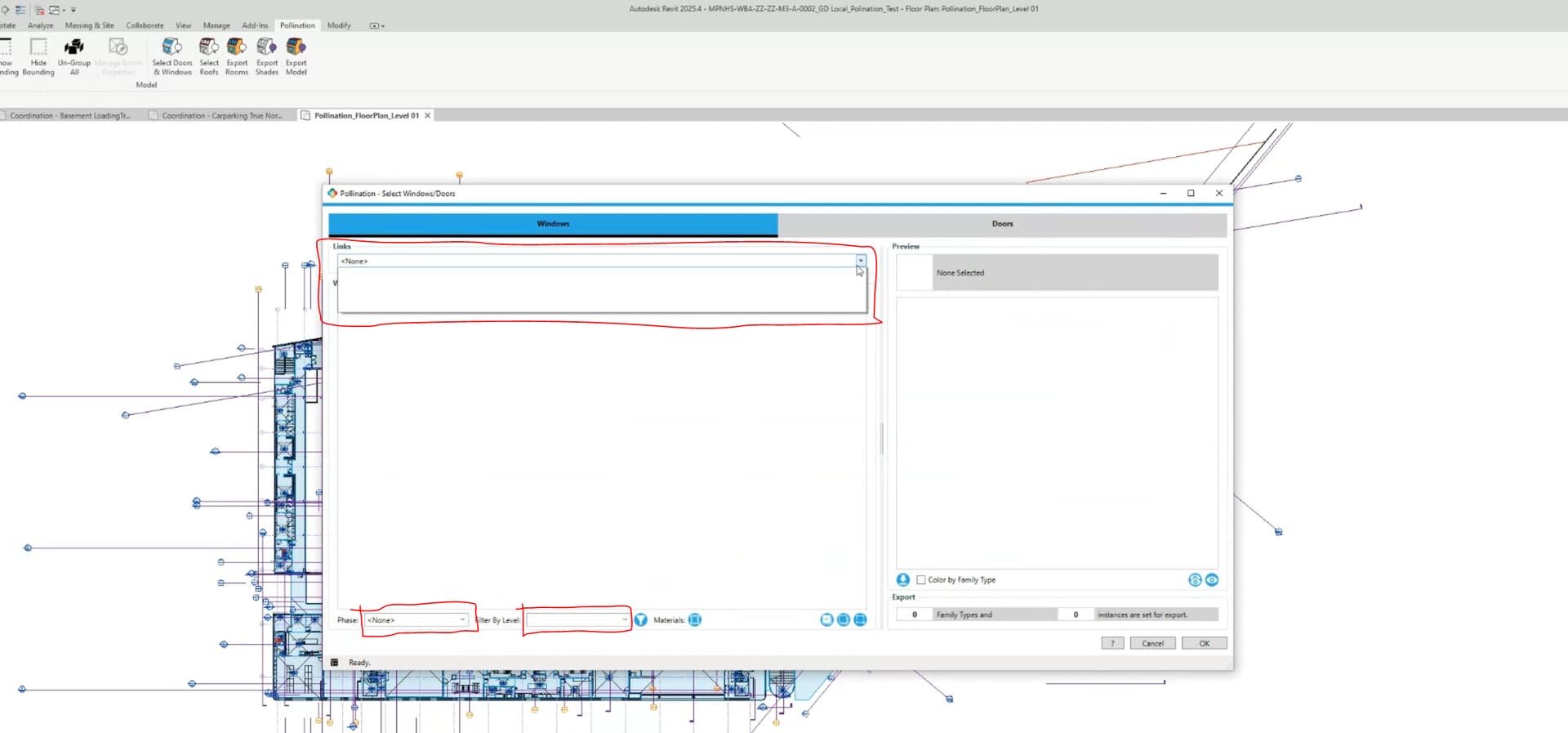
Pollination plugin is detecting rooms/levels. But is unable to detect any doors or windows.
I have checked if correct Revit Categories to identify elements from the model have been assigned and they are correct. So not sure what exactly is the Error.
Also is there a preferred type of Revit model, for Pollination Plugin? Host, Linked, Central or something else that i am missing.
I have just started out using the plugin and am excited about the possibilities, but a tad bit frustrated from this error (which by all means is from my end). Any help regarding this issue would be helpful.
Hi @mostapha Thank You for the warm welcome, delighted to be a part. Been an admirer of your work for a long time.
I have attached an image which highlights, there are no windows are recorded. The same goes for doors.
Regarding sharing the Revit model, I am a new user here so the upload function gives and error “Sorry, new users cannot upload attachments.” If there is an email to which I can forward the model then that would be ideal
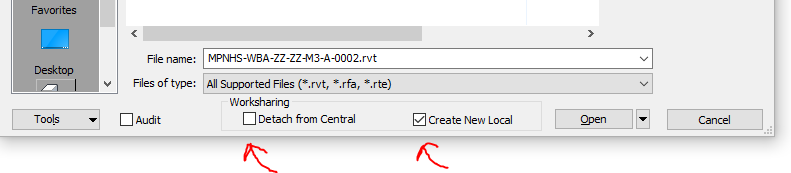
Hi @mostapha , Yes i did create a new local file. Infact I have tried both the options below, plus up-linked and re-linked the links multiple times but no help.
Interesting! Can you upload the model somewhere and share the link with me? You can send it as a private message if you don’t want to upload it publicly.
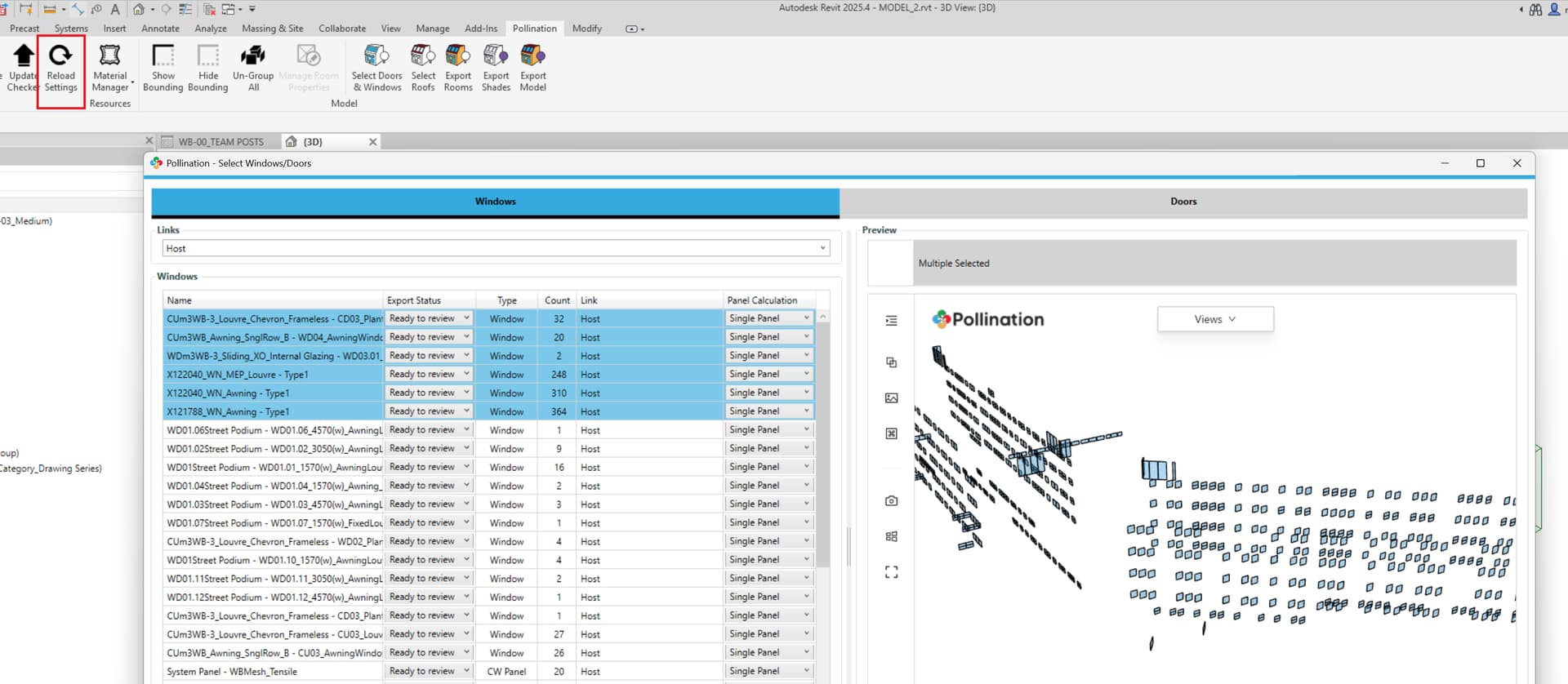
Thank you for sharing the model. I checked the files that you sent me, and everything works as expected. I opened Model 2, clicked on Reload Settings, and re-opened the Select Doors & Windows menu and they are all showing up.
Can you make sure you are using the latest version of the Revit plugin released earlier this week?
Can you make sure the model is detached? In your screenshot it is not Detached from Central. Maybe you could just test with the model that you sent me.
Finally, why do you need to link the other two models. I don’t know if they are the source of the issue but it looks like Model 2 has all the information that you need.
Hi @mostapha ,
Seems like I am finding myself in a classic case of, “Trust me it was not working for me a second ago but now that you are looking into it, it is working, Believe me Sire”. Haha..
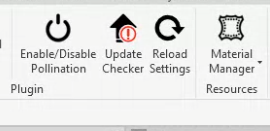
Thanks for you help on this Mostapha. I did exactly as you suggested, updated to the latest version. There was a nudge on the update checker as well which I missed.
You are absolutely right that I need only Model 2, and do not need to link the other two, this was my understanding as well. But i thought its best i send you all the data that i received from the Architects for a fair evaluation.
Since the update, the windows and doors are being detected, and I am able to successfully import a snapshots into the model editor. I will keep going with the process and report if any concerns.
 welcome to the forum.