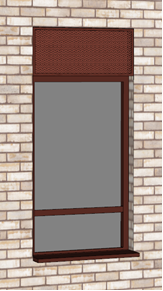
In most of our buildings now we have windows with integrated ventilation panels which go into the ceiling void as an exhaust for MVHR ductwork.
We usually model these as “doors” in IES.
Do you have any suggestions as to how we would get this from Revit into IES?
Do you think that a feature to automatically add “vent grilles” above all window openings that are the same width as the window and 0.3m high for example could be integrated into the pollination progress?
Thank you for posting this. I think the best approach for this is to use a Python script to automate the process. We can use user data to tag these specific windows, and then use the script to find these windows, and add a door on top of the window with a certain height that is set in the script.
The main risk that I can see here is that one might create doors that are outside the room parent face, which is invalid. But that can be fixed by running the “Repair Invalid Windows” command.
@chriswmackey, what would you think is the best way to approach this?
Yea, a custom python script is definitely the correct way to do this unless there’s an elegant way to parse the vent part of Revit family into a door upon export. But, if you wanted to generate the door grille from the window geometry, the script would look something like this:
from ladybug_geometry.geometry2d import Point2D, Polygon2D
from dragonfly.windowparameter import DetailedWindows
from model_editor import Editor

offset = 0.05  # offset of the grille above the window
height = 0.03  # height of the grille

# loop through the rooms to edit the windows
editor = Editor()
for room in editor.selected_room_2ds:
    new_win_par = []
    for wp in room.window_parameters:
        if isinstance(wp, DetailedWindows):
            # determine if the window should have a grille
            if wp.user_data is not None:
                grille_indices = wp.user_data['grille_indices']
            else:  # assume that all windows get a grille
                grille_indices = list(range(len(wp)))

            # create the new polygons and doors
            new_poly, new_are_doors = [], []
            zip_obj = zip(wp.polygons, wp.are_doors)
            for i, (poly, is_d) in enumerate(zip_obj ):
                # add the existing window polygon
                new_poly.append(poly)
                new_are_doors.append(is_d)
                if i in grille_indices:
                    grille_pts = [
                        Point2D(poly.min.x, poly.max.y + offset),
                        Point2D(poly.max.x, poly.max.y + offset + height),
                        Point2D(poly.max.x, poly.max.y + offset + height),
                        Point2D(poly.min.x, poly.max.y + offset)
                    ]
                    new_poly.append(Polygon2D(grille_pts))
                    new_are_doors.append(True)
                new_win_par.append(DetailedWindows(new_poly, new_are_doors))
        else:
            new_win_par.append(wp)
    room.window_parameters = new_win_par

# update the rooms in the editor
editor.update()
You’d probably just have to refactor that section about user_data depending on how exactly you recorded which windows are supposed to get a grille from the Revit model.
 welcome to the forum!