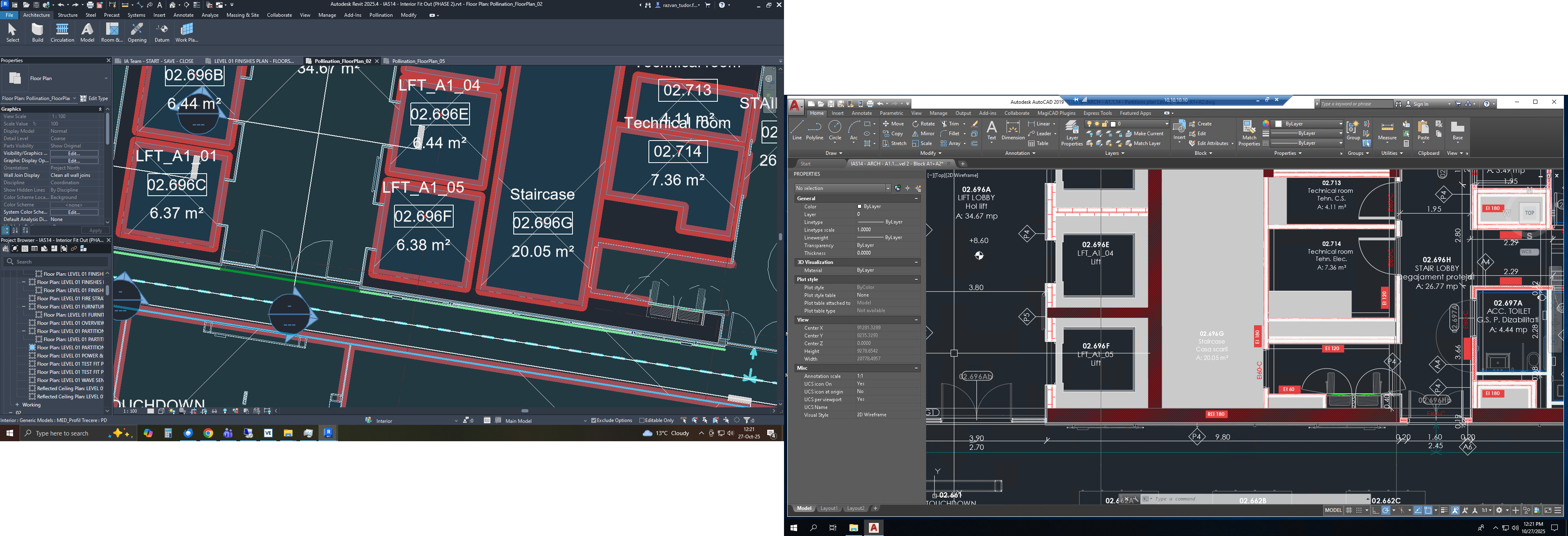
I downloaded the Revit plugin recently. However I have some problems. The plugin seems to be able to recognize rooms, but it has trouble dealing with thick walls. Many models my company works with have walls of different thickness, and when the plugin makes the rooms, these empty spaces remain, and I have no idea what to do. I heard I can request a free demonstration before I buy, and I would like that very much. Thank you!
Images contain the Pollination made rooms and the ones from the plan. Huge gaps remain because only the room inside the lift is considered, not the whole shaft
How did you create the Revit model? I see that there is a separation line at the wall finish for every room. Can you remove those and rely on Revit’s room bounding elements to define the rooms? That way, the rooms will be exported at the center of the walls and most of the gaps will be removed.
This is the expected behavior. If you want them to be included, you need to place a room inside the rest of the shaft. See here:
Thanks for your response. The Revit model is made by architects outside the company of my employer. These are the revit files that 2D DWGs are made from, and that we energy engineers use. If I delete the boundary, the room essentially fills the empty space completely. I assume I need to make a new boundary inside the middle of the wall to fix the problem, but that defeats the purpose of using the plugin at all, when I could just trace over drawings. Do you suggest I should delete the rooms made by default and then make new ones manually with the room function in Revit?
In any case, can we set up a tutorial meeting? Or do I have to buy the plugin first?
No. You don’t have to do that. Revit has an option to set the room boundaries at the center of the wall automatically.
See here:
And here is the Revit documentation. If you select the At Wall Center option, the plugin selects the middle of the walls automatically.
We can set up a call, and I can walk you through the process, but to make the call more effective, can you send me your Revit model first? My email is mostapha [at] ladybug [dot] tools. I’ll review the model and record a video for you that shows the process. We can then set up a follow up call as needed.