We’re starting to dive into the new revit plugin workflow. It seems by default all the units within the Model Editor are in SI units. How do I switch to IP units? It was an option in the last version of the model editor, I figure I’m just not looking in this right place.
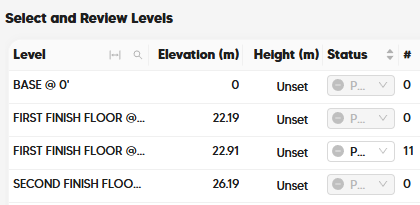
By default, the Pollination plugin will use the units of the Revit model that you have open. So it looks like your Revit model is in meters. You could always change the Revit model units but this is clearly not ideal for most cases since the other members of your team who authored the Revit model expect the model units to be what they set them at originally.
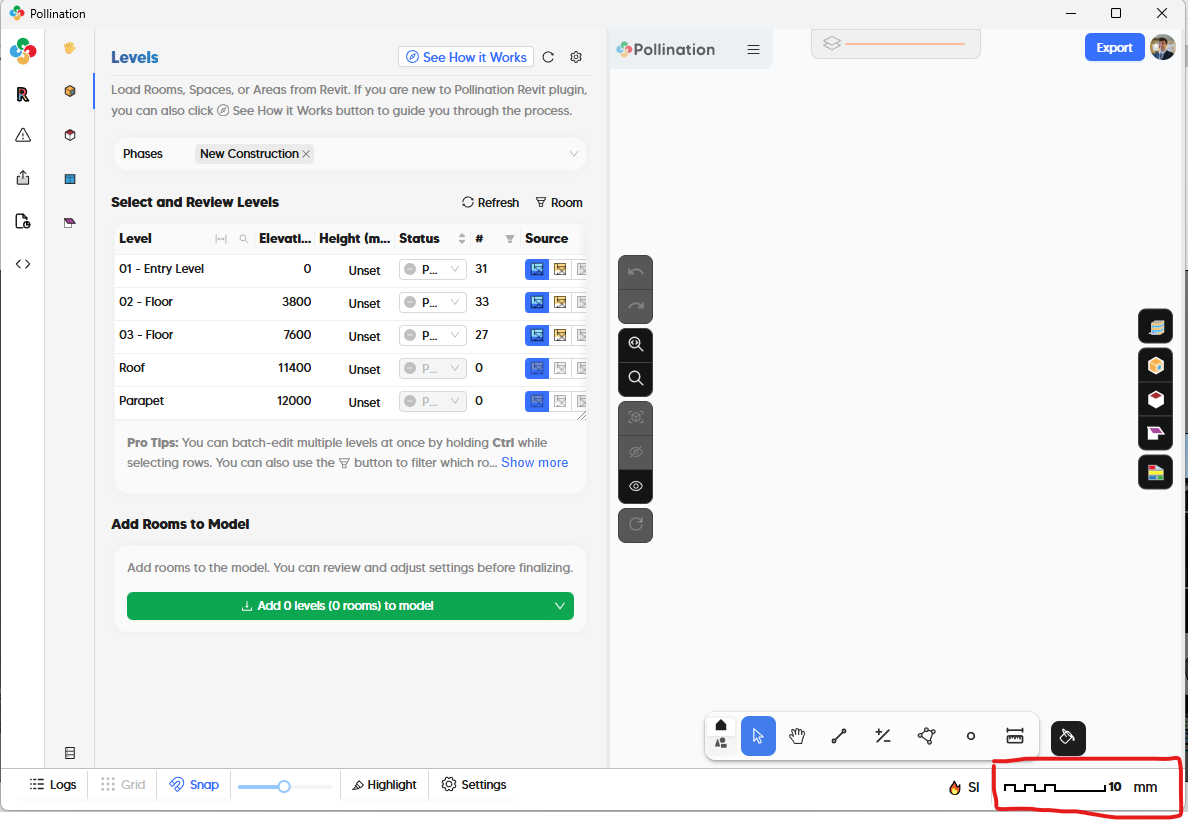
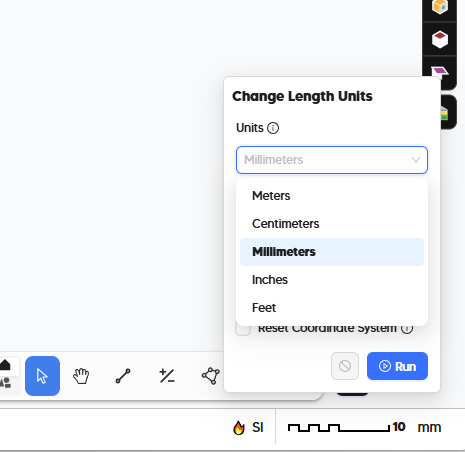
So, to change the units used by the Pollination Revit plugin without changing the units of the Revit model, go to the lower-right corner of the Model Editor interface:
While on this topic, I’ll mention that the GBXML exports from pollination are still only in metric units. Most HVAC design firms I know in the states operate exclusively in IP units. Our load calc software (CHVAC) has its own built-in unit conversion function and is how we’ve been getting by, but it is a clunky process. Revit allows export of GBXMLs in IP units. I do hope we’re able to eliminate that conversion step in the future and can export in IP units directly from Pollination.
Yes, this is the currently expected behavior. However, the next item that I have on my agenda after this week is to re-write our gbXML exporters to no longer be reliant on the OpenStudio SDK, which only supports E+ style SI units. This will enable us to support an option of exporting gbXMLs in IP units. So you can likely expect support for IP gbXMLs sometime in the next couple of months.
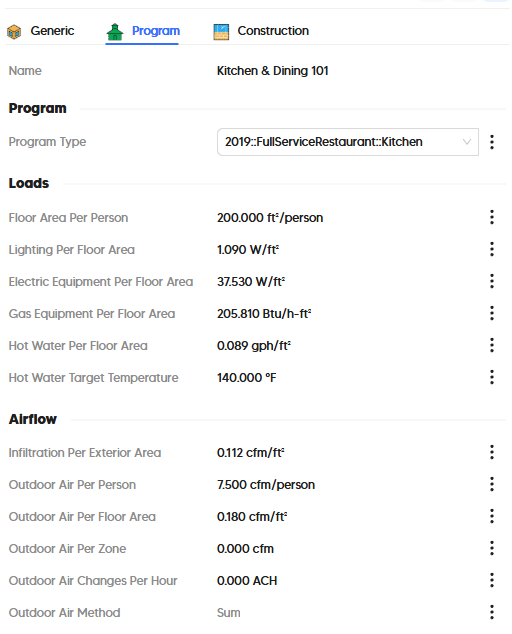
If you want to make the process of integrating the IP option into your workflows streamlined, I could use some confirmation from you that, even though gbXML supports multiple units of length, the one that you want to use for your CHVAC workflows is Feet and NOT Inches. If you can also confirm that all of the units in the following screenshot from the model editor are what you want in your IP version of the gbXML, I can make sure that the first release of the IP gbXML has all the units set the way that you want: