I’m experiencing a new license timeout flag… is it possible to turn off the reminder? It’s a bother since I am the only one in office to be using the software.
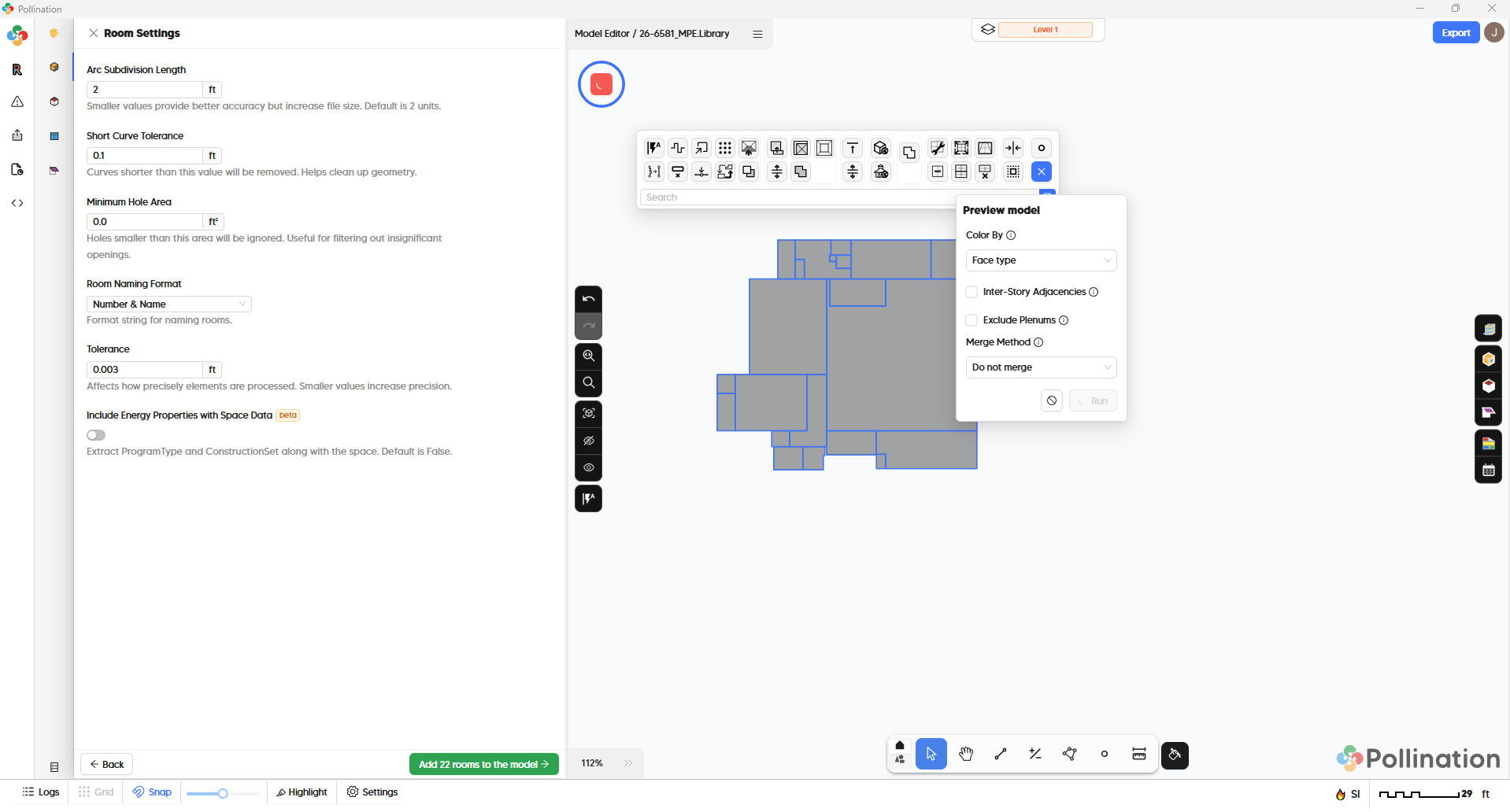
The other point I need help with is troubleshooting infinite loading on trying to generate the 3d preview.
Yes. There has been a change. I’m finishing up the release notes now.
The new version of the Revit plugin has a new feature that keeps track of the time that the plugin hasn’t been used to automatically return the license to the license pool to maximize the availability of the license to everyone on the team.
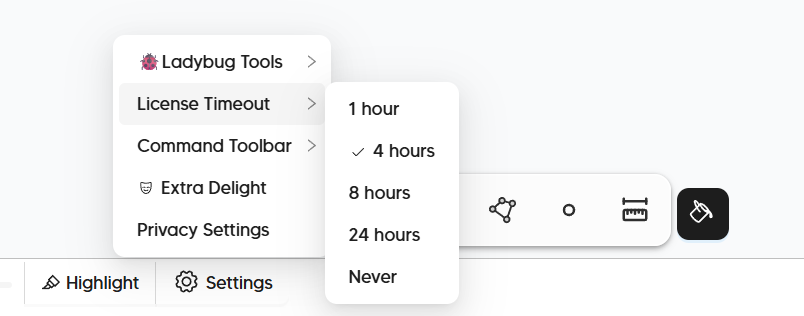
The default duration is set to 1 hour but you can change it to 4 hours, 8 hours, 24 hours or Never from the Settings > License Timeout menu. Try to change it to Never and let us know if you still see it pop up.
I need the PoMF to be able to help with this one. As far as I remember, we didn’t change anything in the 3D preview generation in the new release. Sorry about that. Do you see any errors in the logs?
The license timer tip is appreciated. I suggest considering allowing that to be a setting that can be changed from the built in revit app as well.
As for my 3d loading issue… I was unable to save the pomf after the 3d load was stuck. Like many IT issues, looks like the classic “ask for help from support” was resolved by a weekend restart and time away (I.e. it is working just fine this morning)
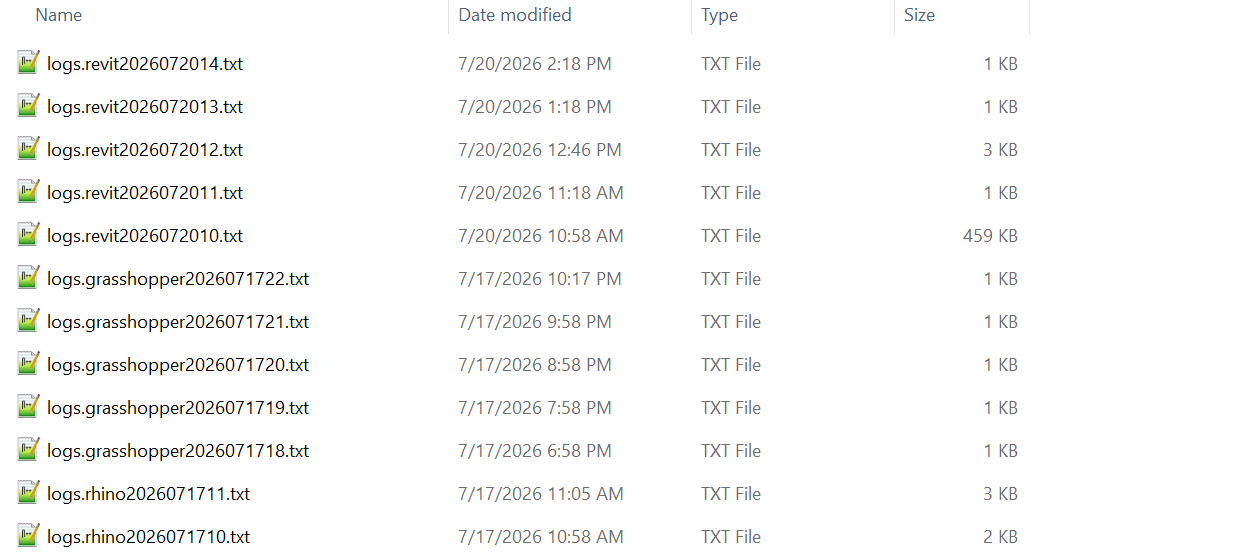
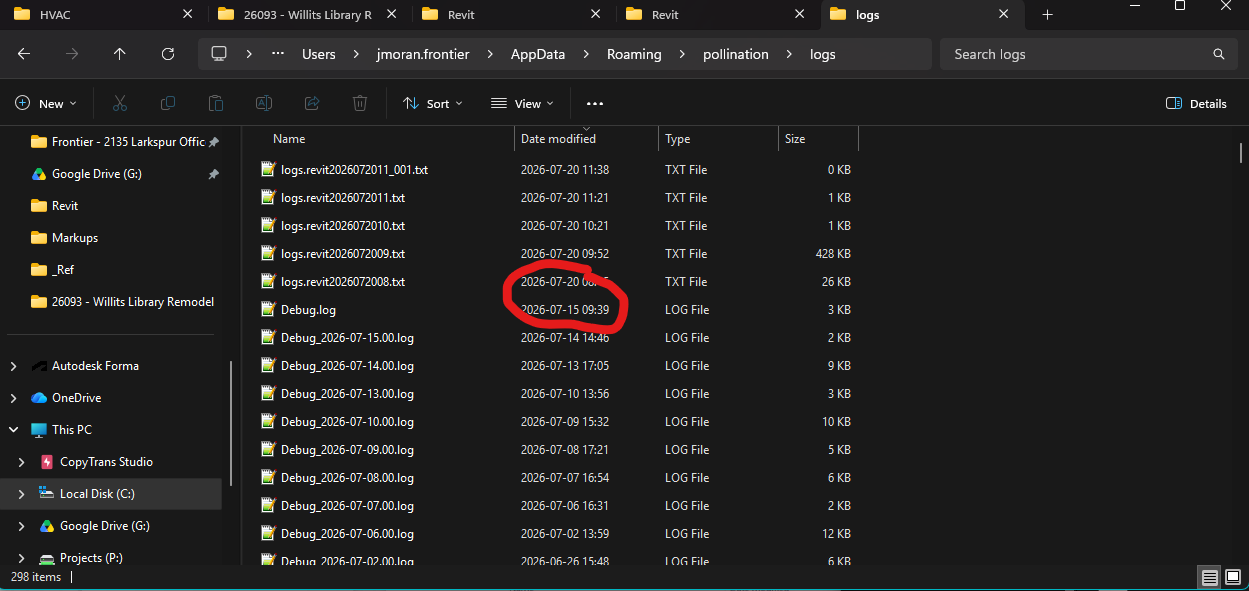
If the issue occurs again, I will send error logs / pomf. It looks like the log from friday is gone. Is there a way to look at other days of log history?
We might bring it to the Revit plugin UI too but for now the one in the Model Editor sets it up globally for both the Rhino plugin and the Model Editor.
This is something that we have seen in the past. The main reason for it is usually one of the DLLs being blocked by your system that blocks creating the 3D which then blocks the Model Editor from moving forward. I have yet to see a case that the issue happens because of the model.
Yes. If you go to %appdata%\pollination\logs you should be able to find the log files from the previous dates.
Seems like the these are not the logs I am looking for Hand wave
Okay, thanks for unpacking the why is happens. I’ll consider this resolved until it happens again and then will know what language to use next time I see it.
Sounds good to me! It seems to be leaving me alone now, so the “never” ask is working as intended.