Hi having issue with Floor plan elevation on pollination tools - Create Rooms , the building is 2 story high while the 1st flr elevation should be 0’ 0" (Default Ground) and 2nd should 16" Flr-Flr but its showing up as 100’ for some reason which is not editable- This is causing Issue with Trace when we load the pollination file to Revit the plan shows up from level 01(First floor) and a dummy below Level 00 which is not delete -able , Tried Extension height option that doesn’t make any diff. Please let me know if that’s causing the issue with trace or something else. if those we editable that would be great. Thanks

Hi @deepaks,
Welcome to the forum and thank you for posting this question.
I wasn’t aware of this limitation in Trace. But you can use the Reset Coordinate System command in the Model Editor to address this issue. It will reset the coordinates and set the elevation for LEVEL 01 in your model to 0.
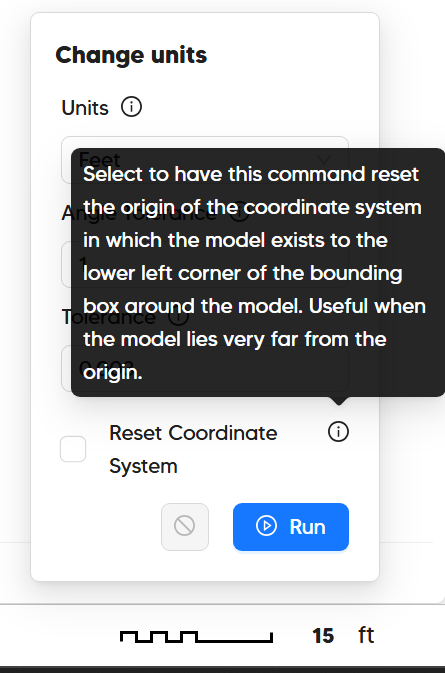
Let me know if you have any other questions.