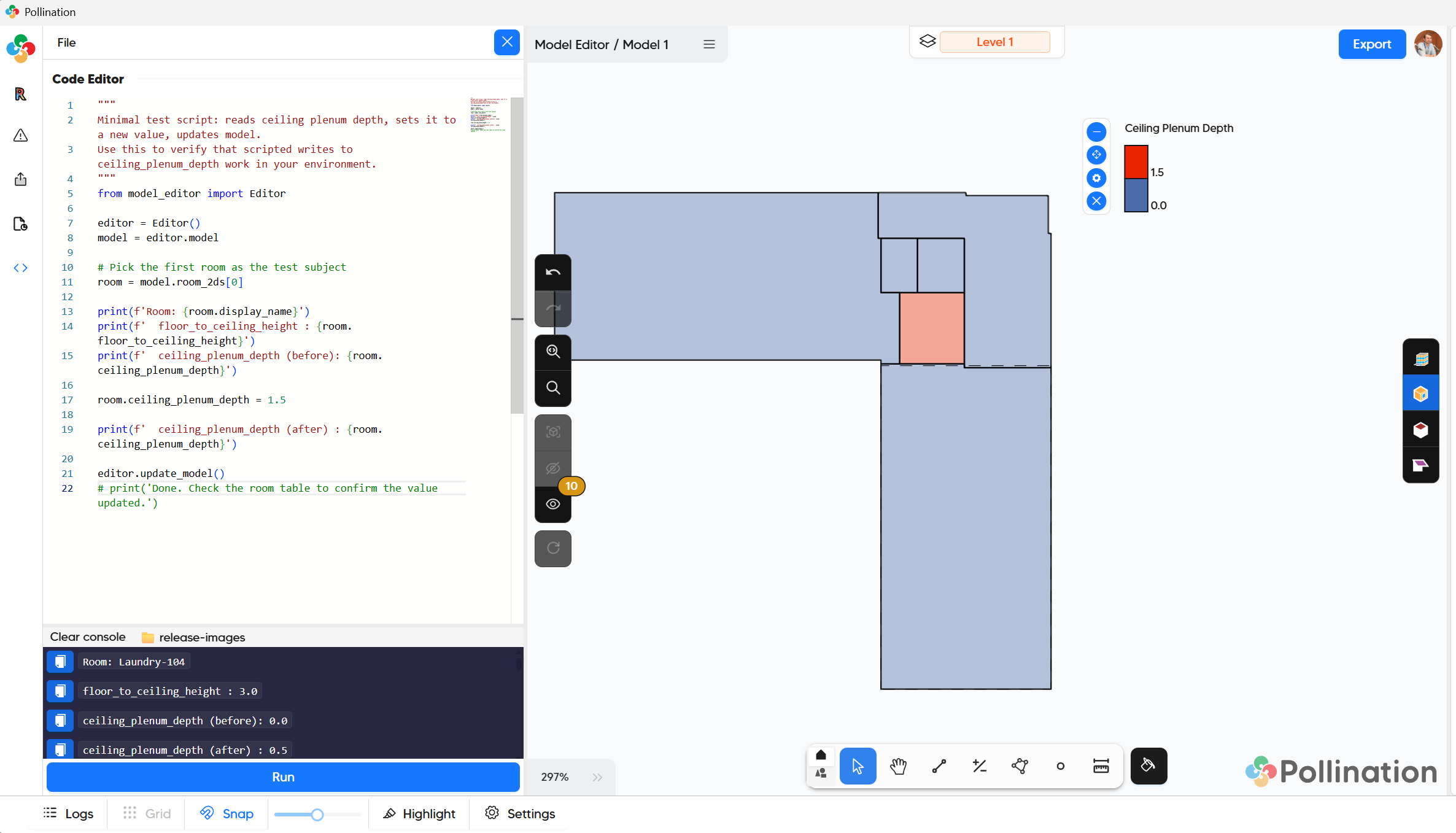
I’m trying to write a script that updates the “Ceiling plenum depth (ft)” attribute of rooms in my model from a CSV file in the mapped directory. However, the script runs but the “write” operation to room.ceiling_plenum_depth isn’t updating my model based on reviewing the room tabular data after the script finishes.
I tested manually updating this field for a couple of rooms to verify the script could READ the appropriate values.
I also just tried unzipping the pomf, editing these values for some rooms in model.json opening back into Model Editor, and it also did not update the space tables.
Could this have something to do with the source.json data overriding these room2D attributes in Model Editor?
Pollination Revit Installer: v2.305.1
(Just seeing v3.8.0 is available; downloading now)
Example script for testing purposes:
"""
Minimal test script: reads ceiling plenum depth, sets it to a new value, updates model.
Use this to verify that scripted writes to ceiling_plenum_depth work in your environment.
"""
from model_editor import Editor

editor = Editor()
model = editor.model

# Pick the first room as the test subject
room = model.room_2ds[0]

print(f'Room: {room.display_name}')
print(f'  floor_to_ceiling_height : {room.floor_to_ceiling_height}')
print(f'  ceiling_plenum_depth (before): {room.ceiling_plenum_depth}')

room.ceiling_plenum_depth = 1.5

print(f'  ceiling_plenum_depth (after) : {room.ceiling_plenum_depth}')

editor.update()
print('Done. Check the room table to confirm the value updated.')
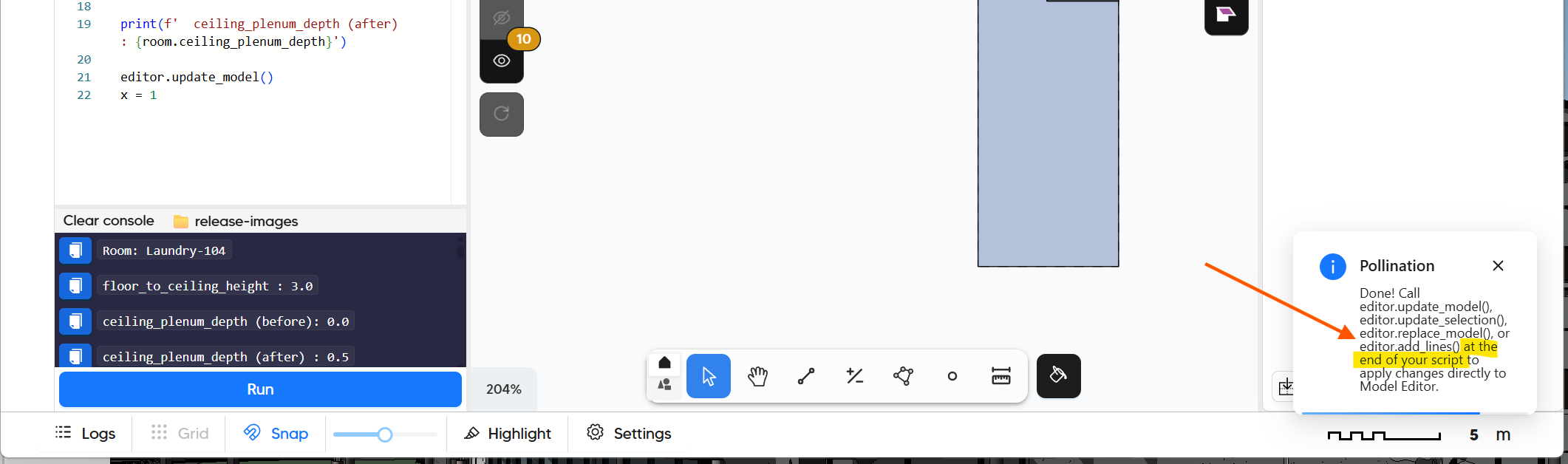
This looks like a bug in the editor. I’m not sure why but the last print statement overwrites the update. Try commenting out the last print and it should work as expected.
P.S. I love the fact that you’re taking advantage of the script to automate your workflows. I have been thinking to support set values from CSV as a native feature. Let us know if you have a list of typical workflows that you would like to be automated and we can see what could be done to make your life easier.
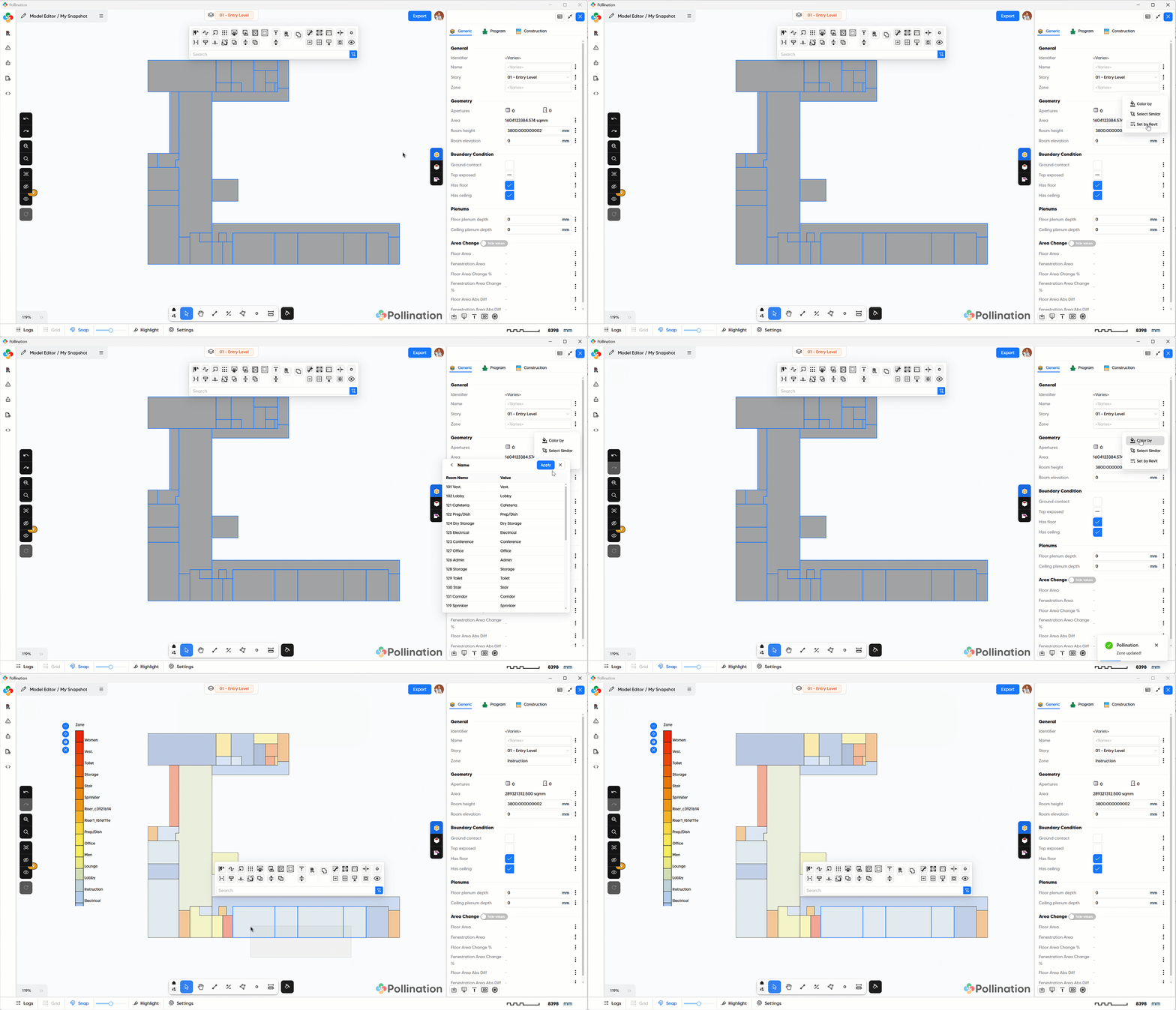
One potential workflow here, in case the CSV is generated from Revit, is to use the new Set values from Revit functionality in the new v3. We currently only have it exposed for Name and Zone but we can also expose it for Ceiling plenum depth, etc.
Here is the GIF that we shared in the announcement:
Wow, great catch @mostapha ! I wouldn’t have thought about commenting out print statements.
Yes, the data does come from Revit and I will try mapping the field directly the next time we go through the workflow. For this one, I had too much cleanup already done and some rooms merged and I didn’t want to go back to Revit.
Letting Model Editor create plenums is probably 1000x faster than doing the same thing in IESVE. Thanks for the massive time savings!
@antonellodinunzio, we should make this more explicit. I would say, we should give the user a validation error in the scenarios like this or make the editor smart enough not to allow writing code after the update. Or hide the update_model from the user and add it to the script under the hood. If we decide to hide it, then we most likely need to have it in the settings.