Open Snapshot Failed

I’m receiving an “Open Snapshot Failed” message for the attached snapshot.

Revit 2024.3
Pollination.Revit.2024 2.284.5.0

2025-02-9–18-04-10_825132_800 Pelham Rd_MEP_R24.pomf (35.1 KB)

Log

2025-09-02 14:05:17.0751|INFO|pollination_logger|Model Editor started.|
2025-09-02 14:05:17.0801|INFO|Key|Activation: user data found from LexActivator|
2025-09-02 14:05:23.8494|INFO|Key|Activation: user data found from LexActivator|
2025-09-02 14:05:23.8494|INFO|ServiceHub|Processing ModelEditorService.LoadAllModels.|
2025-09-02 14:05:23.8784|INFO|ServiceHub|Completed ModelEditorService.LoadAllModels.|
2025-09-02 14:05:24.5556|INFO|Key|Activation: user data found from LexActivator|
2025-09-02 14:05:24.5556|INFO|ServiceHub|Processing ModelEditorService.CheckLicense.|
2025-09-02 14:05:24.5556|INFO|Key|Activation: user data found from LexActivator|
2025-09-02 14:05:24.5682|INFO|ServiceHub|Completed ModelEditorService.CheckLicense.|
2025-09-02 14:05:27.9347|INFO|ServiceHub|Processing ModelEditorService.GetSdkVersion.|
2025-09-02 14:05:27.9816|INFO|ServiceHub|Completed ModelEditorService.GetSdkVersion.|
2025-09-02 14:05:37.5492|INFO|Key|Activation: user data found from LexActivator|
2025-09-02 14:05:37.5492|INFO|ServiceHub|Processing ModelEditorService.ReadPomfFile.|
2025-09-02 14:05:37.5492|INFO|ServiceHub|No argument pomfPath found in [
  {
    "ObjType": "MessageParam",
    "Key": "pomfPath",
    "Value": "C:\\VE-Projects\\_Pollination Snapshots\\825132 800 Pelham\\2025-02-9--18-04-10_825132_800 Pelham Rd_MEP_R24.pomf"
  },
  {
    "ObjType": "MessageParam",
    "Key": "pomfContentTypes",
    "Value": [
      "Model",
      "TlDraw"
    ]
  }
]|
2025-09-02 14:05:37.5492|INFO|ServiceHub|No argument pomfContentTypes found in [
  {
    "ObjType": "MessageParam",
    "Key": "pomfPath",
    "Value": "C:\\VE-Projects\\_Pollination Snapshots\\825132 800 Pelham\\2025-02-9--18-04-10_825132_800 Pelham Rd_MEP_R24.pomf"
  },
  {
    "ObjType": "MessageParam",
    "Key": "pomfContentTypes",
    "Value": [
      "Model",
      "TlDraw"
    ]
  }
]|
2025-09-02 14:05:37.5492|ERROR|ServiceHub|Error processing request 'v2_f27088ad-17c7-44ad-94ec-990c467e6bc4' for method 'ModelEditorService.ReadPomfFile'|System.ArgumentException: Invalid .pomf path: 
   at ModelEditorSDK.ModelEditorSDKService.<ReadPomfFile>d__32.MoveNext()
--- End of stack trace from previous location where exception was thrown ---
   at System.Runtime.ExceptionServices.ExceptionDispatchInfo.Throw()
   at System.Runtime.CompilerServices.TaskAwaiter.HandleNonSuccessAndDebuggerNotification(Task task)
   at Pollination.BrowserMessageHandler.ServiceHub.<HandleRequestMessageReceived>d__32.MoveNext()
2025-09-02 14:05:46.4280|INFO|Key|Activation: user data found from LexActivator|
2025-09-02 14:05:46.4280|INFO|ServiceHub|Processing ModelEditorService.ReadPomfFile.|
2025-09-02 14:05:46.4280|INFO|ServiceHub|No argument pomfPath found in [
  {
    "ObjType": "MessageParam",
    "Key": "pomfPath",
    "Value": "C:\\VE-Projects\\_Pollination Snapshots\\825132 800 Pelham\\2025-02-9--18-04-10_825132_800 Pelham Rd_MEP_R24.pomf"
  },
  {
    "ObjType": "MessageParam",
    "Key": "pomfContentTypes",
    "Value": [
      "Model",
      "TlDraw"
    ]
  }
]|
2025-09-02 14:05:46.4280|INFO|ServiceHub|No argument pomfContentTypes found in [
  {
    "ObjType": "MessageParam",
    "Key": "pomfPath",
    "Value": "C:\\VE-Projects\\_Pollination Snapshots\\825132 800 Pelham\\2025-02-9--18-04-10_825132_800 Pelham Rd_MEP_R24.pomf"
  },
  {
    "ObjType": "MessageParam",
    "Key": "pomfContentTypes",
    "Value": [
      "Model",
      "TlDraw"
    ]
  }
]|
2025-09-02 14:05:46.4280|ERROR|ServiceHub|Error processing request 'v2_ca2f82db-da23-448f-ac84-5721d1cc8aaa' for method 'ModelEditorService.ReadPomfFile'|System.ArgumentException: Invalid .pomf path: 
   at ModelEditorSDK.ModelEditorSDKService.<ReadPomfFile>d__32.MoveNext()
--- End of stack trace from previous location where exception was thrown ---
   at System.Runtime.ExceptionServices.ExceptionDispatchInfo.Throw()
   at System.Runtime.CompilerServices.TaskAwaiter.HandleNonSuccessAndDebuggerNotification(Task task)
   at Pollination.BrowserMessageHandler.ServiceHub.<HandleRequestMessageReceived>d__32.MoveNext()

Hi @mdouglass, Thank you for reporting the issue. Here is the DFJSON version of your model. Can you try to open this instead, and see if it works?

2025-02-9–18-04-10_825132_800 Pelham Rd_MEP_R24.dfjson (444.3 KB)

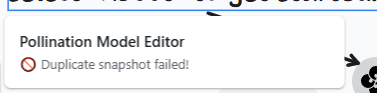
Hey @mostapha, still fails. Also, when I click “Load from folder” and select a different folder path for the Snapshots, I’m getting a “Duplicate snapshot failed” error. Not sure if this is related.

2025-09-02 15_32_01-Pollination

Log

2025.09.02 15:24:53.471|info|⌛ init
2025.09.02 15:24:55.095|info|✅ Snapshot loaded!
2025.09.02 15:24:55.946|info|[Put]: tl-records success
2025.09.02 15:24:58.564|info|🐍 20 modules installed!
2025.09.02 15:24:58.635|info|Get SDK version...
2025.09.02 15:25:39.026|error|🚫 Open snapshot folder failed!
2025.09.02 15:25:43.656|error|🚫 Open snapshot failed!, Invalid .pomf path: 
2025.09.02 15:25:50.837|error|🚫 Update snapshot failed!, Object reference not set to an instance of an object.
2025.09.02 15:26:01.686|error|🚫 Duplicate snapshot failed!, Value cannot be null.
Parameter name: Invalid folder
2025.09.02 15:31:14.239|error|🚫 Open POMF failed!, Value cannot be null.
Parameter name: path
2025.09.02 15:31:46.920|error|🚫 Duplicate snapshot failed!, Value cannot be null.
Parameter name: Invalid folder
2025.09.02 15:31:56.377|error|🚫 Duplicate snapshot failed!, Value cannot be null.
Parameter name: Invalid folder
2025.09.02 15:32:01.842|error|🚫 Duplicate snapshot failed!, Value cannot be null.
Parameter name: Invalid folder
2025.09.02 15:32:58.882|error|🚫 Duplicate snapshot failed!, Value cannot be null.
Parameter name: Invalid folder
2025.09.02 15:36:01.488|error|🚫 Open POMF failed!, Value cannot be null.
Parameter name: path
1 Like

Hi @mdouglass, thanks! I can recreate the error after switching to V1. Give me a bit of time and I’ll send you the fixed version of the PoMF. This is a bug that was introduced in the latest version that I shared with you on Friday. I missed it because I don’t use the Model Editor V1 anymore. Sorry about that.

All good for now. Just finished manual modeling this one in VE :face_vomiting: I’ll keep an eye out for V2.

1 Like

Hi @mdouglass,

I’m very sorry! That hurts. :frowning:

I wasn’t able to find a quick fix for this. The most reliable way to fix this is to switch back to an older version of the Revit plugin that you can download from Pollination. It will have the conflict with other add-ons but at least the Model Editor should work as expected once you disable the other add-ons.

I have already notified @mingbo and @antonellodinunzio about this issue. We should have a fix for it soon.

P.S. I wrote a longer paragraph here about switching to V2 instead, but I deleted it. I feel that will be a high risk proposal. Let’s wait a bit longer until we officially switch to V2.

I’ll probably reinstall 2.283.6.0 later this week. Any tips on troubleshooting the offending add-on? Just disable all and re-enable one by one? Thanks as always for the quick responses and solutions. It’s refreshing that you guys take such an active role in development and user feedback!

1 Like

I see. In that case, we should have a new release for you with the fix. @mingbo is already working on the fix.

Yup. Unfortunately, there is not good solution to find the problematic one. Hopefully, you don’t have to do that though. We should be able to get you a fixed version by then.

Thank you! That’s the least we could do. :slight_smile:

A new version is ready to test. We will test it internally first and let you know when it is ready.

1 Like

I think I’m having the same issue - can’t seem to load any snapshots. Where can I download the previous version to test that? I can only see the link to download the latest version. I’m working in Revit 2025.4.
Hi @mparkinson,

Try downloading the installer from the website. We have reverted it back to an older version of the installer.

Thank you for the quick fix, @mingbo!

I tested the new version with the fix, and the issue has been resolved. You can download the latest version (v2.284.6) from the website: Pollination

Sorry again about the issue. I did test everything in V1 this time to ensure they work as expected.

2 Likes