Hi,
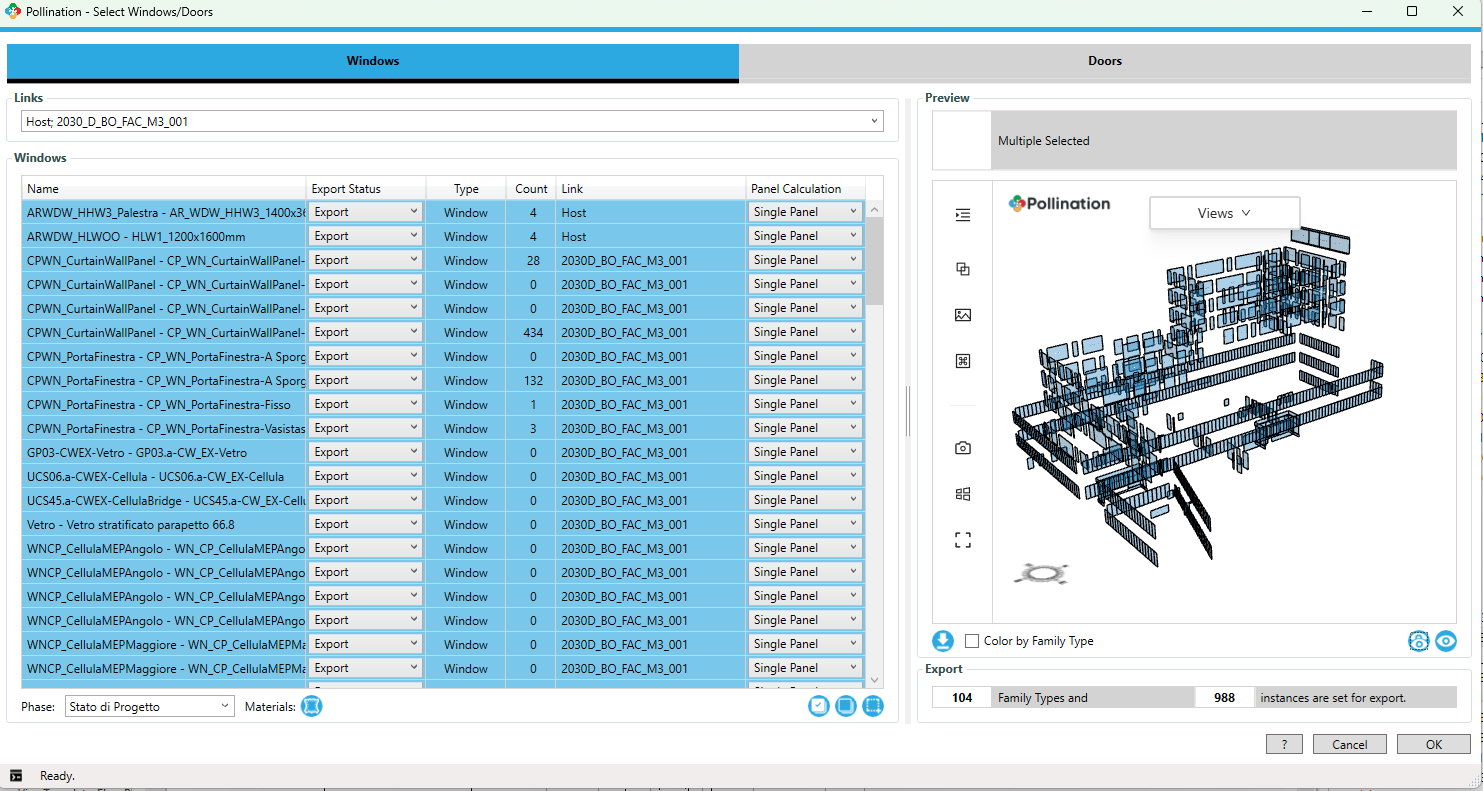
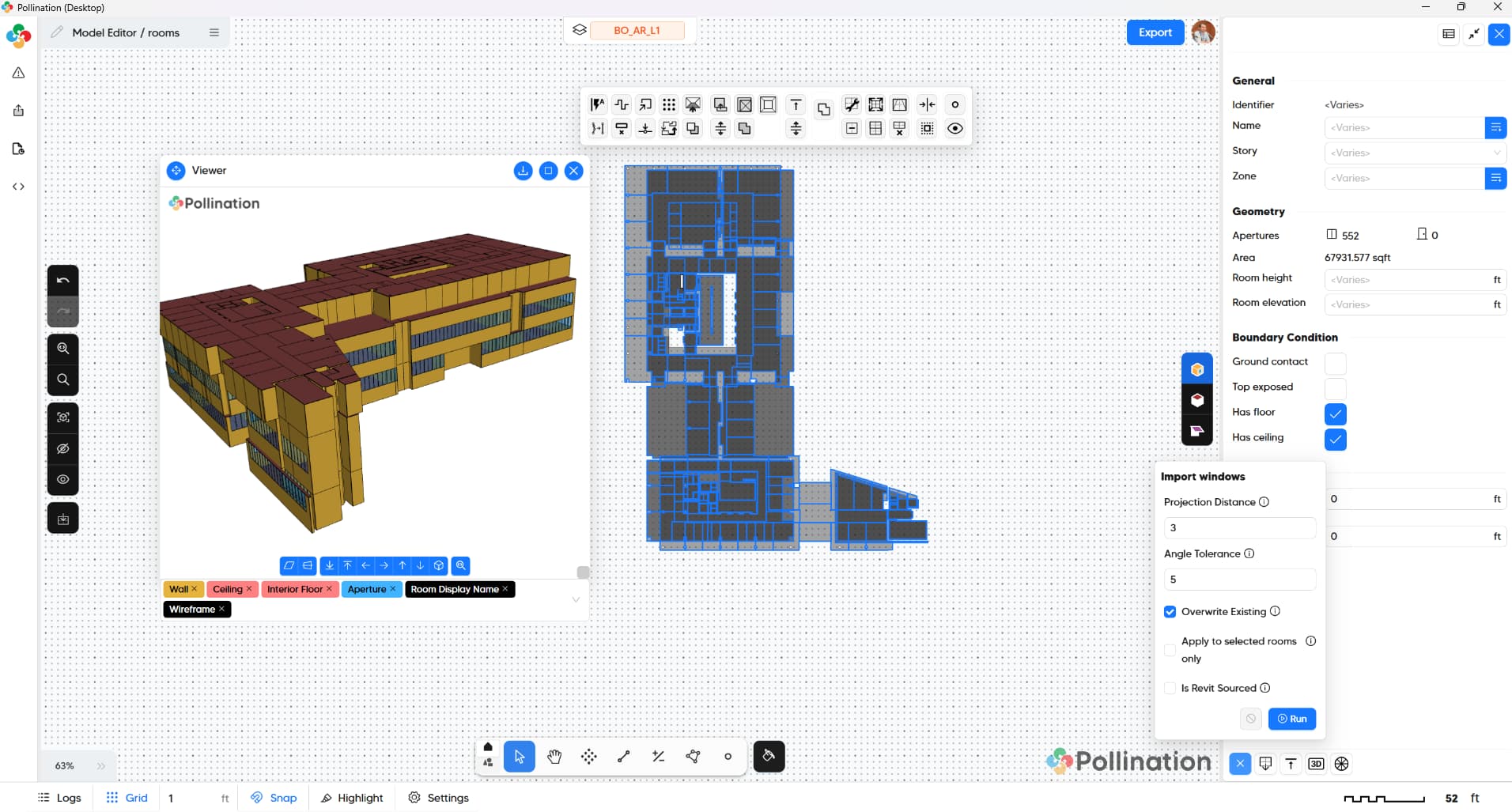
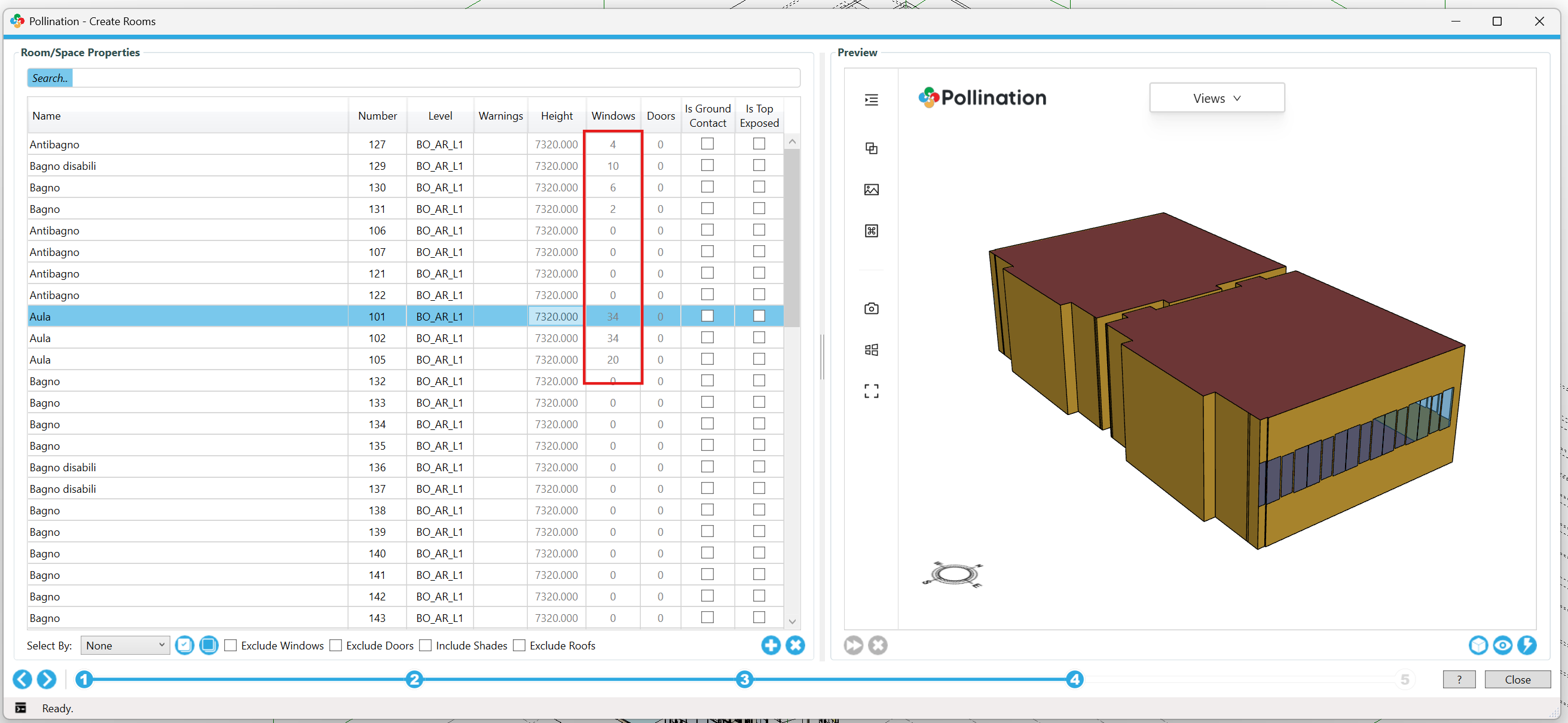
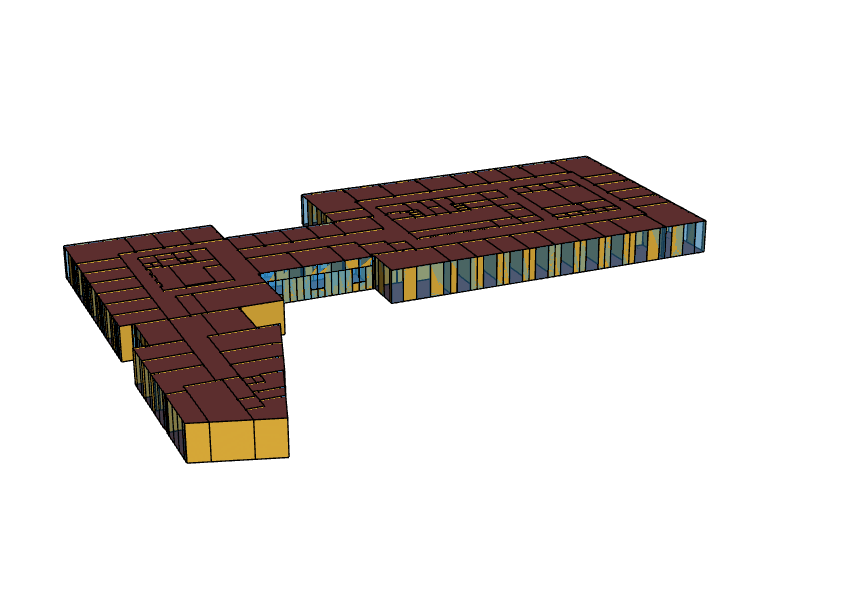
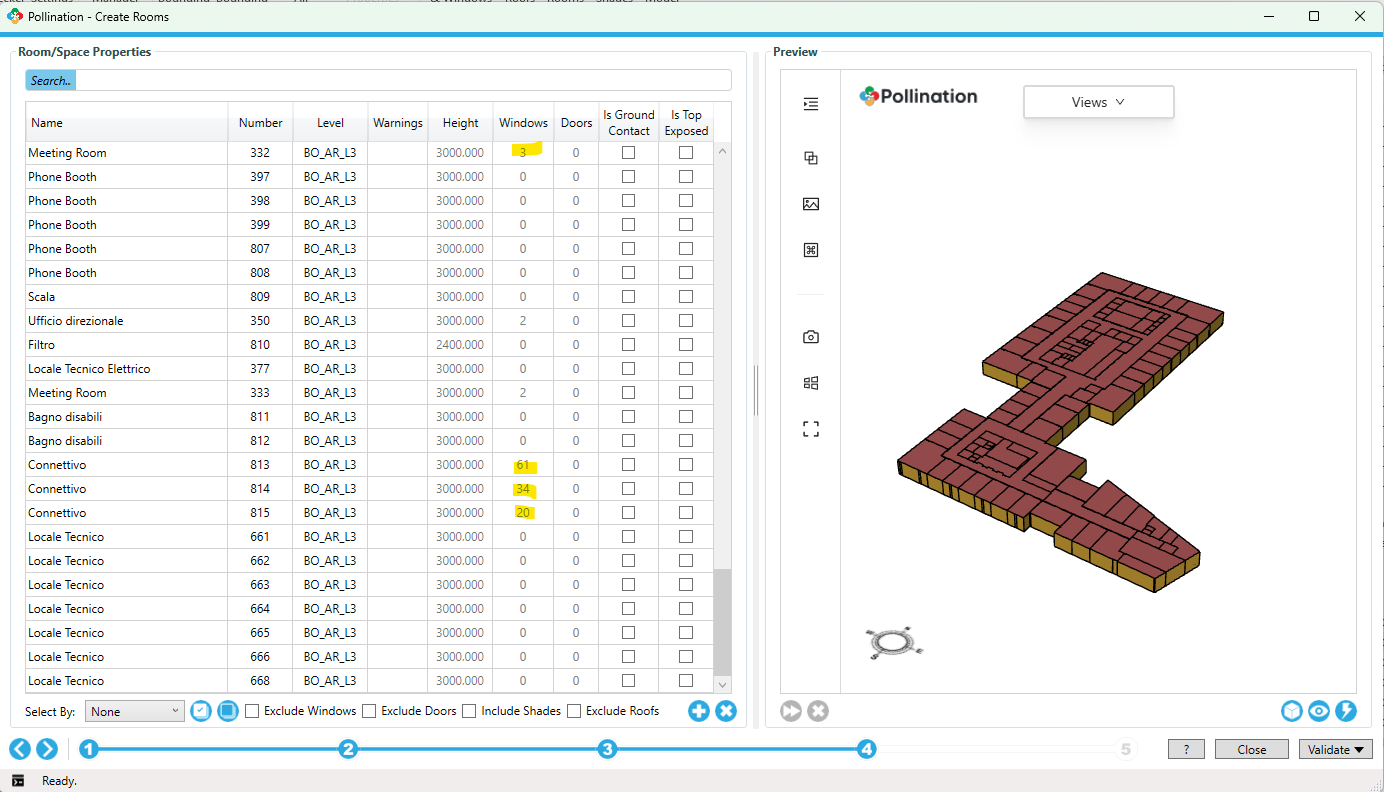
I’m having a problem with Pollination for Revit. In my model, the rooms are detected correctly, but the windows are not being recognized by Pollination (see screenshots).
I exported the windows using Pollination, and the tool reports that the export completed, but the windows do not appear in the model as individual window objects.
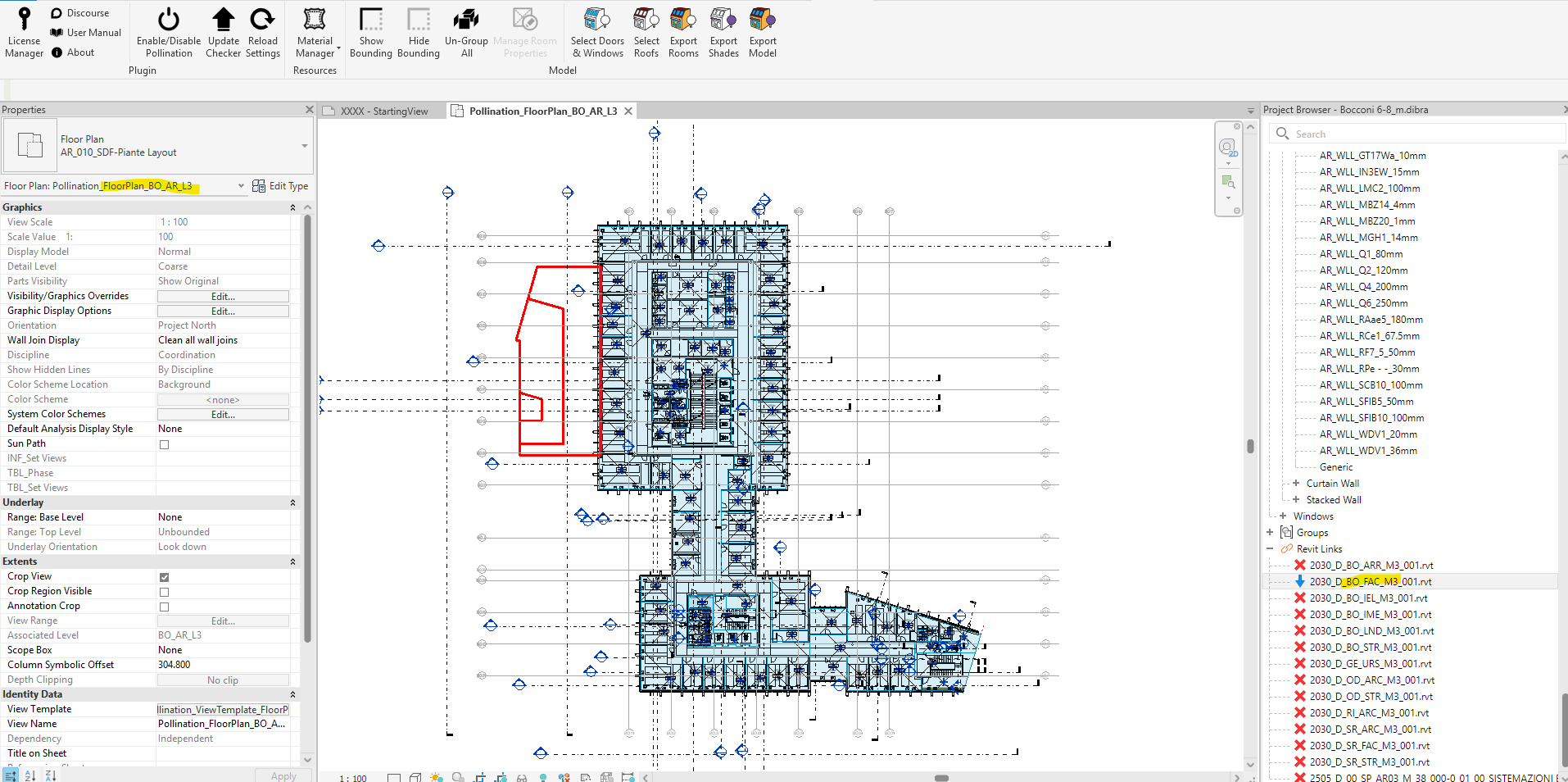
My guess is that the linked Revit file 2030_D_BO_FAC_M3_001.rvt contains the windows as part of one large element (for example, a curtain wall, generic model components, or imported geometry). Because of this, Pollination may be reading the linked file as a single surface and not recognizing the windows as actual Revit window elements.
When I open the linked Revit file directly, Pollination does detect the windows—but then it doesn’t detect the rooms and treats everything as one element. So the issue changes depending on which file is opened.
Is there a way to resolve this so Pollination can correctly read both the windows and the room geometry across the linked files?
Thank you for documenting the issue carefully and providing enough details.
Did you add the linked model from the dropdown when you were selecting the windows? Otherwise, they will not show up by default. Here is the documentation.
If you have already done this and the windows are not showing up, then I would need to see the model to be able to help.
Yes, I already added the linked model from the dropdown, as you can see in the screenshot. I’m uploading the Revit model now via WeTransfer. Inside the file, you’ll find two separate models: the architecture and the façade.
Please let me know if the link works, and thank you for your help!
Thank you for sharing the model, @merkurettra! I can recreate the issue. Something strange is going on in this model that I haven’t been unable to pinpoint. I will document this for @ksobon to have a closer look.
I will let you know once we have a new release with a fix. Meanwhile, you can use the Import Windows functionality to add the windows to the rooms from inside the Model Editor.
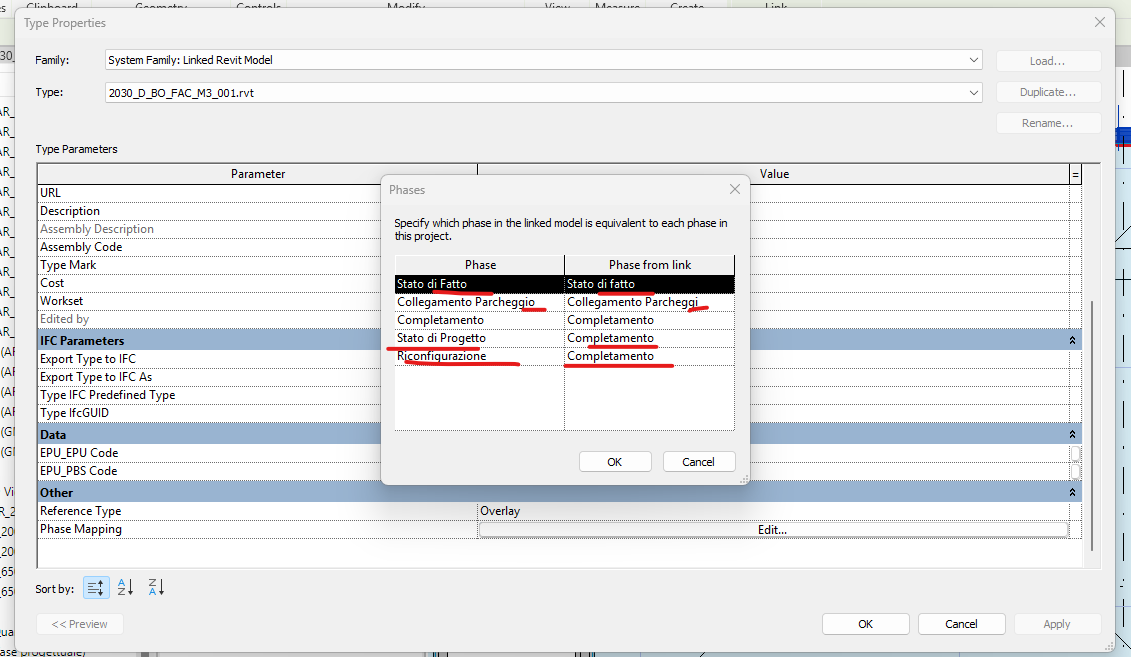
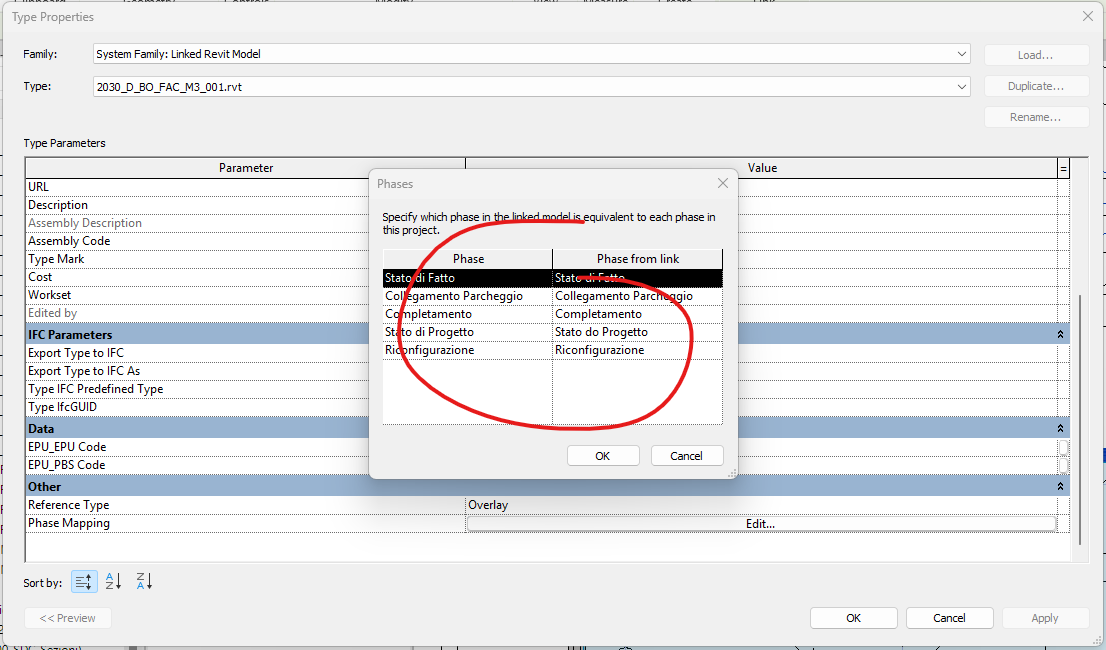
@merkurettra, after thinking about this more, we realized that this is something that we should handle on our end as it is valid in Revit to have phases with different names mapped to each other in linked models.
Now it works out of the box and without renaming the phases.
Hello @mostapha , Thanks for the clarification! It still doesn’t seem to work on my end. I don’t know why — surely I did something wrong, I just don’t know where. Would it be possible to make a short video walkthrough just to show how it’s done? I’d really appreciate it.
Thank you for your help, and sorry for the trouble.
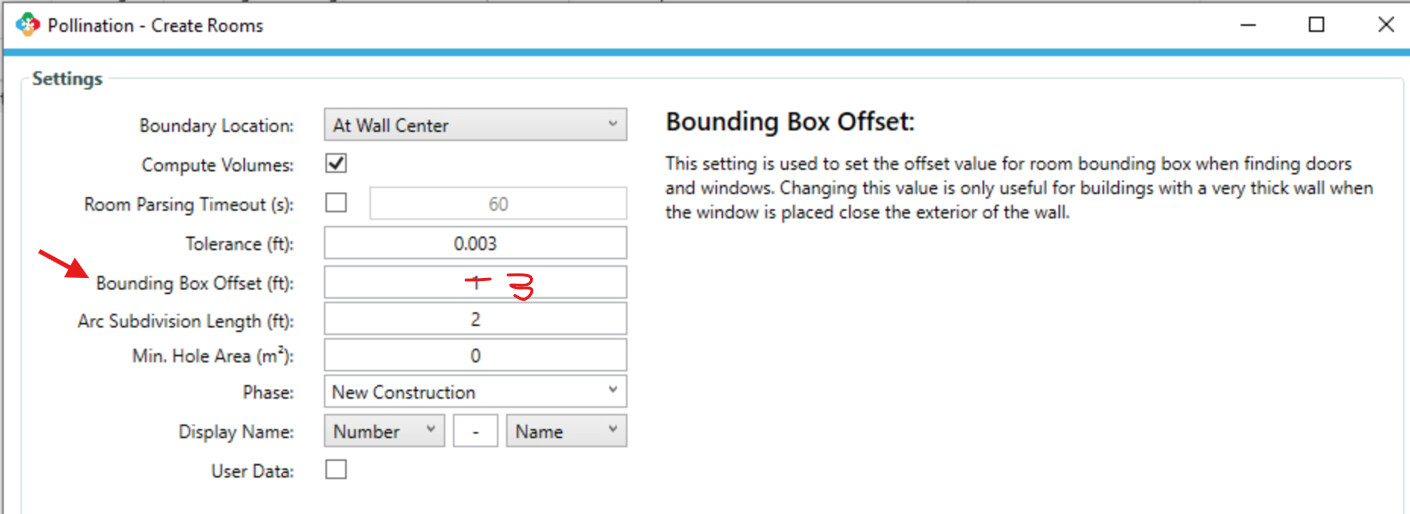
Hi @merkurettra, did you install the latest version? One other change that I had to make was to increase the Bounding Box Offset to 3’ since some of the curtain walls are pretty deep.
 welcome to the forum!