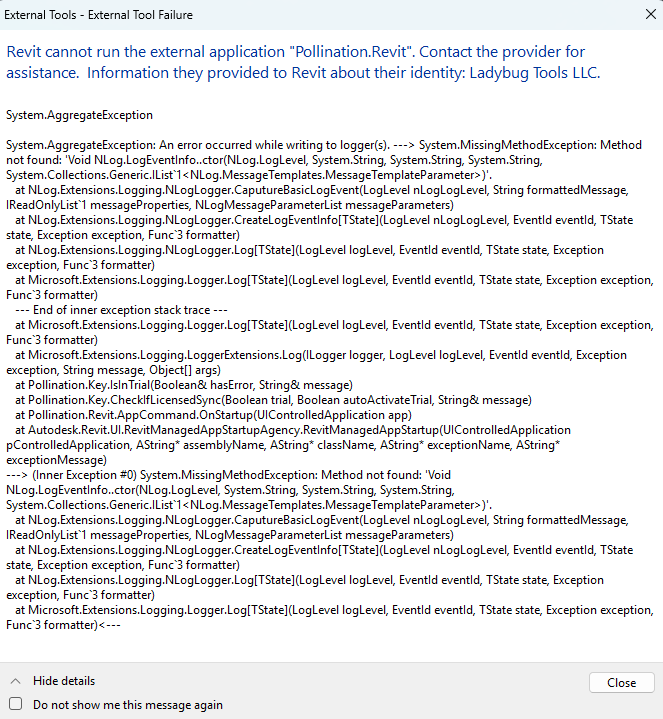
I recently installed the Pollination plugin for Revit to test out the free trial, and was met with this " System.AggregateException" error upon Revit startup.
What could be causing this issue and what can I do about it? From what I could find from other posts, this is likely an AddIn conflict, but I’m not sure how I can find what AddIn is causing it.
Hi @stolzyhe01, welcome to the forum! You’re right that this is most likely a dependency conflict between the Revit addins. See here for a very similar issue with Nlog.
This topic covers how to deal with disabling them if your conflict was happening because of a different addin.
My suggestion is to temporarily disable all the other addins by renaming the file extension in the folder that you listed except for Pollination Revit. Reopen Revit and see if it works. That will confirm our assumption about dependency conflicts.
Once we know that, we can start looking into the list of the addins that you have and try to find the problematic one.
You only need to make these changes in the folder with the Revit version that you are using. In your case 2024.
I found the Pollination.Revit.addin file located at C:\ProgramData\Autodesk\Revit\Addins\2024, and adding the underscore to this file caused the plugin to load correctly upon Revit startup.
Hopefully this shouldn’t cause any issues with other plugins, there’s a lot that is added by our company that I don’t use or haven’t used yet.
ProgramData is a hidden folder on my PC for some reason, so I was only able to access it by typing the name of the directory itself.