Hi, when I download the latest version of the pollination plug in (1.65.31), my Rhino crashes when I try to open the software (it opens fine without the plug in installed). I have noticed that when I uninstall the ladybug tools, Rhino and the pollination plug in work fine but it seems to have limited capabilities (can’t import/export). There seems to be an issue with the ladybug tools and I’m not sure what it is. It doesn’t seem outdated since the LB Versioner.py file says its 1.9.0
Hi @eeshanahamed,
Thank you for documenting this. We need more information to be able to help you. What version of Rhino do you have installed? This is the version that I’m using.
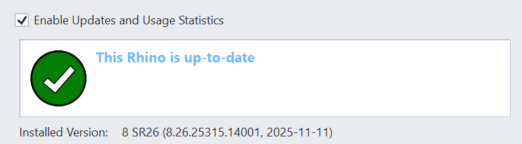
I’m not sure if I follow this part. I thought this is an issue with the Rhino plugin. Why do you think it is an issue with Ladybug Tools?
Can you document the steps that we need to recreate this issue?
cc: @mingbo
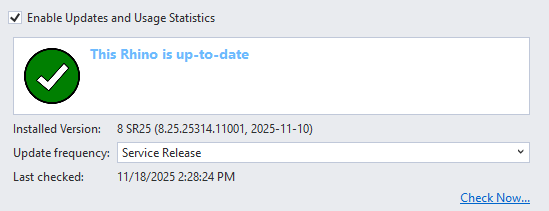
I’m using this version of Rhino 8. When I was messing around to try and find what plug in might be causing the crash I noticed that a ladybug_tools package is installed with the pollination installer. To test if it had anything to do with the issue, I uninstalled the ladybug tools package and ran rhino again and it ran fine this time and I was also able to access the pollination features. However, when I tried to export/import geometry I get this error
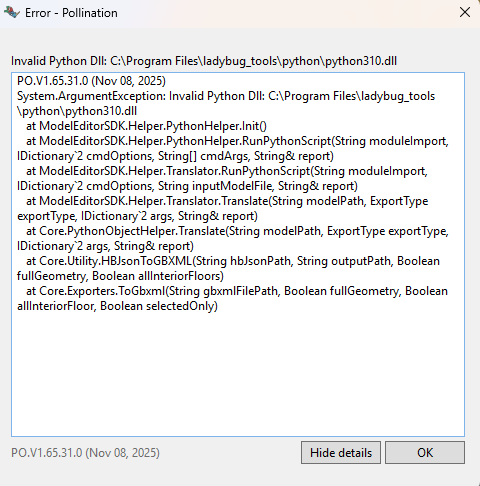
and I’m assuming its because I uninstalled the ladybug_tools.
Anyways, that’s why I assumed it was an issue with the ladybug package that was causing the crash but I might be wrong though so if I could get some steps to diagnose the problem I would really appreciate it! Essentially, after I installed pollination my rhino crashes as soon as I open the software.
Thank you for sharing the screenshot, @eeshanahamed!
So the issue is that the Python DLL library has either been removed or blocked on your computer.
If you have removed it manually, then try to reinstall everything using the Pollination installer.
Otherwise, can you make sure the C:\Program Files\ladybug_tools folder is marked as safe and is not blocked by the antivirus or firewall?
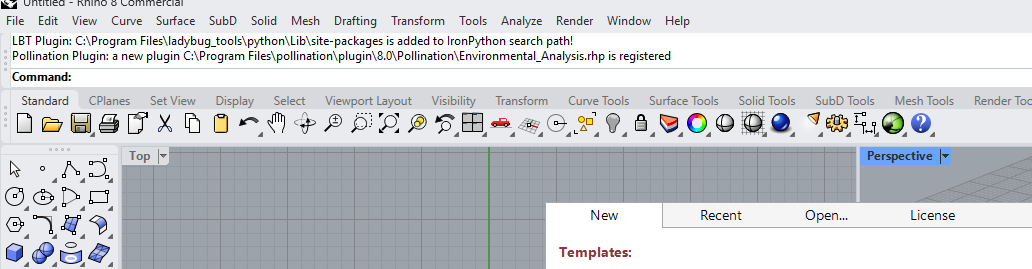
I would guess the crash issue is mostly due to the conflicts with other plugins. @eeshanahamed Can you run SystemInfo in rhino and we can start from there.
Meanwhile, when Rhino crashes, there should be a popup dialog that says if you want to send the crash report to McNeel. When you see this dialog, please don’t close it, and go to your desktop and looking for files named: RhinoCrashDump. Please zip these files first and send it to us.