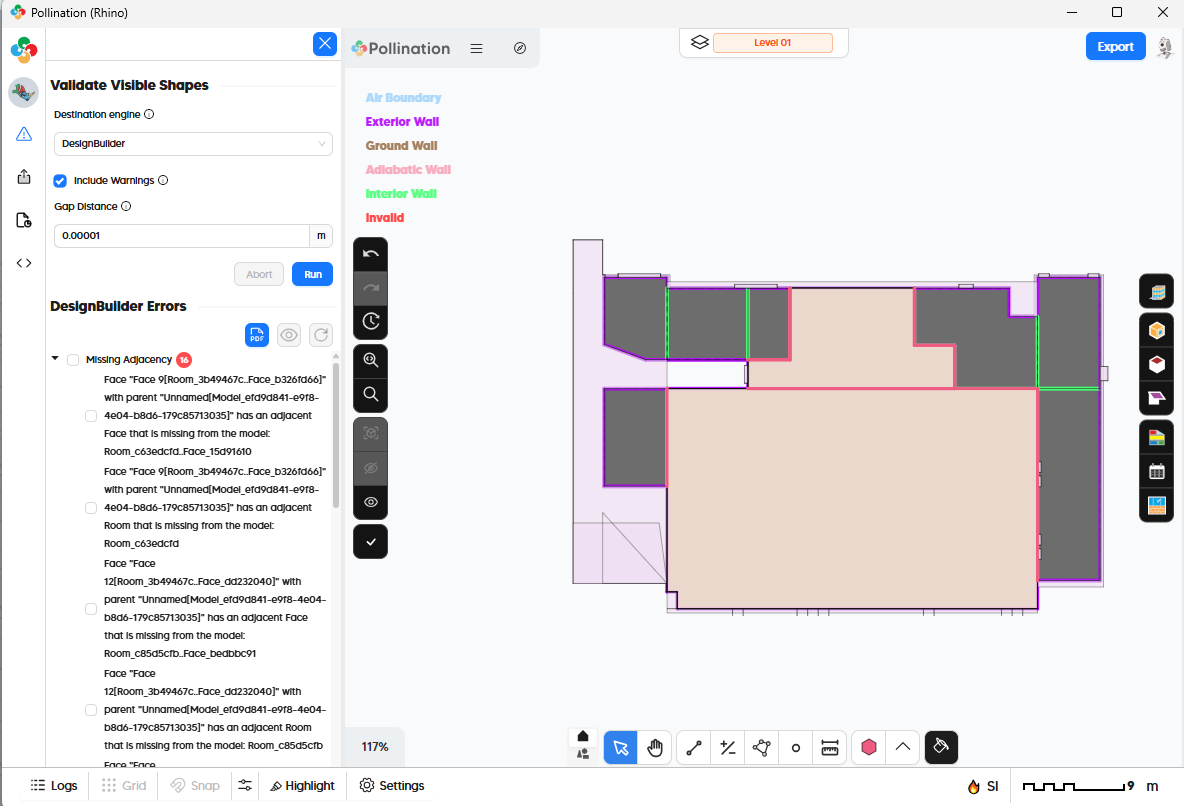
I tried running po_solveadjacency before exporting the model from rhino to designbuilder (*.xml) but upon doing so, there are missing wall faces. I’ve validated the model already, but it says there’s no errors. The rooms were all closed polysurfaces too.
Appreciate any guidance on how to resolve the missing wall faces.
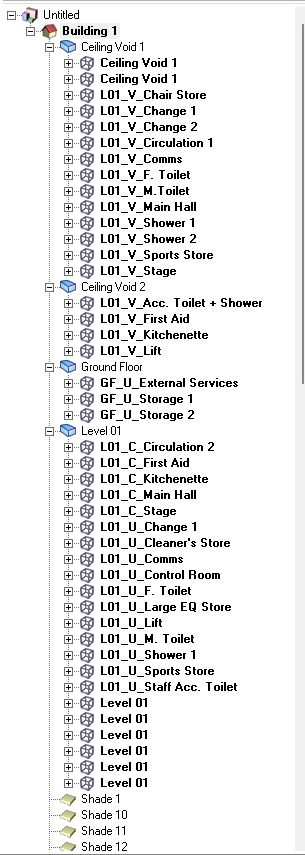
I am not sure if there is something in your tree view screenshot we are supposed to be looking at. With the model file (and perhaps a screenshot of a wall that is missing), we should be able to tell you what is going on.
I made you a member so you can upload your file. If your file is larger you will need to upload it somewhere and share the link here.
From what I can see in the screenshot some of the rooms in your model are not compatible with the Model Editor and come through as Room 3D. Did you export the model from here or directly from Rhino? That might explain part of the issue.
If the rooms are coming into the model editor as 3D/un-editable, that likely means they have either sloped floors or downward sloping walls, both of which I think the DesignBuilder 3D display struggles with. So it’s possible that the missing walls are actually just a display issue in DesignBuilder’s 3D rendering and not an indication that the data under the hood in the .dsb and the .idf it exports is incorrect.
We can confirm for sure if we have the .3dm of the model.
Hi @mostapha and @chriswmackey , thanks for your reply. Yes, we have sloping walls. Here’s the model for your reference. I tried saving it as .xml but there’s still missing faces in design builder
The model is very helpful. I could not find any downward sloping walls in the model but there is clearly a sloped floor on one of these “Ceiling Void” rooms:
I think there is a high chance that this is at least partly responsible for the display issue with DesignBuilder. I can confirm that it only appears to be a display issue with the DesignBuilder 3D view and it is not impacting the geometry of the underlying EnergyPlus simulation that DesignBuilder runs.
I see the missing walls in the 3D preview when I open DesignBuilder and they all appear to be related to the block with this sloped floor:
Perhaps most importantly, if I export an IDF from DesignBuilder, convert it to the latest version of EnergyPlus and import this IDF into the OpenStudio Application, I can see that the “missing walls” are, in fact, not missing in the EnergyPlus simulation:
Here is the IDF and OSM derived from the DesignBuilder export: Model.idf (532.3 KB) Model.osm (707.9 KB)
I will reach out to the DesignBuilder team to ask them if they have any recommendations for us to get the preview to look correct in DesignBuilder for our exported dsbXMLs. It’s possible that there’s some way that we need to format the block geometry to get it to look right in the 3D preview of the overall building, even though the building of the individual EnergyPlus Zones and Surfaces is correct.
In the meantime, you can rest assured that this display issue is not impacting the geometry of the underlying EnergyPlus simulation that DesignBuilder runs. So I think you can still trust the results you get from this DesignBuilder model even if the 3D preview of the building does not look correct in the DesignBuilder interface.
Steve from the DesignBuilder team helped me realize that the reason why the walls are not showing up on the Building level is because the block geometry faces were being written clockwise instead of counterclockwise. I added an extra check for this within our dsbXML exporter and I am now able to get all of the walls of the block to show up correctly:
Here is a correct .dsbXML export of your model with the fix implemented: Model.xml (1.7 MB) Model.3dm (1.5 MB)
I am reassigning this issue to @mostapha so that he can let you know when there is a new release of the Rhino plugin with the fix.
Granted, all of the Zone geometry in the dsbXML files that you are exporting now is correct and the IDF geometry is also correct (only the block geometry has some clockwise vertices). So you can still trust the results of the simulations you get with this “missing wall” geometry in DesignBuilder. However, Steve showed me that some of the internal geometry tools of DesignBuilder require having the block geometry correct. So, if you plan to do any editing of the geometry within DesingBuilder, it will be better to wait for the new release of the Rhino plugin with the fix.
@keisserie, a new version of the Rhino plugin installer (v1.71.2) is now available and includes all the latest fixes. Let us know if you face any other issues.