Hello,
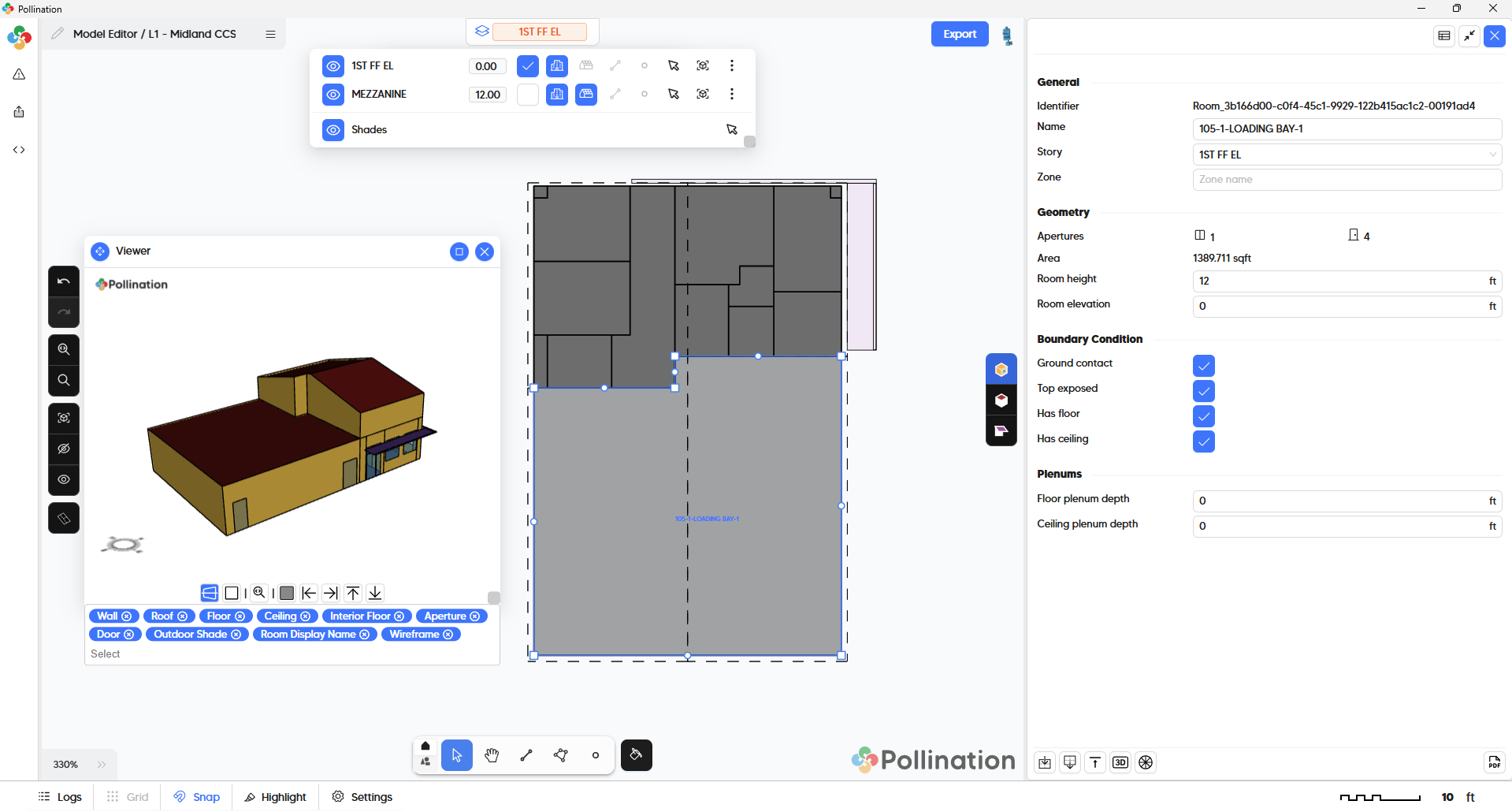
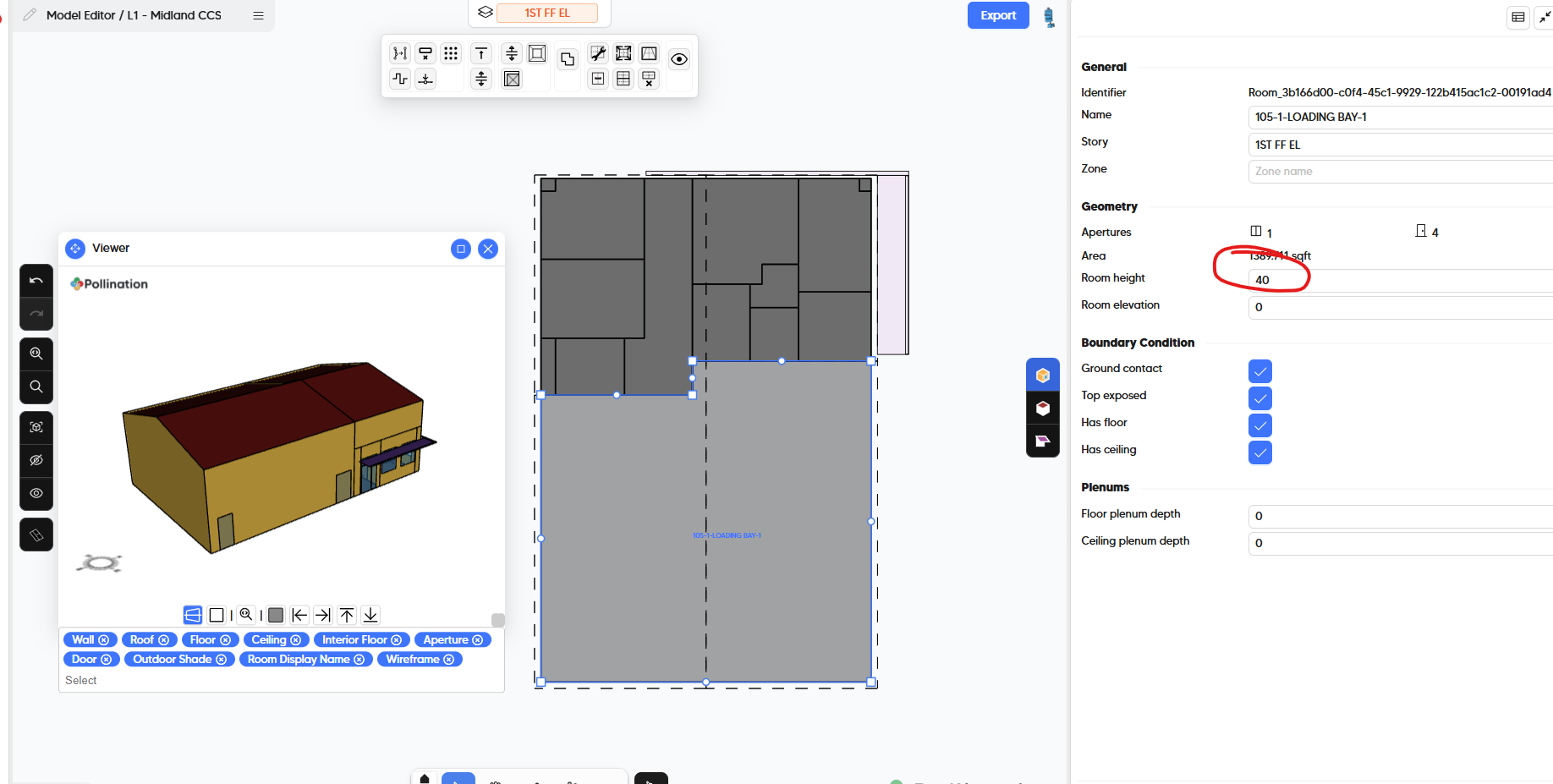
Im having a repeat issue. Individual snapshots show roofs to the required level. There is one room that should be open to top but it is reduced in height as soon as the next level is imported. The roofs are in and have been split such that the lower room does not share a roof with the upper room. I have attached the snapshot and screenshots to show.
You’re missing the step for assigning the roof to the correct story. When you only have one level, all the roofs are assigned to the same level. Once you import new levels the assignment changes and you need to review it if necessary.
Increasing the room height helps with the automated roof assignment but you could also manually change them, or use the reassign roofs command. See this recording:
@chriswmackey and @antonellodinunzio, here is another example of roof assignment not being clear to the user. We should probably come up with a better solution in the UI to make the relationship clear. Or maybe I should record better tutorials and add them to the documentation.