Hello,
We are developing an energy model and would like to understand the best workflow for transferring a Honeybee model between team members.
For this co-working project, one team member created the Honeybee energy model using Grasshopper, while another team member is more comfortable working in Rhino using Pollination.
Is it possible that we can transfer the existing Grasshopper-based Honeybee energy model without losing its settings, so that it can be modified in Rhino Pollination and then transferred back to Grasshopper for further development?
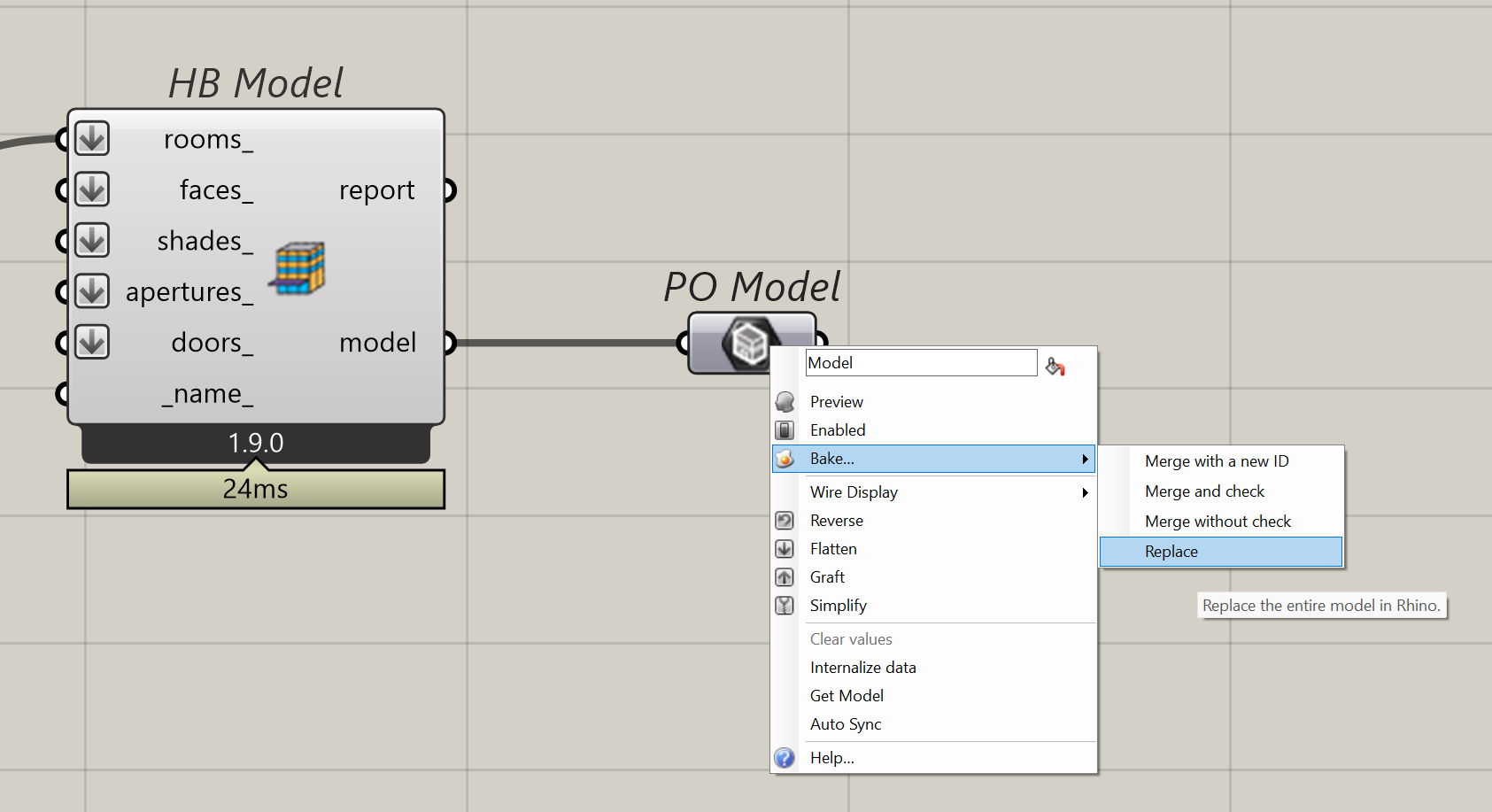
Yes. You can use the PO Model component to push the Honeybee model to Rhino. It is one of the components that are added to Grasshopper under the Pollination tab when the Pollination Rhino plugin is installed. Try to right click and you will see the option.
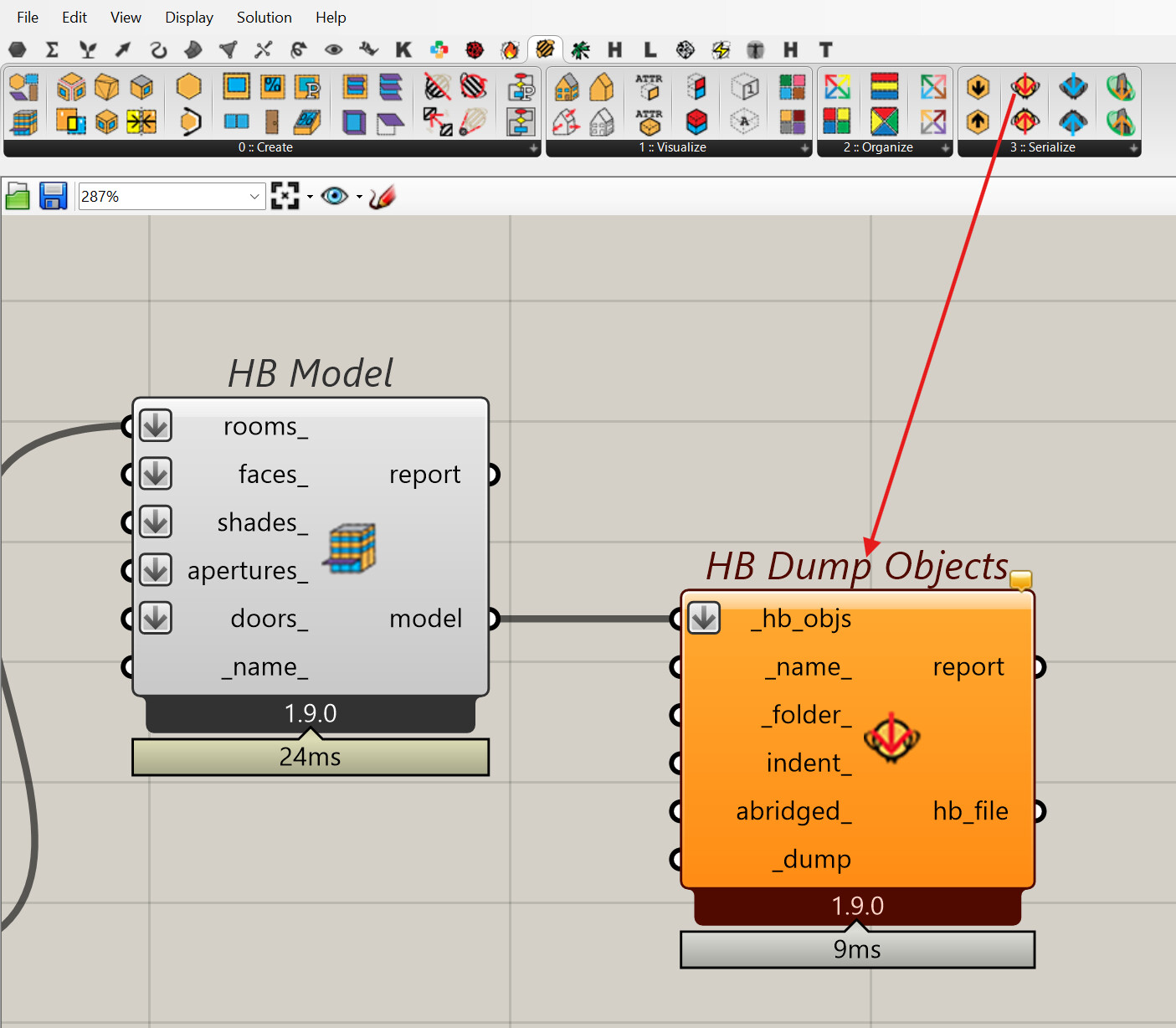
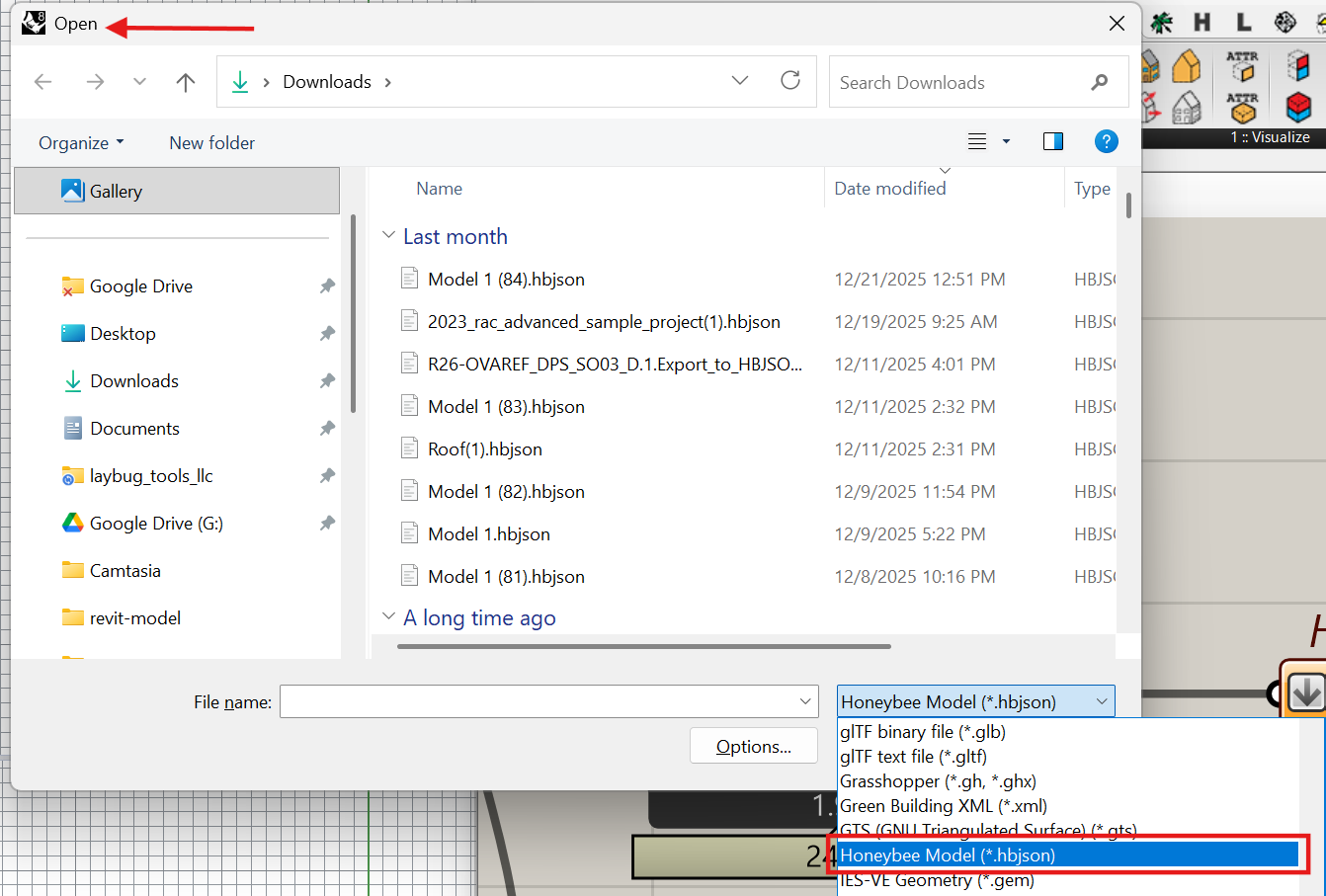
If the first user doesn’t have access to the Pollination Rhino plugin, then they can save the model to HBJSON using the HB Dump Object component, and the Rhino user can open the HBJSON file natively in Rhino which will translate it to a Pollination model.
Hi @mostapha
We were able to successfully transfer the energy model to the Pollination Rhino plugin—thank you so much! However, I’ve encountered a some additional issues:
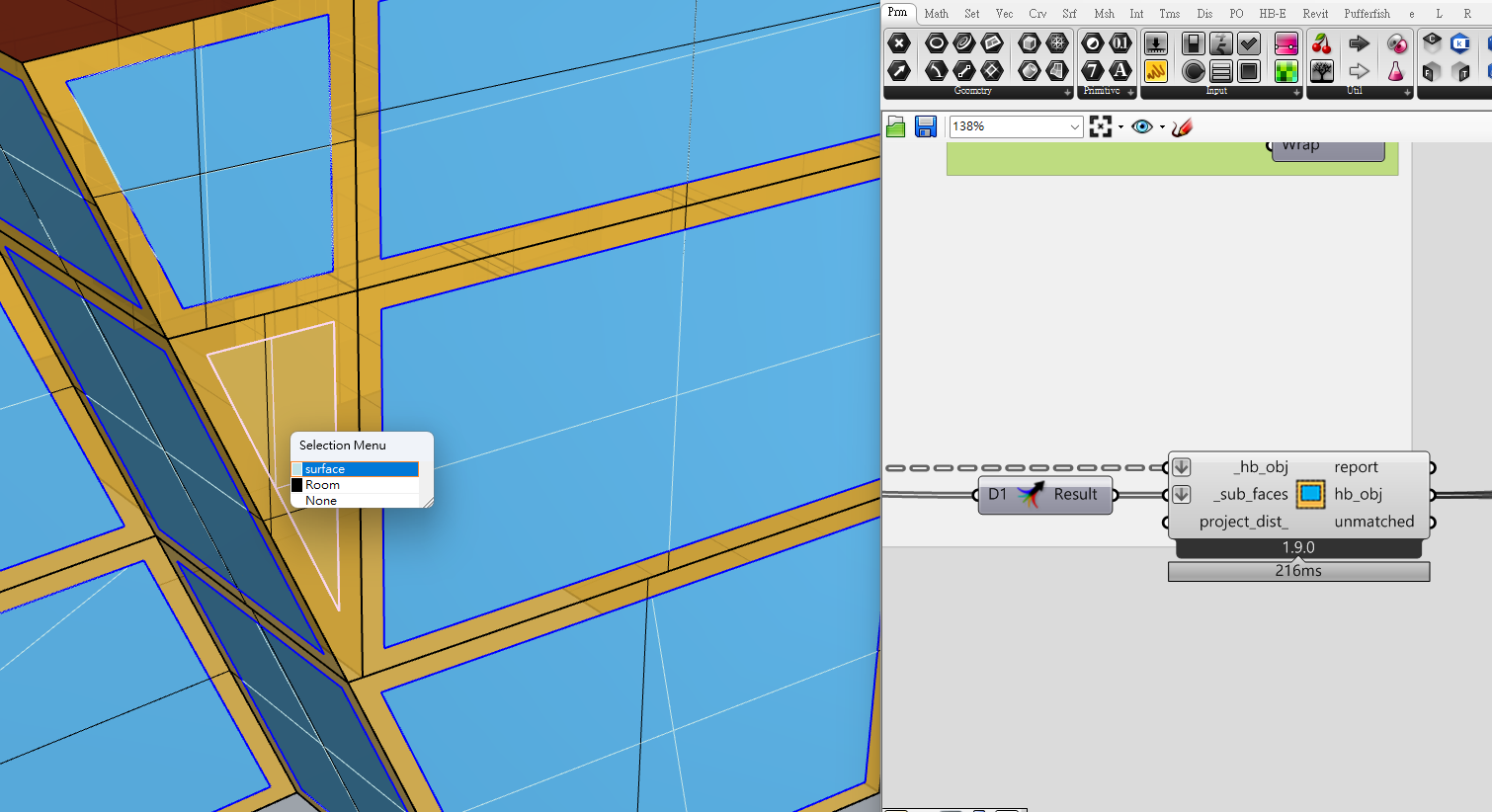
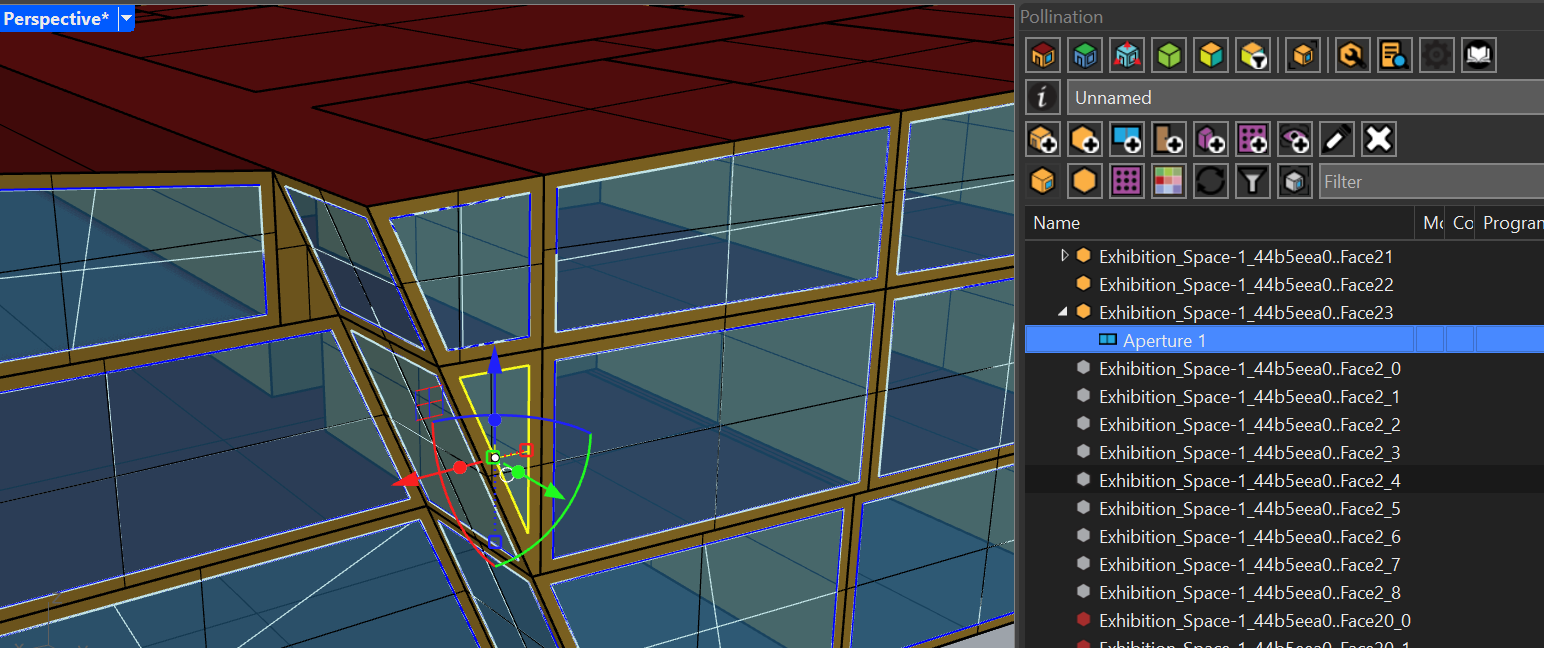
There is one aperture that does not seem to be recognized as being on a subsurface. But there is no explicit error indicating that the aperture is not on the surface.
I do not see the Pollination“Run Simulation” button. Is this because I amthe trial version, or I missed some setting?
I’ve run the simulation in the grasshopper, the model seems to be valid. But the simulation result shows “1. ** Severe ** DetermineShadowingCombinations: There are 8 surfaces which are casting surfaces and are non-convex.” Could this be having too many concave rooms? does this effect the simulation results?
This link contains the Rhino file with the Pollination settings included:
It looks like you’re almost there. The link that you shared doesn’t work for me. Can you test the link again and make sure it works. It gives me a timeout error.
If I have to guess there is a tolerance issue here and the window is slightly off from the face plane. You can try to project the window geometry on the face and try the PO_AddApertures command to add it to the wall.
I offset the surface geometry to create the window so I think it should be on the face plane? then I’ve tried PO_AddApertures to add but it doesn’t work.
If pollination doesn’t recognise it is an aperature, I can’t use PO_projectchildtohost as well right?
We have changed the UI a long time ago. You should us PO_Panel instead.
You can find the answer to this question on the Ladybug Tools forum. The easiest way to fix this is to change the shadow calculation method to pixel counting method. See here:
I was using Rhino 7, it seems the issue was version-related. After switching to Rhino 8, everything works correctly. Thank you very much for the quick reply!