Hi @milog ,
Sorry that it took so long for me to get to get back to you here and I hope that you have had a happy new years. I have put together a solution that gets the EMS to behave exactly as you have described it and here is the sample Grasshopper file with an updated component that edits the EMS:
afn_with_gradually_opening_windows_and_night.gh (117.9 KB)
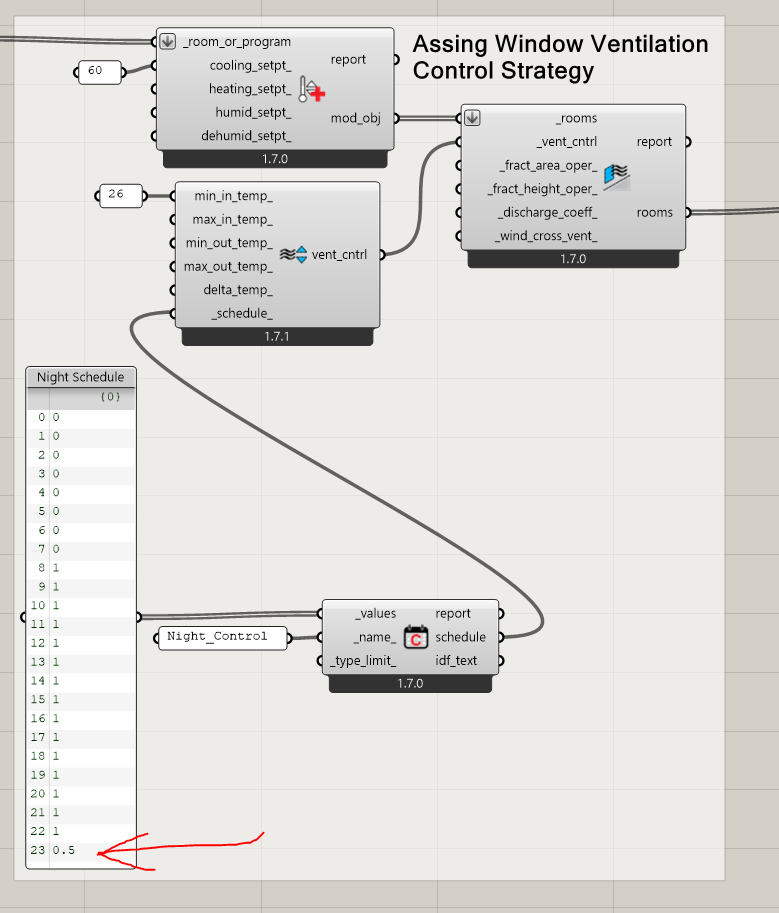
The way that I have gotten it all to work is by using a special schedule value for 11 PM, which you can see that I assign here in the Grasshopper script:
And I have changed the edits of the EMS program to recognize this special schedule value like so:
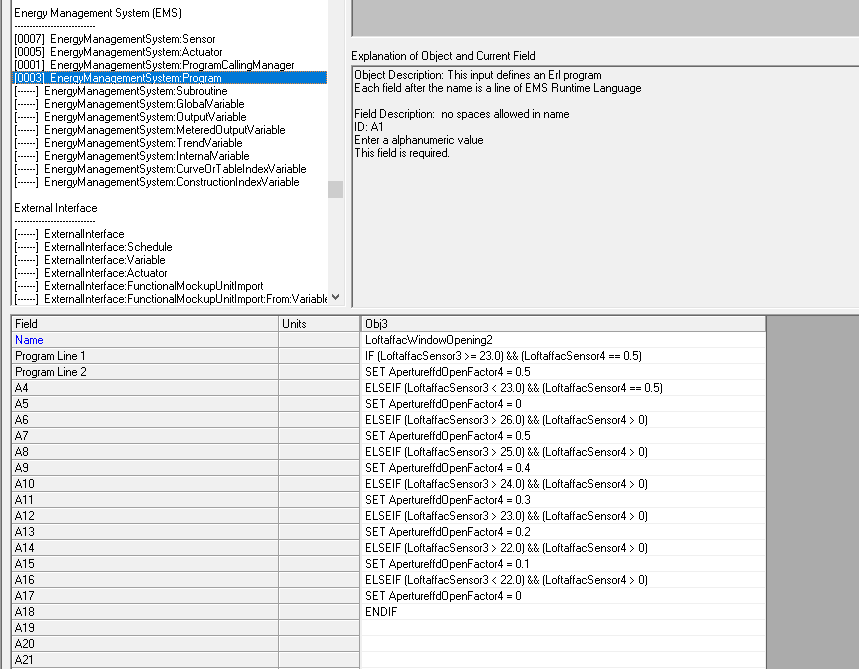
Basically, when the EMS senses this special schedule value, it will override everything else with the logic of open the windows fully when the temperature is >= 23 or close them fully if the temperature is < 23.
What follows from this is the typical controls that gradually open the windows more as the temperature increases. However, you’ll notice that these “gradual opening” controls only happen when the schedule values are >0, which you can see is only from 8AM-11PM in the schedule values.
Because there is no statement to set the opening values when the schedule value is zero, the windows should remain exactly as they were when they were last set in this condition. This should mean that the opening status remains constantly closed or open until 8AM given the value that last happened at 11PM.
Let me know if you get the chance to test this and confirm whether this addresses your case.