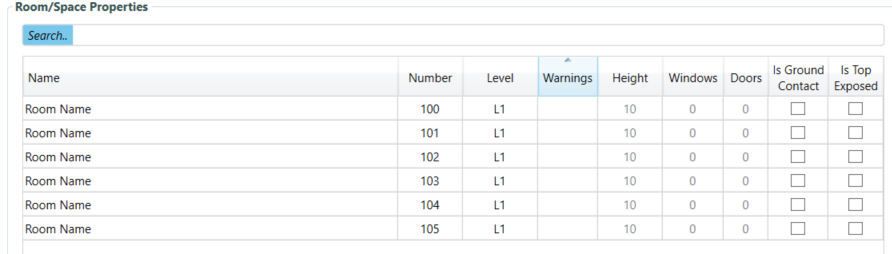
I had an issue with the heights of the rooms. In earlier models I was able to define the upper limit of each room (e.g. L02). Now, that column is gone and the height is greyed out and cannot be changed. Subsequently, all the heights have to be added manually in the model editor. How to fix this?
Hi @thibaudve,
The column that you are looking for is part of the previous step for setting up the levels. If you want to change the height of a specific room try right clicking on the row and select the option to be able to change them.
That said, you should consider moving away from the older version of the plugin and use the new version which makes all these aspects much easier. See the announcement here:
Here is a short demo of the end-to-end workflow:
And here is a longer step by step tutorial: