I would like to explore this topic with you and see what your thoughts are or if there is a way to streamline to have simplifications on some external geometry.
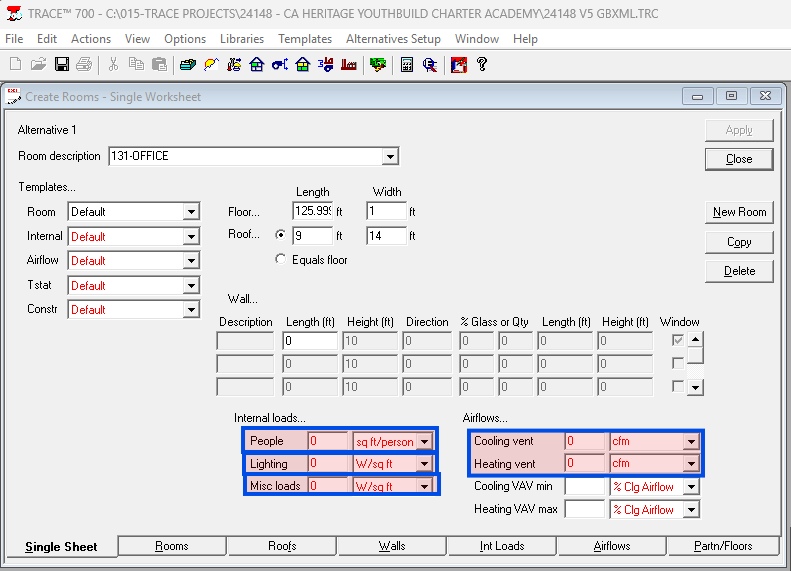
In a project that was pollinated and exported to trace via TRACE exporter, then seeing missing glazing (which was simplified as the “single merge windows” appeared to be broken…?) I want to understand if I can run some pollination side operations to make this sort of change go smoother while maintaining zones, people, lighting, misc loads, and ventilation CFM. Below will be my attempt at documenting this issue and process used to update a lot of things manually.
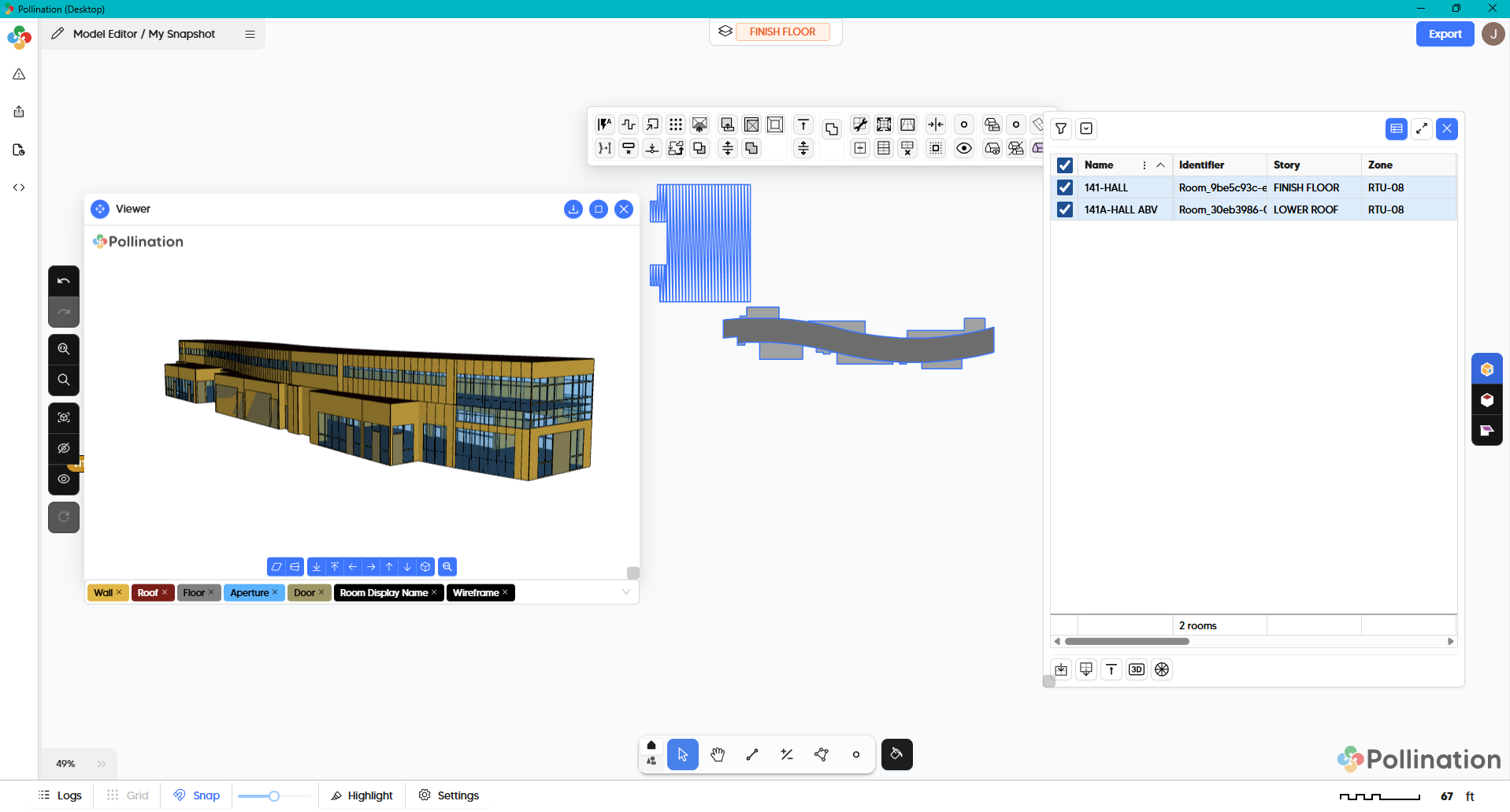
Notice the windows on the Hall Abv were bad the first time… they broke for me when I fixed windows but didn’t notice. It was on this V6 model I started using the new work flow of pulling windows to the pollination model post geometry cleanup.
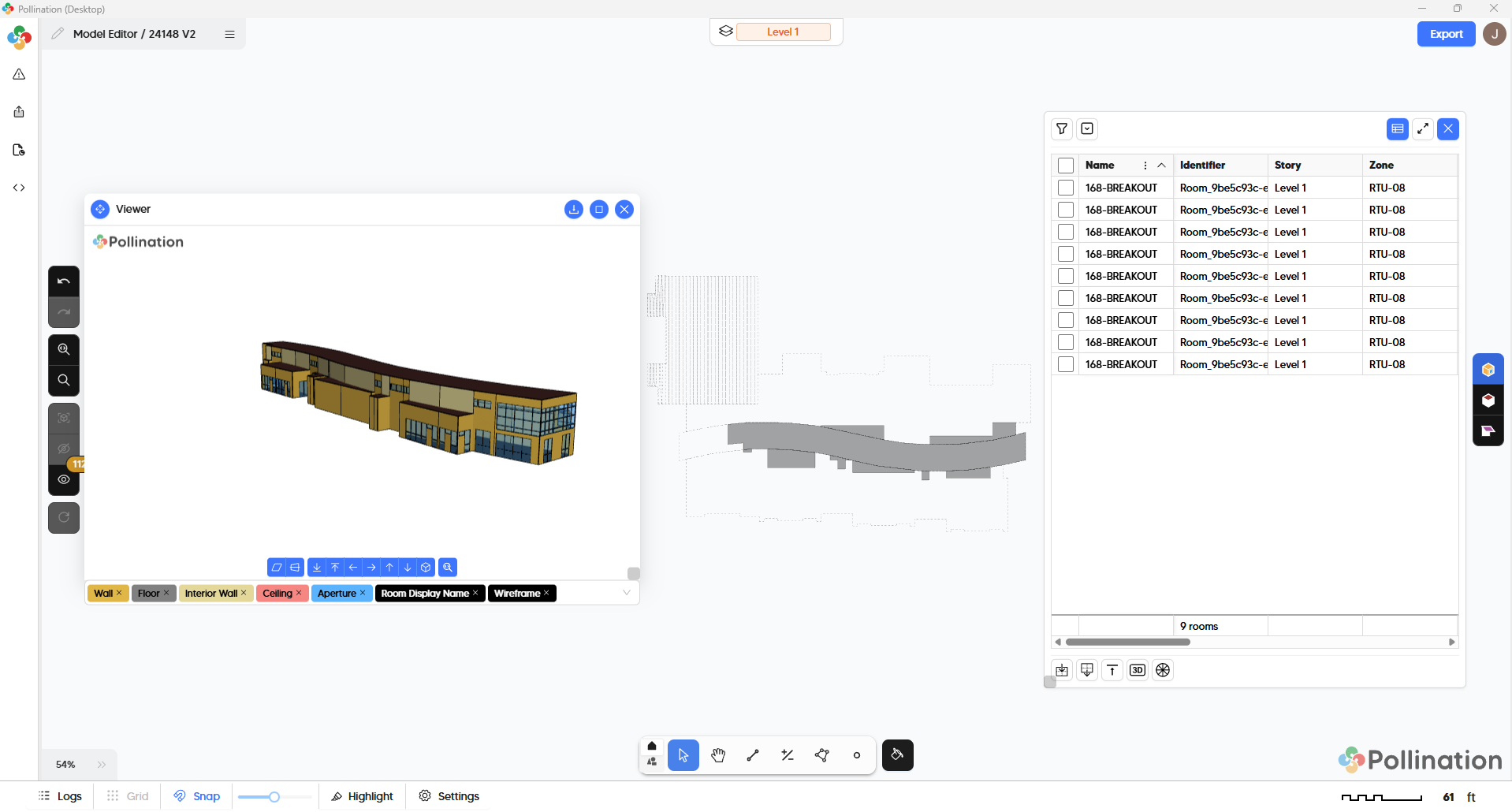
The primary issue I faced in updating the Trace model was the 141 Hall Abv… Because of the curvature of the the walls, there was something like 90 slices of wall to account for and all the window squarefootage to add up as well. This is the first piece.
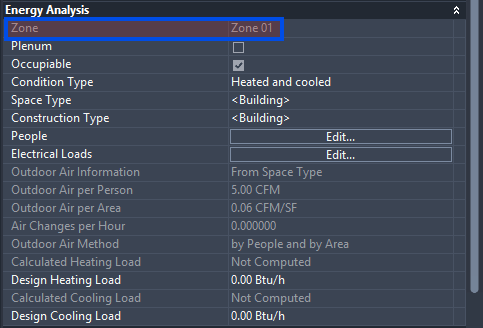
The Second piece is losing the zones. Technically, the space names changes, but I still had to re do the zoning.
So my questions to explore are:
Can curved walls facing similar directions (negligible cardinal direction angle change) and their respective windows have an option to be merged and made into one wall?
Can Revit name changes be re-pollinated to update names if walls didn’t change?
When geometry DOES change, can we update just the new parts? I feel like that would be done via merging a new snapshot with the changes into the old .pomf file.
As always, I appreciate your efforts and time into developing. Let me know if you would like the revit file versions for reference as well. Should be able to email those to you or share via google drive.
As always, thank you for documenting the question carefully. Very helpful. This is one of those topics that we come back to every now and then. Before I write a longer answer, I have some questions for you.
My first question is to get your take on what we worked on more than a year ago. Have you seen this topic? What do you think about the approach for comparing and updating geometry there?
As for this part of your question:
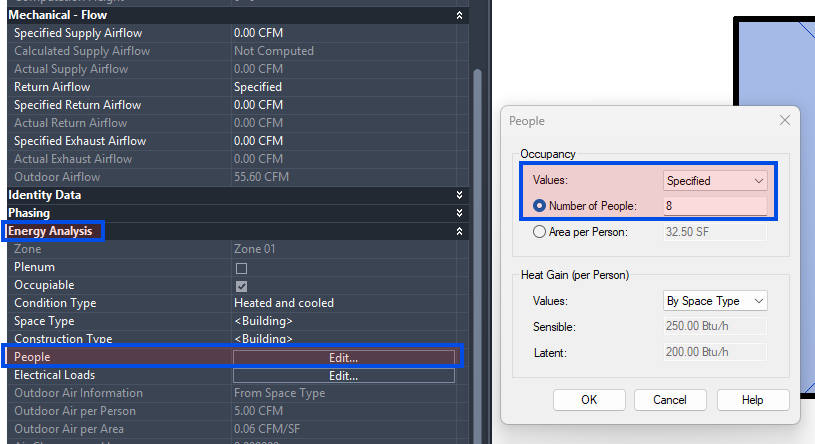
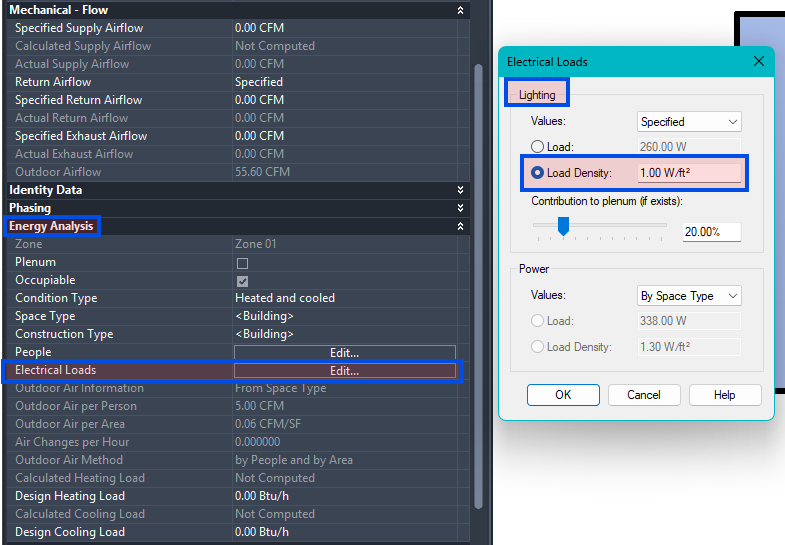
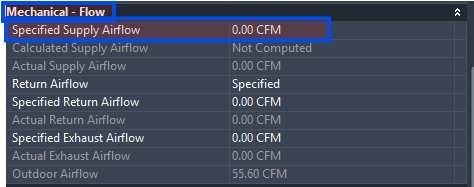
We are exposing properties like zones, people, lighting, misc loads, and ventilation CFM in the Pollination UI. And we’re loading them from Revit spaces. Assuming you could import them into TRACE 700 using gbXML, then that should remove the need to reassign these values inside TRACE 700 which makes the Pollination model more reusable.
My second question is, would you consider this workflow acceptable. Do you consider Revit or Pollination the right place to input these values? What would be your ideal workflow?
Let me know what you think about these two, and I should be able to write a longer answer with more detail about how we could possibly approach this.
P.S. This part for using Pollinating as a verb for exporting the models made me laugh hard. Well done! This is the moment that we learn that we officially made it.
There seems to be a lot to track here, so I will see about quoting properly.
(Post note, I didn’t quote the same way you do! Oops!)
To begin:
@mostapha: What do you think about the approach for comparing and updating geometry there?
I appreciate the video on explaining the model compare. For comparing and updating geometry, it seems great. For trace purposes, it seems like When I have attempted to export space parameters with the TRACE xml exported, I have seen no success. However, I would be curious to know if a trace model could be extracted into pollination to keep the parameters entered.
This comes from your response:
@mostapha: We are exposing properties like zones, people, lighting, misc loads, and ventilation CFM in the Pollination UI. And we’re loading them from Revit spaces. Assuming you could import them into TRACE 700 using gbXML, then that should remove the need to reassign these values inside TRACE 700 which makes the Pollination model more reusable.
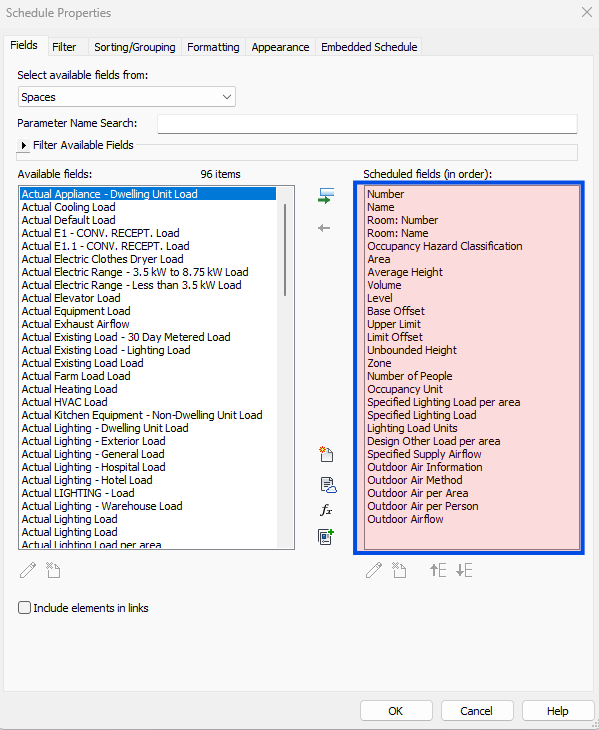
Have you and the pollination team been able to extract zone, people, lighting, misc, and airflows from some space schedule in revit?
And then finally:
@mostapha: My second question is, would you consider this workflow acceptable. Do you consider Revit or Pollination the right place to input these values? What would be your ideal workflow?
This is not currently how our office navigates, but I believe keeping Revit as the master holder of design parameters to then extract from there is ideal. To my understanding, this would require our template for project set up to have a space schedule added that includes the following built-in revit parameters… See below.
Zoning:
Documenting what value from Revit is currently mapped to what value in Pollination Program Types.
Ensuring we load the values from the expected fields. Your screenshots are extremely helpful for this item. Thank you!
Implementing a new gbXML exporter that includes loads, etc. Our current gbXML exporter doesn’t include those as you mentioned above.
Finally, as of today, Chris and I have a new software added to the collection. An oldie but goodie! That should make it easier for us to test the Pollination → TRACE 700 translation using gbXML. But we need first to make sure we parse the correct information from Revit.
Your update brings a lot of excitement with how much it will help the process. I imagine as a feature, it would be worth while to allow pollination users to do similar features for other heat load software. Not sure if other offices just have a different flow of don’t mind the repetition.
Sidenote, TRACE being in your software suite is fun news. Hopefully, it streamlines some of the next parts of development. Let me know if you need some revit / trace models to have example models to play with.
Hi @josiahfce, I just remembered I never responded to you for this one. What you have provided so far is more than enough for now. Once we publicly release the new version of the plugin, this topic becomes one of the two main next steps. At that point, I will reach for more help with sample files once we are ready.
Also, I have an update for the original question that you posted for changes in the model. We’re adding a new command that allows you reload a room from Revit directly from inside the Model Editor. Between this command, adding support for loading program types, and construction sets, and the ability to load DXF plans under the levels, we are rebuilding the functionalities for providing a much more streamlined process to compare the changes and update existing Pollination models without the need to re-export the whole model and redo the manual work.
This is by no means a full fledged feature yet but I hope it gives you an idea about how the overall process is going to work. Cheers.
This workflow for checking for changes seems great. My curiosity leads to whether Revit parameters can carry the relevant internal heat loads that load software (TRACE 700 in my case) reads for calculations.
It feels like if pollination can read Revit parameters, then this workflow pairs well with Revit stored parameters.
For TRACE 700, changes reflected above typically require manually re-entry of people, lighting, misc, and ventilation values on all spaces, so the change seems better to adjust in TRACE 700 to leave unchanged spaces accurate with their internal heat gains.
I’m excited to try this feature once the next version is released.
Thanks for your updates to make Pollination the cutting edge geometry exporting plug-in!!
You nailed it! Yes. The key is to minimize the manual work that needs to be redone in TRACE700 or any other software. For the case of TRACE700 from what I have seen so far we can probably get very close except for the shading aspects. But we will know more once we start trying it on real models and compare the results. It will take several iterations but we have already built most of the hard invisible parts (i.e. infrastructure) that will let us iterate over the rest of the implementation quickly.
TRACE 700 and shading libraries are quite the set of buzz words.
I don’t know how useful this will be for pollination purposes, but sometimes shared information can help trouble shoot for new solutions…
When it came to Overhangs and recessed windows, Frontier used to create project specific overhangs on every model. Once I started stepping into more of the Heat loads hat, I didn’t like how in order for someone to crunch heat load calculations, the shade creator would have to archive that model to transfer their overhang library to the designer wanting to change values and re crunch load calcs. (Overhangs, as you’ve hinted at, are user specific rather than project specific)
The way my brain works, it felt like a silly step. So I invented our OH Library Trace model. I made an ambiguous model with large walls and many many windows. Then I started populated overhangs like a mad man. The convention I developed was Out Left Right Above.
For example,
OLRA 02.10.10.0 is an overhang that extends Out 2 ft, left of window as max length, right of window max length, and above window considered 0 ft.
I generated many many shades to be easily identified on the drop down list and implemented on projects. Since Overhangs don’t impact loads much, getting overhangs generally close is fine. Recessed windows, however, impact loads A LOT!
At any rate, now we use this OH Library model as the holder of overhangs and the way to update a library that allows for new projects to use old overhangs and therefore avoids needing to archive new duplicated project specific overhangs.
My hope would be that if overhangs could somehow be preset options, pollination could have a large library of overhangs to assign from.
All in all, if the manual aspect of TRACE 700 is only updating overhangs, I believe we are in great shape in saving time and effort using pollination.



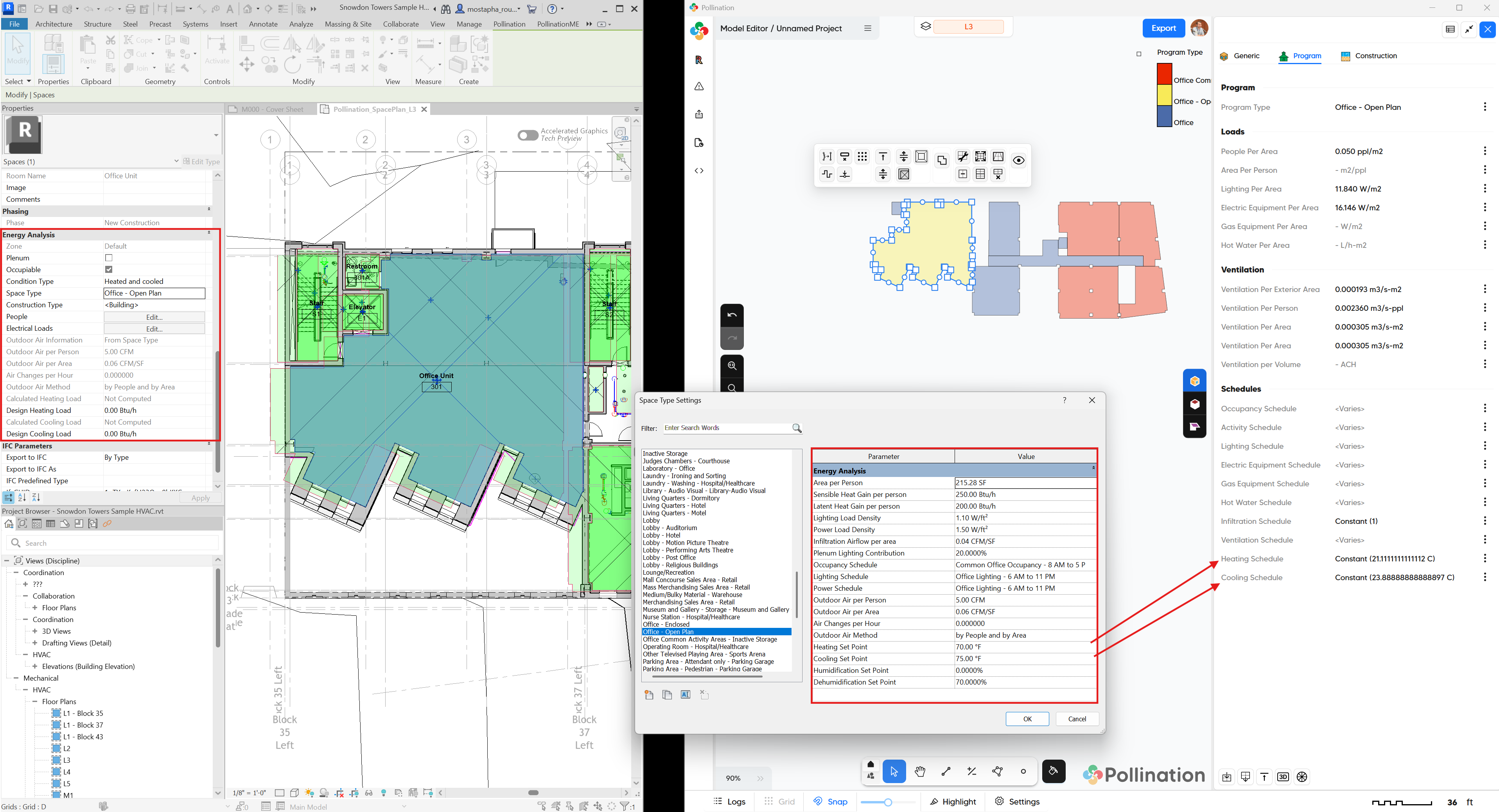
 That should make it easier for us to test the Pollination → TRACE 700 translation using gbXML. But we need first to make sure we parse the correct information from Revit.