What’s the best workflow / tips & tricks for dealing with a room where a portion of it is double height? Here’s a 3D section view where I’ve added the levels. Part of the L1 lobby space extends up to L3, where the back portion stops at L2. The same situation repeats with the L3 space up through L4 to the roof.
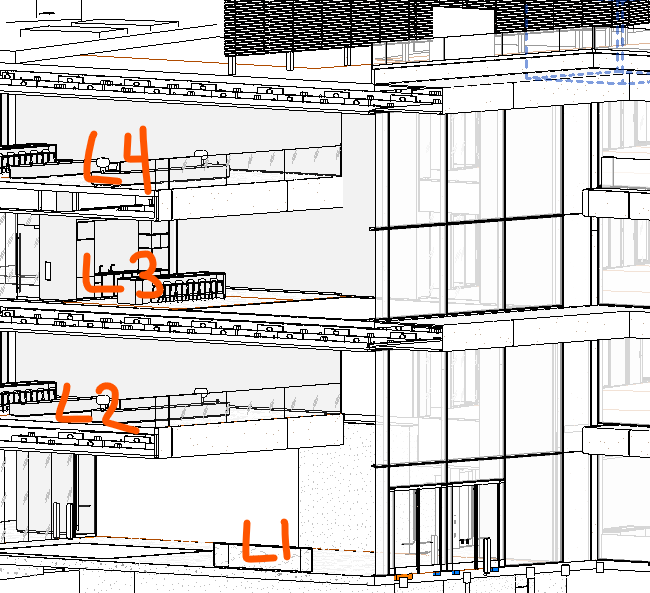
In past Revit > gbXML workflows, I would add a room separation line in the L1 lobby space where the “open to below” line at L2 exists, so one portion is 100% a single-height space and the other portion is 100% double-height. Then I’d merge or connect these spaces together once in IESVE with a hole between them.
Is this the recommended approach with Pollination, or is there a better way?