Hi all! just a little thing, but I think it could really throw off some new users.
My workflow includes changing room height very often.
It’s great that the Room Export Editor has the feature to change the room height.
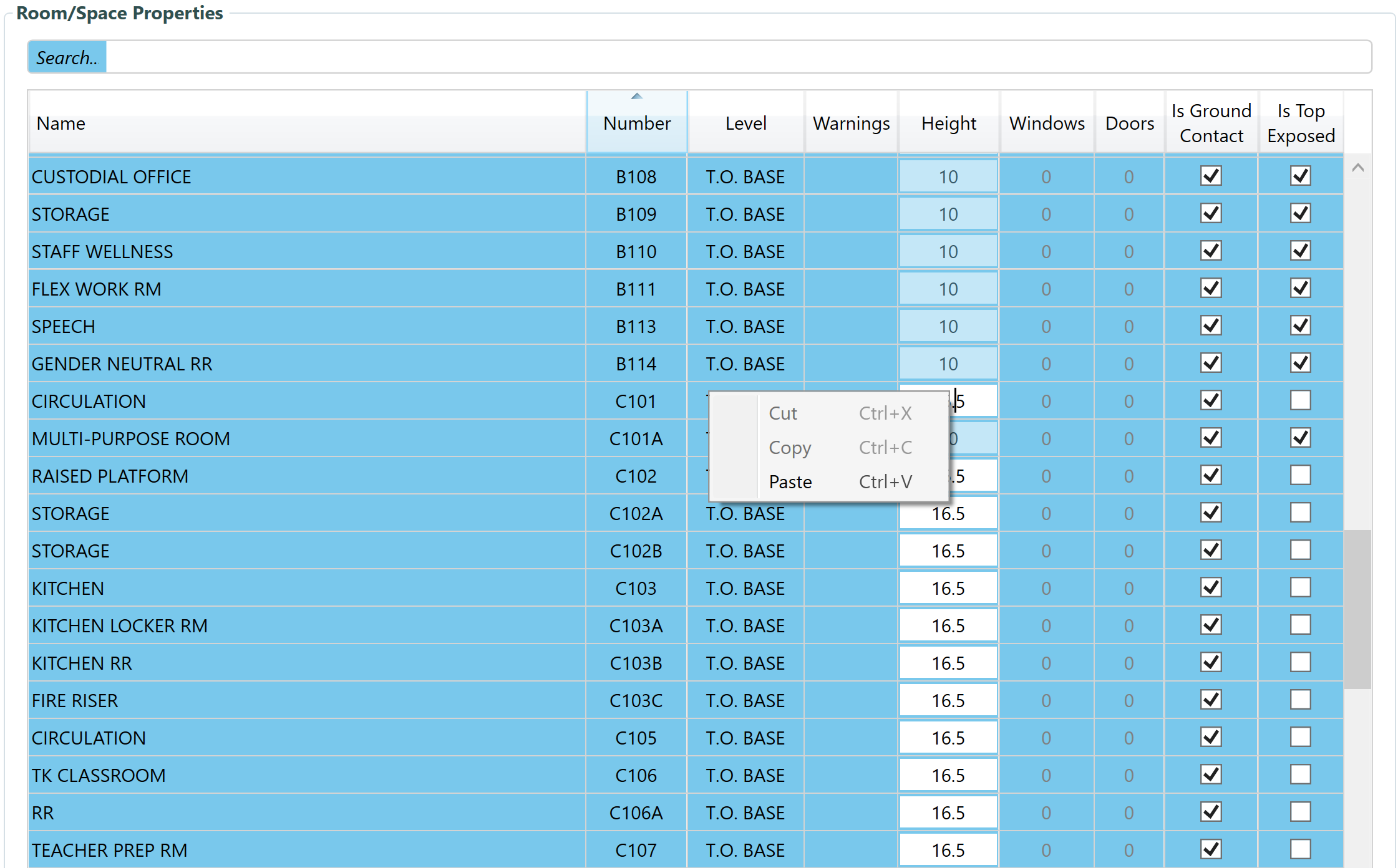
But what makes little sense to me is that to override the room height of a room, I have to right click anywhere to the left of the actual room height cell. Check this out:
When I right click the Height cell, it won’t give me the options to overwrite the height.
Hi @mostapha ~ interesting workflow. I think i will try it out.
So I don’t play with the room height at all in Revit? Even when they have several stories and rooms don’t touch each other?
I just export rooms as is and do all the things in the Model Editor?
Then, I export windows and doors and import them in the Model Editor?
Thank you!!
Another little thought
One more little thing: you might wanna think about giving the Model Editor a name that includes the word pollination for two reasons: (1) I sometimes forget the name model editor and i can’t find it under pollination (little bit generic). (2) Newcomers might not even know that it was installed on their computer and when they search for pollination, it doesn’t show up.
@mostapha
And regarding the new workflow: Do i need to declare Is Ground Contact and Is Top Exposed correctly before exporting the file from Revit and opening in the Model Editor?
Basically, this approach is trying to mimic the workflow that will be the default workflow of the plugin in Revit v3. You get the boundary of the rooms, their names and other metadata from Revit and you do everything else in the Model Editor. If you haven’t seen the workflow in v3 here is a recording.
Oh good. Thanks.
Sorry to keep asking you little questions (also asking in case I find little bugs for you all): How do I import windows and doors in the new Model Editor Version?
When i click Import in the File menu, I can’t select windows or doors because i can’t select JSON files. Is there a button somewhere else?
(ofc, i can switch back to the legacy Model Editor, but curious if I am missing something)
Having a search bar for all functions (similar to how apple devices have a search that searches all features/commands, would be super cool (sry if i’m giving too much unsolicited advice. My brain always goes to UX UI design)
Please don’t! Just ask your questions and I will be more than happy to answer them. This also helps me understand which parts of the UI are not easy to find when switching from the older version.



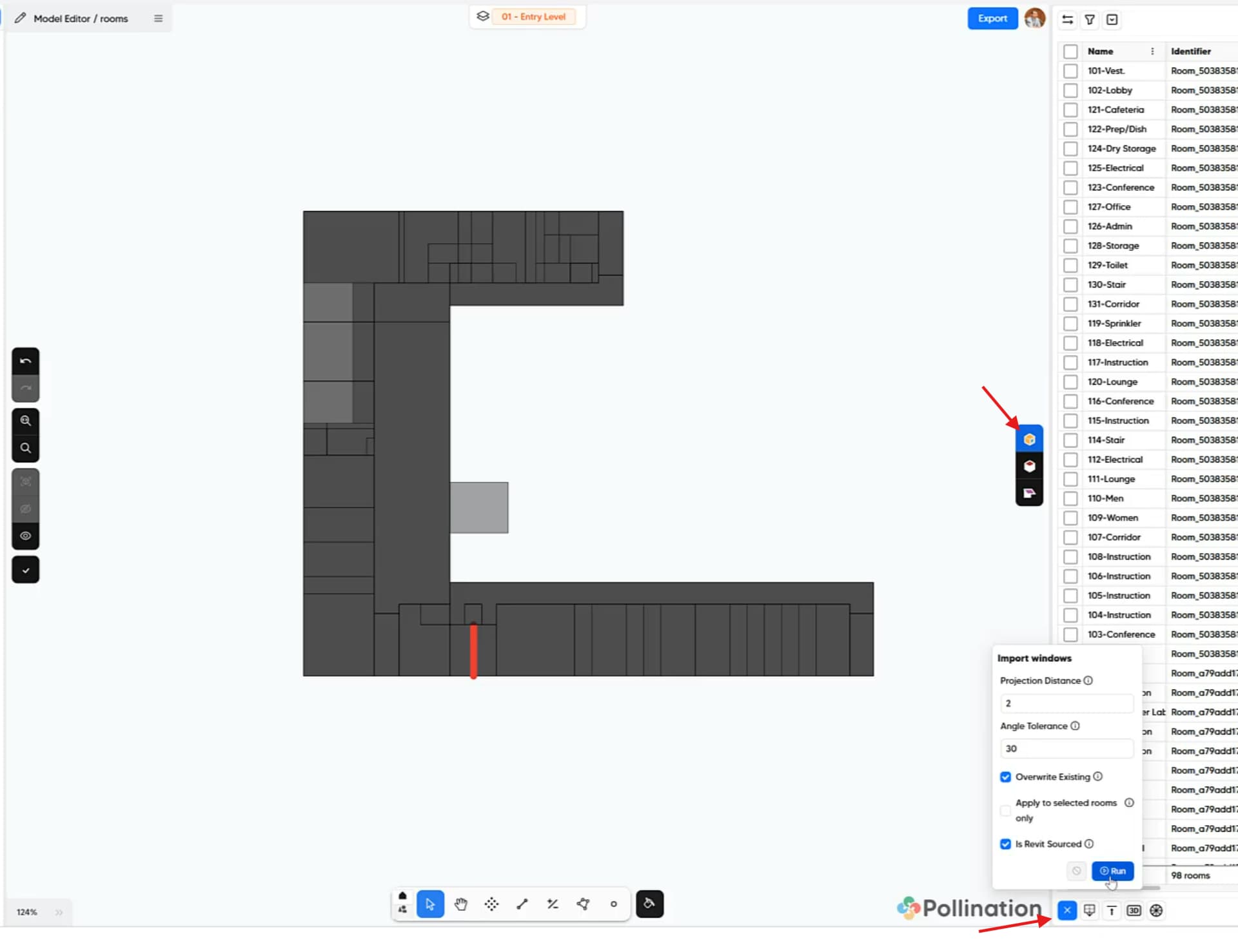
 Just ask your questions and I will be more than happy to answer them. This also helps me understand which parts of the UI are not easy to find when switching from the older version.