I have a revit model which i have created by following the process outlined below:
Open Model 1, select Detach from Central, then Save.
Open Model 2, select Detach from Central, then Save.
Reopen Model 1; Insert > Link Revit, choose Model 2.
Select the link, then on the Manage tab, click Bind Link.
Where model 1 contains the facade and shell and core rooms
and Model 2 contains the individual rooms of each apartment.
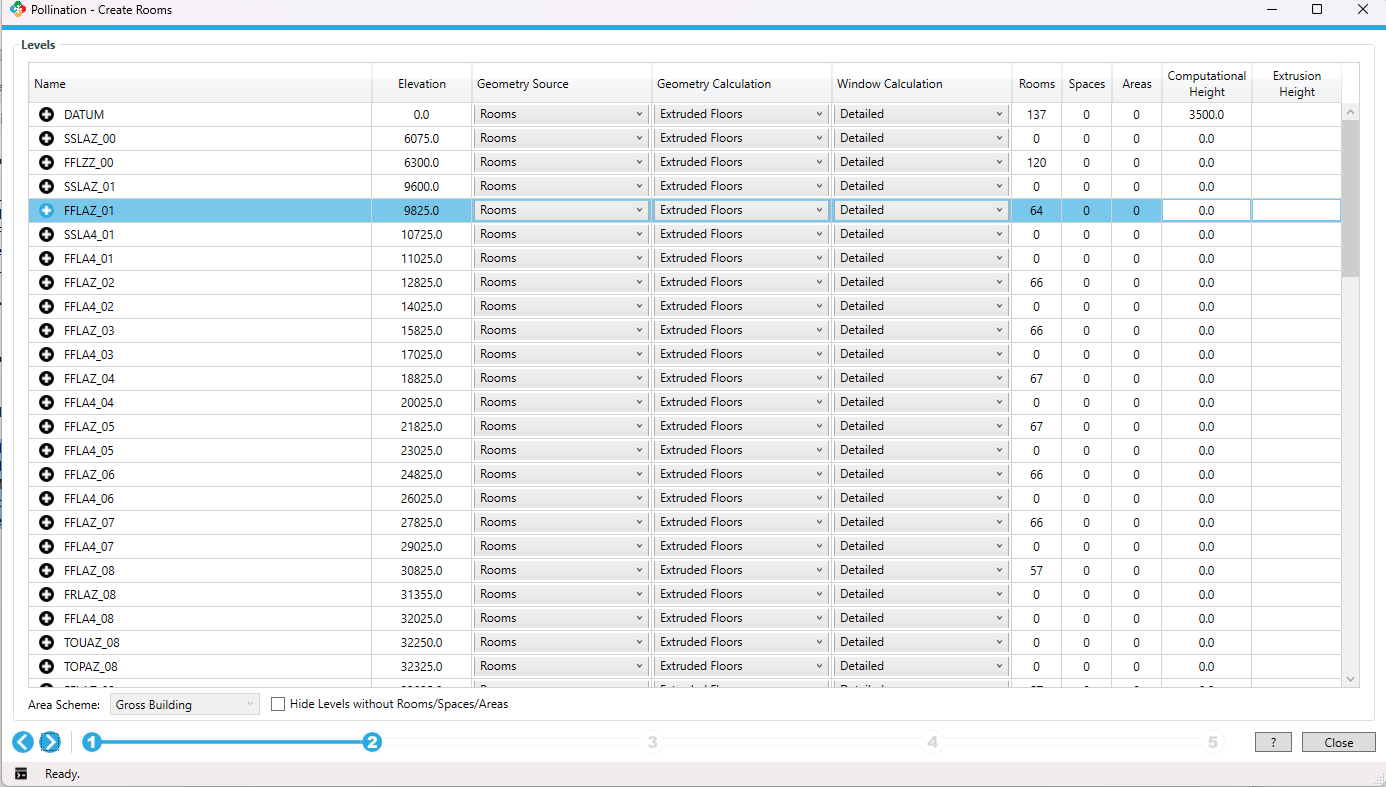
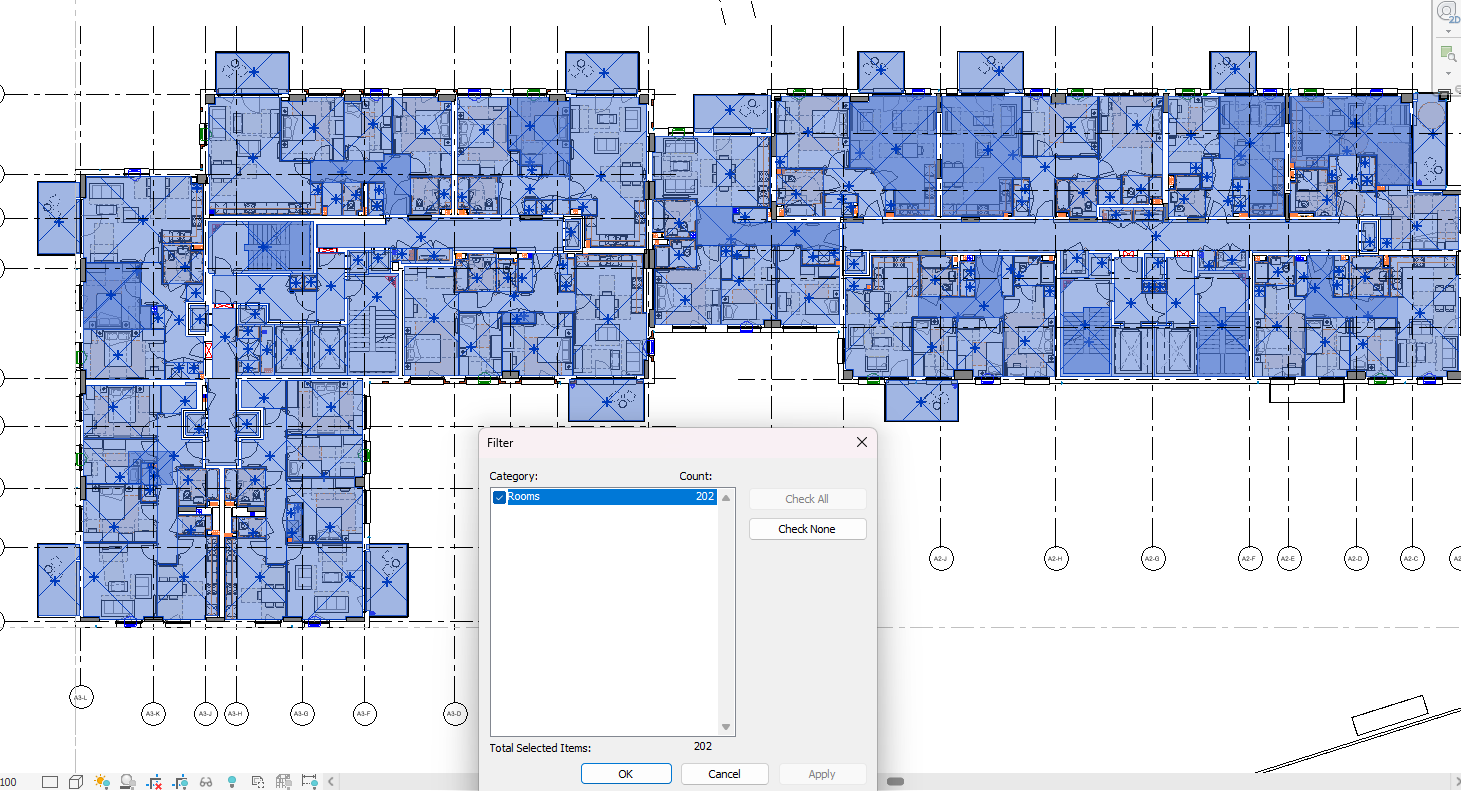
as shown from the first image the Create rooms window is only picking up the rooms from Model 1, and not Model 2 (i need both). I can see both sets when opening the floor plan, but these are not being picked up by pollination?
If I understand the issue correctly, that’s the expected behavior. The Revit plugin only reads the rooms from the host model. We don’t load the rooms from the linked model.
That means you have to export the rooms from the linked model as a separate model, and then merge them together in the Model Editor. I know it is not ideal!
That said, that is one of the 3 items that we are working to improve in the linked models:
Preview the apertures and doors from the Linked Model. This one has already been implemented.
Loading the content from the Linked Model without the need to open and save every linked model as central. We have a proof of concept for this one. It should be available in the next release after doing some more testing.
Loading rooms from Linked models. @ksobon is currently working on this. We need to rework several functionalities in the plugin that we started working on. Assuming we don’t face any surprising limitations in the Revit API we should have this also working in the next major release.
I see, thanks for the clarification. Given that I already have the Revit model with the other linked model inside and binded, is there a way to consolidate all content into this Revit model so that it functions as a single central model? Ideally, id like Pollination to recognise it as one unified model, without any trace of it originating from two different sources would this work?
The content in this file is now completely separate from the original central model we received from the architects. In my head it seems possible to simply move all rooms onto a single “layer”, but my knowledge of Revit is limited, so I appreciate this may not even be possible!
I followed your process described above and successfully combined the snapshots from each individual model, which worked well, but after doing this I see why you are putting in the time to unify this step of the workflow.
After using the Revit Pollination plugin now on quite a few large scale multi-residential projects (25+ storeys), its quite common that typically, only a few floors are actually unique in the building (e.g., just 4 unique floors out of 25). To speed up the workflow, I visually inspect the floors in Revit (or pdf floor plans issued from Architects), identify the unique ones, and only process those specific floors with the Revit plugin. Once cleaned up and exported as a hbjson into Rhino, I then copy and paste the duplicate floors, prefix room names with the floor level, to ultimately generate a full-scale building energy model for TM59 analysis, daylighting, PHPP, etc.
Ideally architects just provide a schedule of unique floors, but often this isnt explicitly available, and we need to determine this ourselves. Would it be possible to implement a tool in the Revit Pollination plugin that detects uniqueness across multiple floors? For example, grouping floors into groups based on identical (with some tolerance…?) room geometry (e.g., plug in detects Levels 1-10 are identical, Levels 11-14 etc…). This would significantly improve workflow efficiency, as exporting an entire high-rise model with so many rooms is not practical.
I imagine this functionality may behelpful to others working on large-scale projects as well.
Some other comments - I have found the ability to export the windows seperately, and then the shades, and then finally the rooms as 3 seperate steps, a nice way to breakdown the workflow which makes it more manageable for such large models. So that feature in the plug in is definitely a time saver. I then import these three seperate hbsjon files, and use the snap to grids to snap the windows to the facade line which we extract from the room outlines very quickly.
The main challenge is that you will still need to export the rooms to be able to compare them. What do you think about this, @chriswmackey? This will probably be much easier to do once we implement the new workflow to speed up the process of exporting the rooms from Revit to Model Editor.
Nice! You are ahead of us here. I’m glad that this approach is working for you in the Rhino plugin! We plan to provide a similar workflow in the Model Editor so you can accomplish the same without the need to use the Rhino plugin.
If we have all of the stories in DFJSON format, then we can do a bunch of comparisons on them fairly quickly (eg. comparing room overlap, facade area differences, etc).
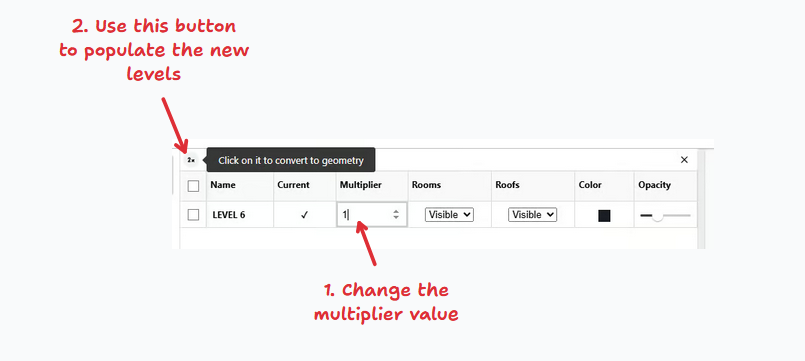
I think you’re intuition is right that we should be thinking of this as another use case for the “Compare Models” workflow. People have all different criteria that they use to evaluate when two things are similar enough to one another that there’s no need to make any changes. And these can be temporal changes (comparing early design to later design) or they can be spatial changes (comparing two stories of the same model to see if they can be represented with a multiplier). We’ll get the most bang for our buck if we have just one interface for both types of comparison with tools for all of the criteria people use.
FYI, this is part of the reason why I insisted on calling the models in the comparison workflow “Base Model” and “Incoming Model” (instead of “Existing Model” and “New Model”). The models that you want to compare aren’t always from different stages of design.
I’m having the same issue as the original post – separate “core” and “interiors” Revit models, where both models have some rooms in them. I downloaded the latest Revit plug-in yesterday, so it sounds like you guys are still working on the following, right?
I’m not sure why “Bind Link” doesn’t bypass this need since “In Revit, ‘Bind Link’ converts a linked Revit model into a group within the host model, effectively integrating the linked model’s elements and geometry directly into the current project.” but clearly that’s been tried and it doesn’t work quite right. I wonder if ungrouping would help? My model is too large and Revit crashed when I tried to bind link, so I won’t be able to test and confirm.
We spent several weeks on this, but hit a bug in the Revit API that made it impossible to support this feature. See here:
Jeremy Tammik suggested a solution that is a workaround, but it will take a similar time as opening the files separately and loading the rooms. It feels like we might want to try that anyway.
Binding the links into a single model should solve the problem, but as you mentioned, it is not a practical solution for large models.
Our current focus is on improving the performance of the tables for larger models. Once that is addressed, we will work on improving the workflow for parsing the windows on curved walls. And after those, we should be able to give Jeremy’s suggestion a try and see if it solves the problem.
 I’m glad that this approach is working for you in the Rhino plugin! We plan to provide a similar workflow in the Model Editor so you can accomplish the same without the need to use the Rhino plugin.