No links appear when attempting to select model components. When “links” dropdown is selected, no links are available for selection, not even the host link. Phase also has the same issue. I have tested with Revit 2024 and 2023 with cloud and local models. I also attempted for a model I had previously used pollination on and it was able to identify all of the previously selected elements. Unsure if there is some sort of prep that needs to be done. I am working with detached central models with some existing linked into the model.
Hi @aislas,
Sorry about the issue.
This should work fine. I imagine that you have opened the model as a new local. If the links are loaded successfully in Revit, then they should show up on the list
Can you tell me the version of the Pollination Revit plugin that you are using?
Can you make sure the links are loaded correctly? If that’s the case, then my first suggestion is to try to reload the information and see if that solves the problem.
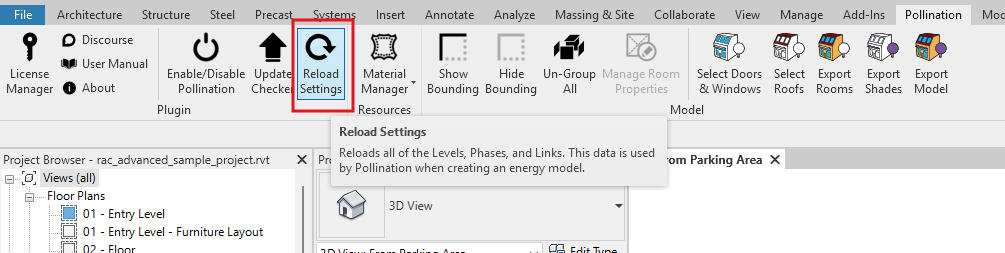
If that doesn’t work, can you check the logs and see if you see any issues there?
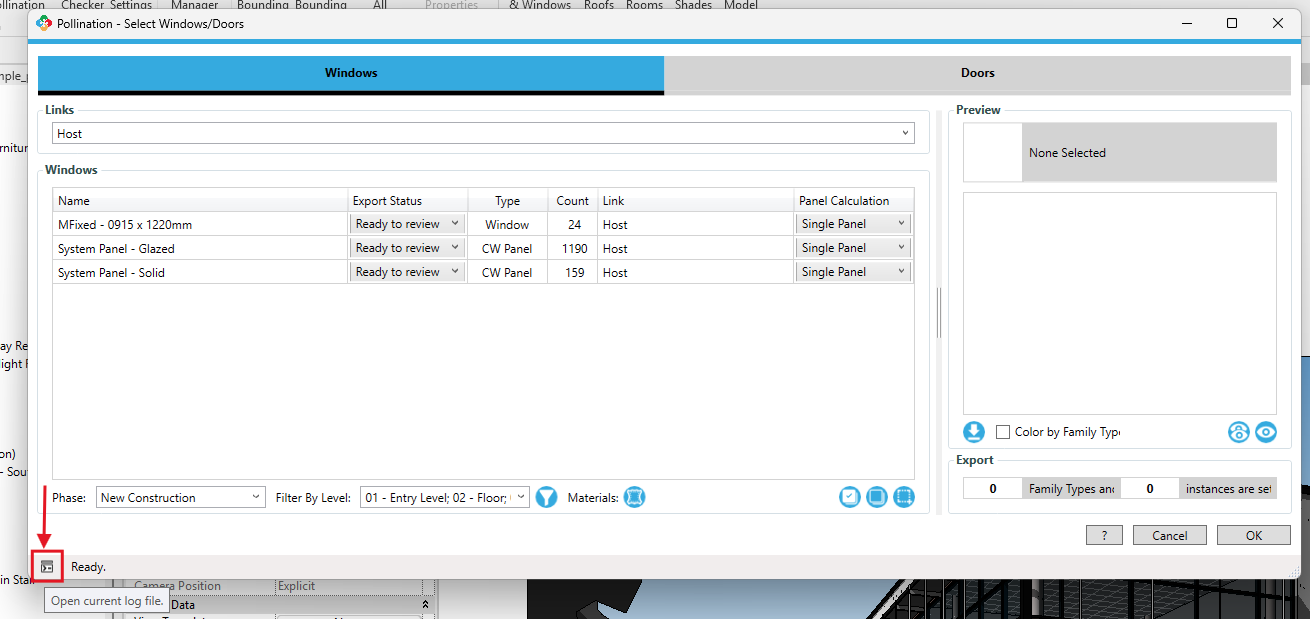
Thank you.
Nice, that fixed it. Ya’ll have some really nice features btw. You and your team must be cracked
Thank you! Appreciate the kind feedback.
To be honest, at least to me, the current Revit plugin feels to 2024! I can’t wait for us to release the new version of the Revit plugin that makes the existing version look really bad.  I recorded a short demo here:
I will record another one soon!
Hey Mostapha,
I’m having this same issue again but this time reloading the settings does not resolve the issue. I’ve gone and reloaded all of the linked models but the drop down menu doesn’t even show the host. I am working directly in the central model. Also for some reason my plugin tab says “pollination classic”. Unsure when that change happened
Hi @aislas, did you try to save the model, and open it again? You can also try reload settings that should do the same.
That is expected as we are working on the release of the newer version of the Revit plugin which should improve many aspects of the workflow including the issue of loading the resources and links from the model.
Yes, model saved, re-opened, and all links re-loaded as well. Re loaded settings each time to check. I even did a full restart. No effect unfortunately
Hmm. Can you check the logs and see if you find any errors there?
I can also share the link to the latest installer and the video tutorials with you in a couple of hours. Or if you want to share the model with me, I can have a look and let you know what might be going wrong.
Log FIle.zip (3.9 KB)
Sorry for the .zip. It does not appear that .txt log file is allowed to be uploaded into this forum
Thank you for sharing the model, @aislas. There are no errors in the logs. Can you share the model with me via email or a private message? I can have a look and see if I can recreate the error on my end.
I do not think I can share the model due to security requirements from the client unfortunately
I’m that case let me share the latest version of the plug-in with you with a demo and see if that resolves the problem. If that’s doesn’t solve the problem as can schedule a call so I can help you there. I’ll send a private message with more information shortly.