I’m using the new Revit Plugin (V3.8.0.0) and commands aren’t working in the model editor - “Run” stays gray and spinning. Also the File menu options are all grayed out. I had the same issue earlier today and closing and reopening seemed to clear the problem, but now it’s happening again after I imported windows and doors.
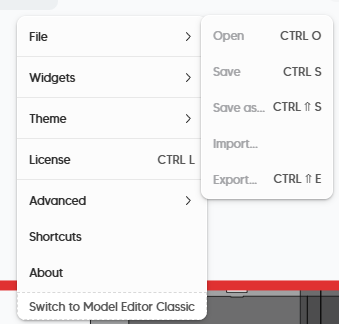
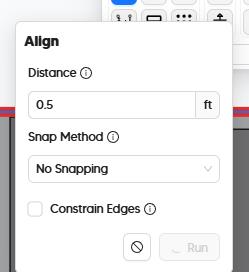
Hi @mdouglass, this is most likely because you haven’t checked out a license. Can you press Ctrl + L? That should show the license manager.
Also, I didn’t updating to version 3.10.0
So, couple things.
-
I thought it was a licensing issue the first time I noticed it this morning. When I relaunched, I was able to modify the rooms using commands like normal.
-
Every time I check the license though, an error is thrown saying the manager failed to open after 30 seconds.
-
Even in this “working” state, I can’t save the model. Save is grayed out and Save As isn’t actually writing a new file to the specified directory.
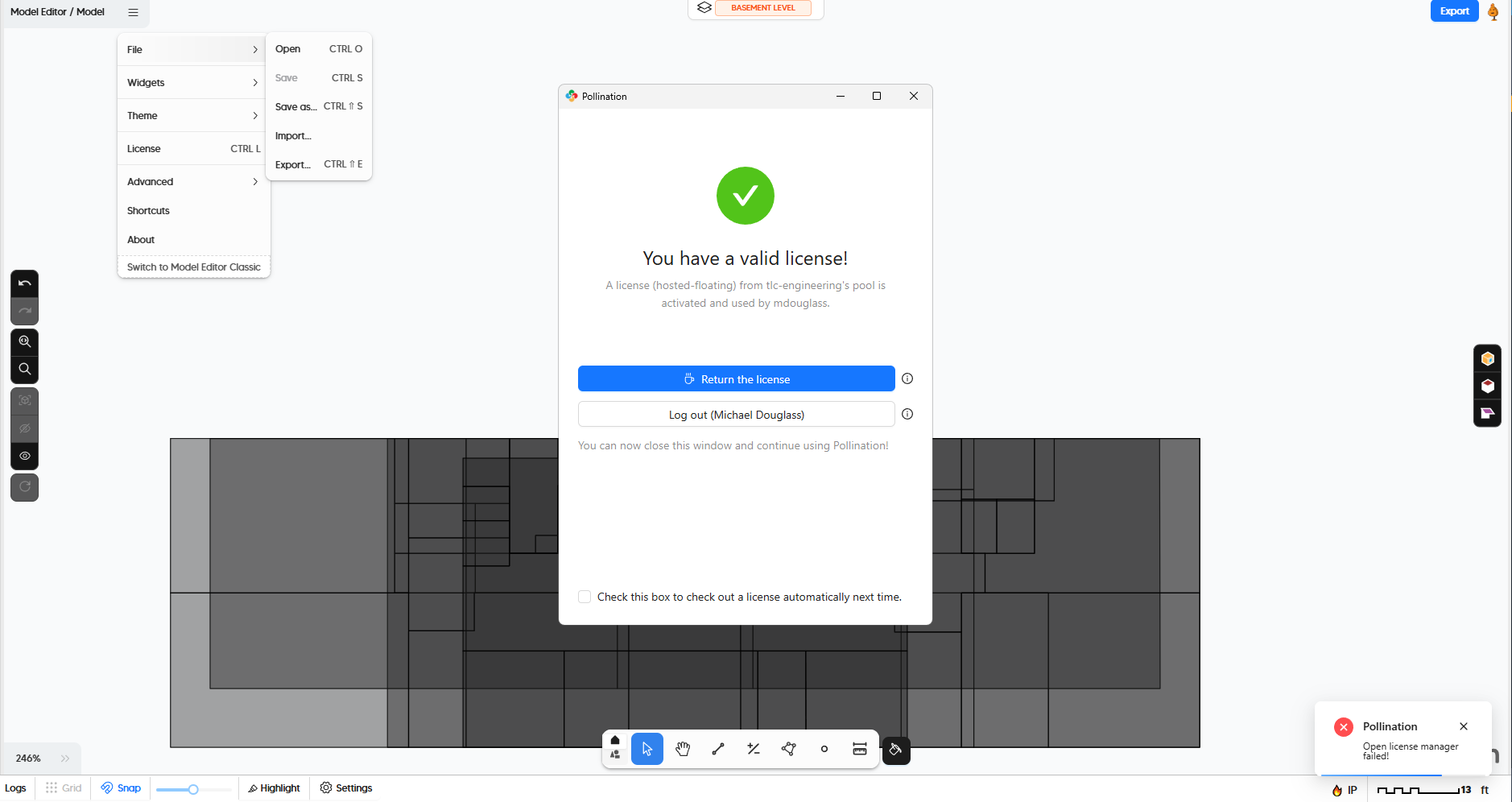

I’m installing V3.10.0 now.
Thank you for the detailed explanation as usual, @mdouglass!
From what I can see in the screenshots, there is something wrong with the license manager. Let’s see if updating to the latest version solves the problem. Otherwise either @mingbo or @antonellodinunzio should be able to help you.
One other suggestion that I have is trying to return the license and checking out a new one. That should reset your license.
@mostapha First launch after installing V3.10.0 and I’m back to where I started.
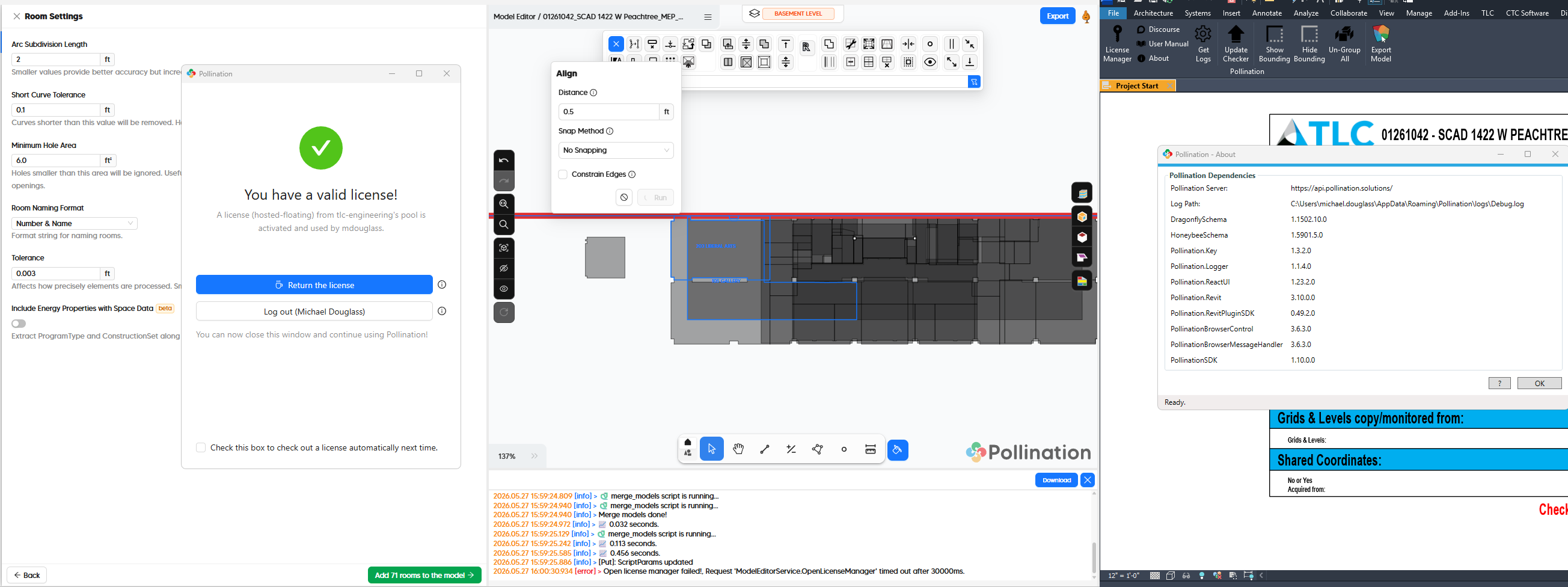
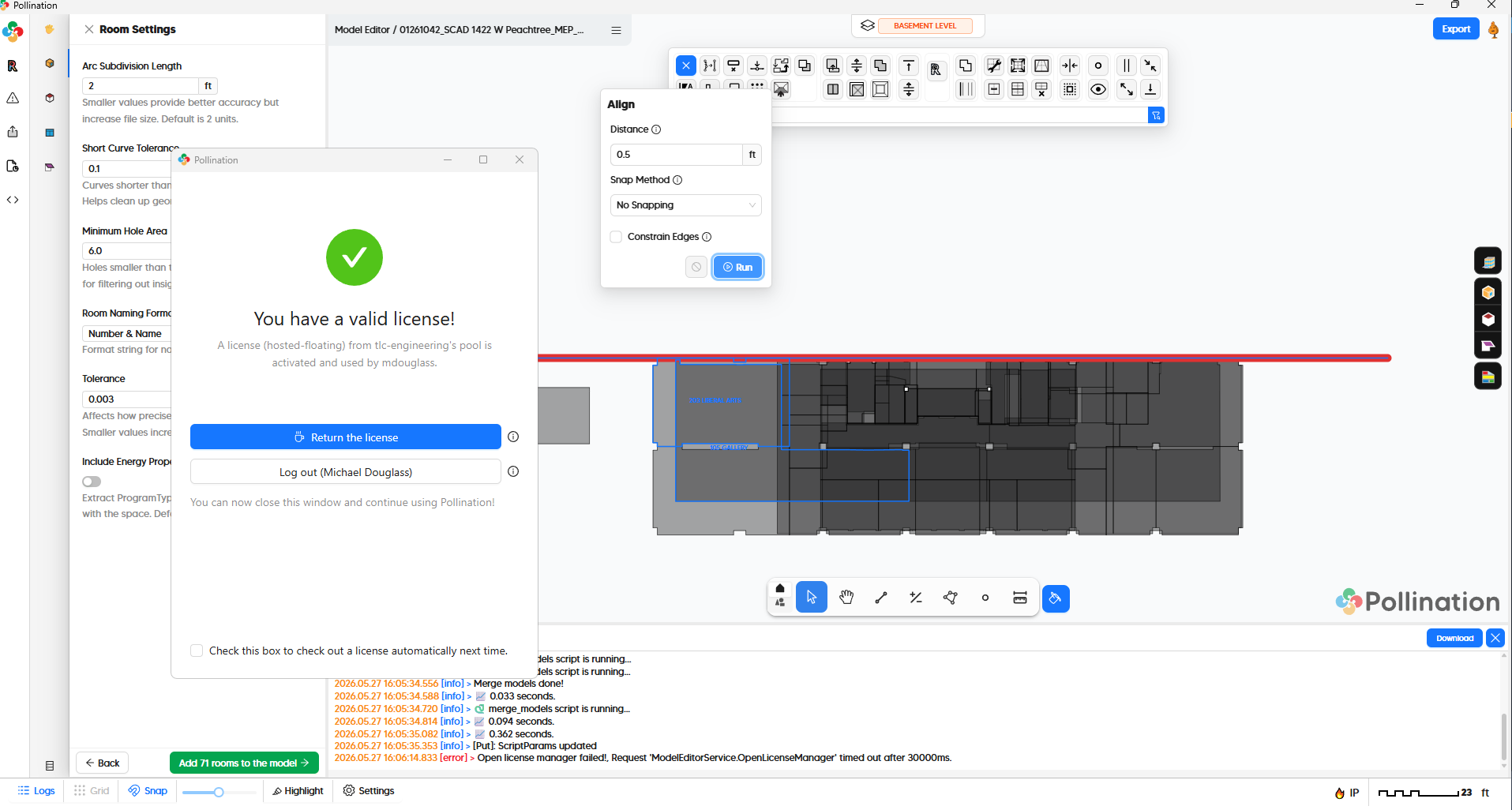
Sorry about that! Can you share the log file with us? You can find it under %appdata%\pollination\logs
You might also be able to find the issue yourself in the logs.
This is the expected behavior. Once you use the Save As to save the file, you should be able to use Save to save the changes to the file.
I agree that this is not intuitive.
Yes. Here is the error.
System.ArgumentException: invalid WebView2!
Here is the full error message
Pollination.Revit.ModelEditorTsService | [Pollination Error]
System.ArgumentException: invalid WebView2!
   at PollinationBrowserControl.BrowserControl.PostMessageJson(String json, Boolean sendChunked)
   at PollinationBrowserControl.BrowserDialog.PostMessageJson(String json, Boolean sendChunked)
   at Pollination.BrowserMessageHandler.ServiceHub.InvokeTypeScriptFunction(String functionName, MessageParam[] arguments, Action`2 sendTsAct, Nullable`1 timeoutMs)
   at ModelEditorSDK.ModelEditorSDKTsService.licenseChanged(Boolean isLicenseValid, String report, Nullable`1 timeoutMs)
   at Pollination.Revit.ModelEditorTsService.Key_IsLicensedChanged(Object sender, LicenseStateChangedEventArgs e)
This is something that @mingbo can help with but it will take some time before he starts his day. Meanwhile, let me see if I can recreate the issue on my end and try to find a quicker solution. Everything works as expected when using Model Editor Desktop. I will try the version in Revit next.
Am I right that you also get the same error when you use the Revit Plugin Classic? If the classic plugin works, you may want to download the PoMF using the older version, and then try to use the Model Editor Desktop to clean it up. I know it is a pain to use the older version but that might give us a way around this issue for now.
Hi again @mdouglass,
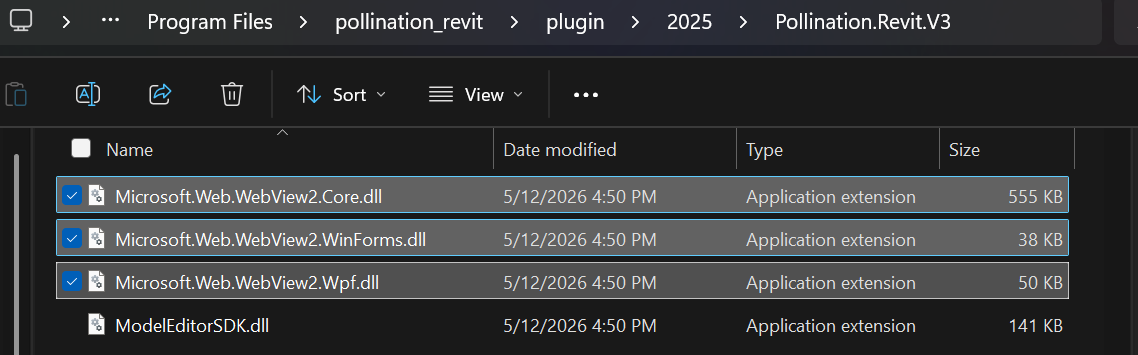
I had a closer look and the error that you get happens when WebView2 is not loaded correctly. I wasn’t able to recreate the issue on my end. The only item that I can think of is that the DLLs are blocked on your machine by an antivirus or a firewall. You can find them here:
C:\Program Files\pollination_revit\plugin\2025\Pollination.Revit.V3
Particularly, these files:
Hi all,
From the logs, the issue comes from the outdated plugins. Update to the latest plugin and use the “Next” version of Model Editor to fix the issue.
Hi @mingbo,
If you check the previous comments you’ll see that @mdouglass is using the latest version of the plugin. Is there a way to ensure the DLLs are loaded from the correct place?
P.S. could it be a dependency conflict and WebView2 is loaded from a different plugin? @mdouglass, does the standalone version of the Model Editor works as expected? In that case, the cause might be a dependency conflict with another Revit plugin.
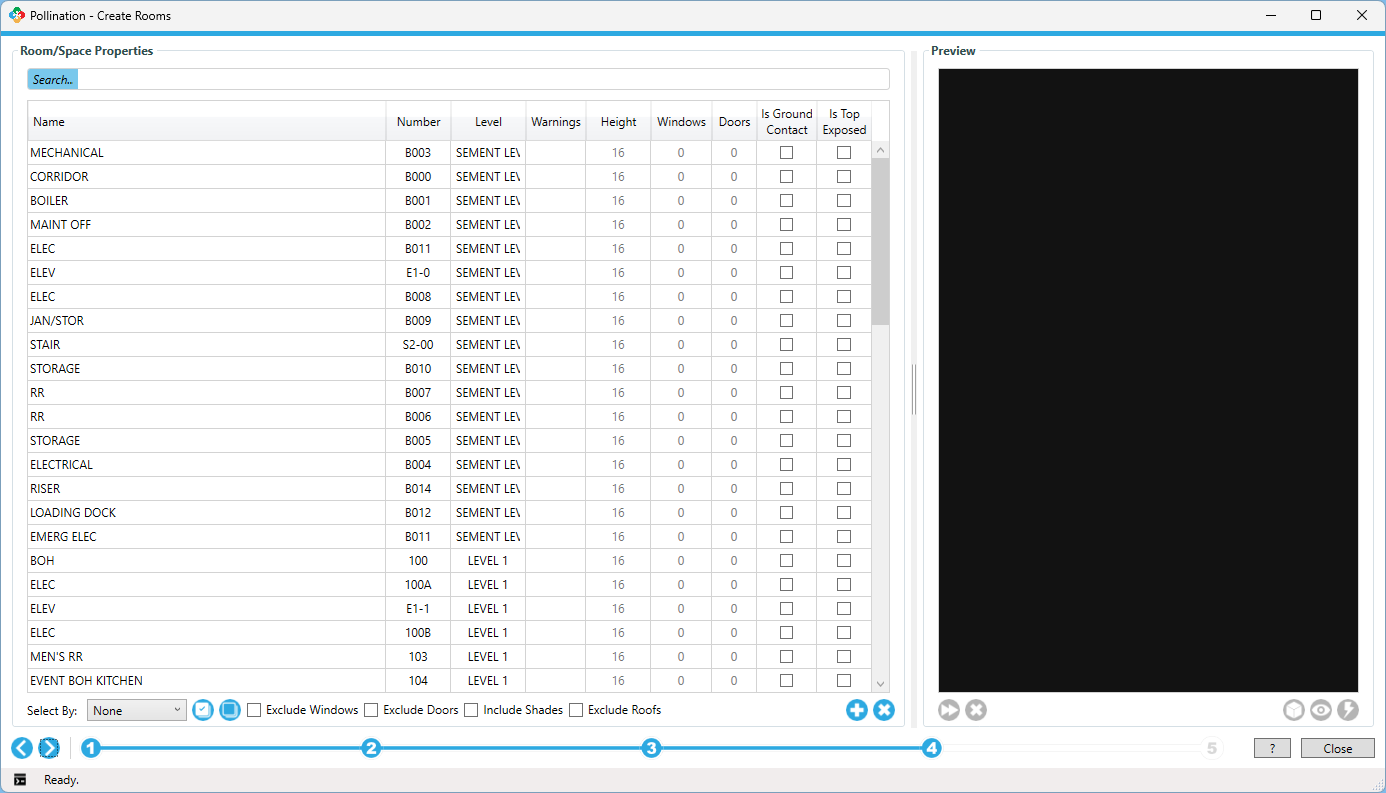
@mostapha @mingbo I booted up this morning and launched Pollination Classic:
- The Preview pane is just a black box.
- I’m able to create a snapshot and actually write the file to my directory.
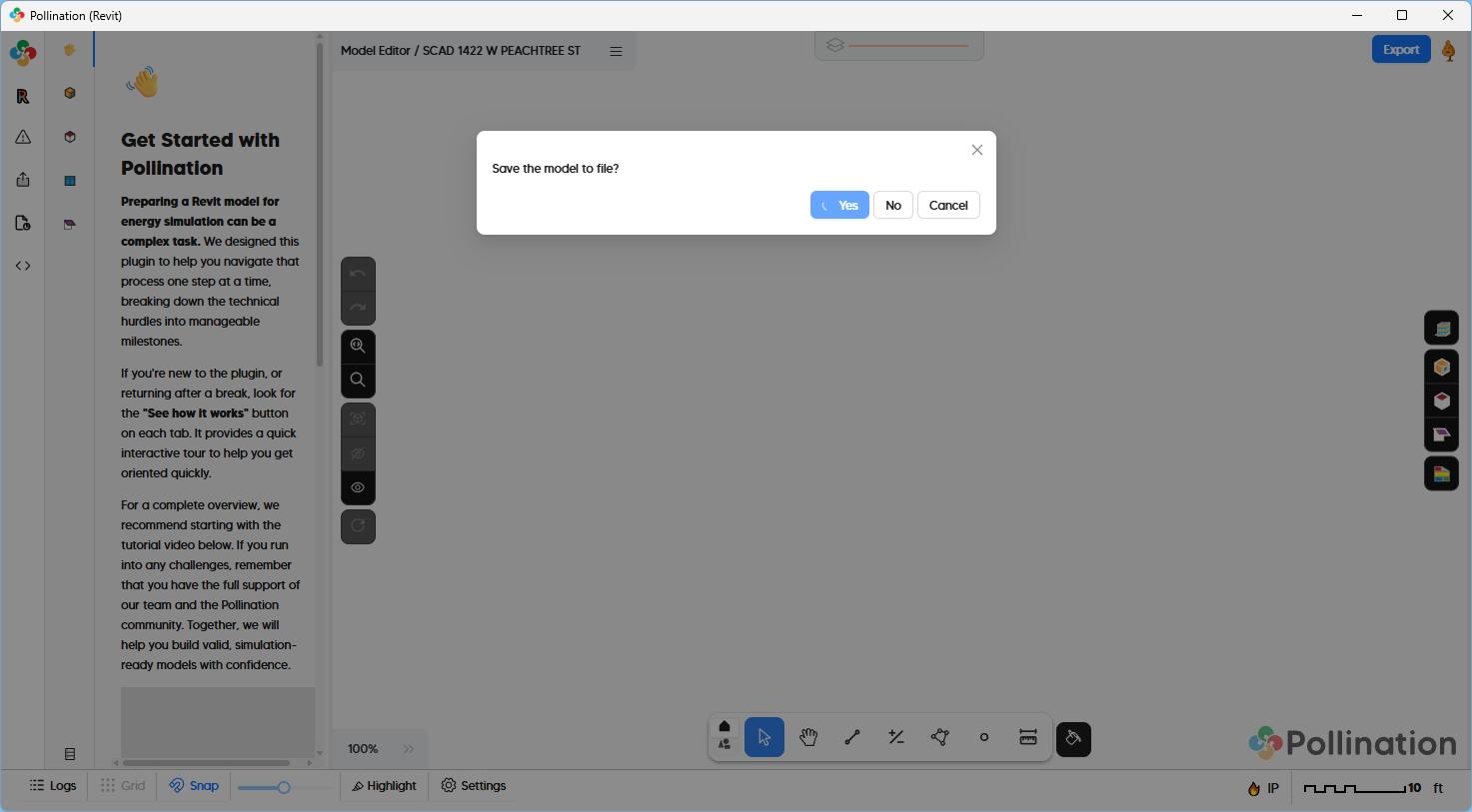
- The first time I tried to open a snapshot in Model Editor, I received this “Save the model to file?” message box that I cannot close after attempting to Open a snapshot.
- I relaunched model editor through the Pollination Classic tab and tried to import the snapshot (POMF and DFJSON saved in AppData) but that resulted in no observable change within the Model Editor.
- I relaunched again and was able to open the snapshot I had just created.
- All commands have been working all day as I cleaned up the model until I tried to run Preview. This command got hung up with the large red abort square in the left corner visible. After aborting, all other commands became grayed out again. Thankfully, Ctrl + S worked to save the model.
- Relaunched Model Editor again to finish my cleanup. Now Export to gem is not writing a file.
I launched the Standalone Model Editor and was able to export the gem file.
It has been quite a day. 
We do have a program to actively block unwanted software and it flags and blocks ladybug-rhino.exe each time Revit is launched. Not sure if that’s related here, but I can’t tell if any of those DLLs are being blocked.
Hi @mdouglass, thank you for documenting this. I sent you a private message to schedule a call so we can help you find the source of the issue.
@mdouglass, were you able to resolve this issue? Let us know if you still need our help with to resolve the issue for you.