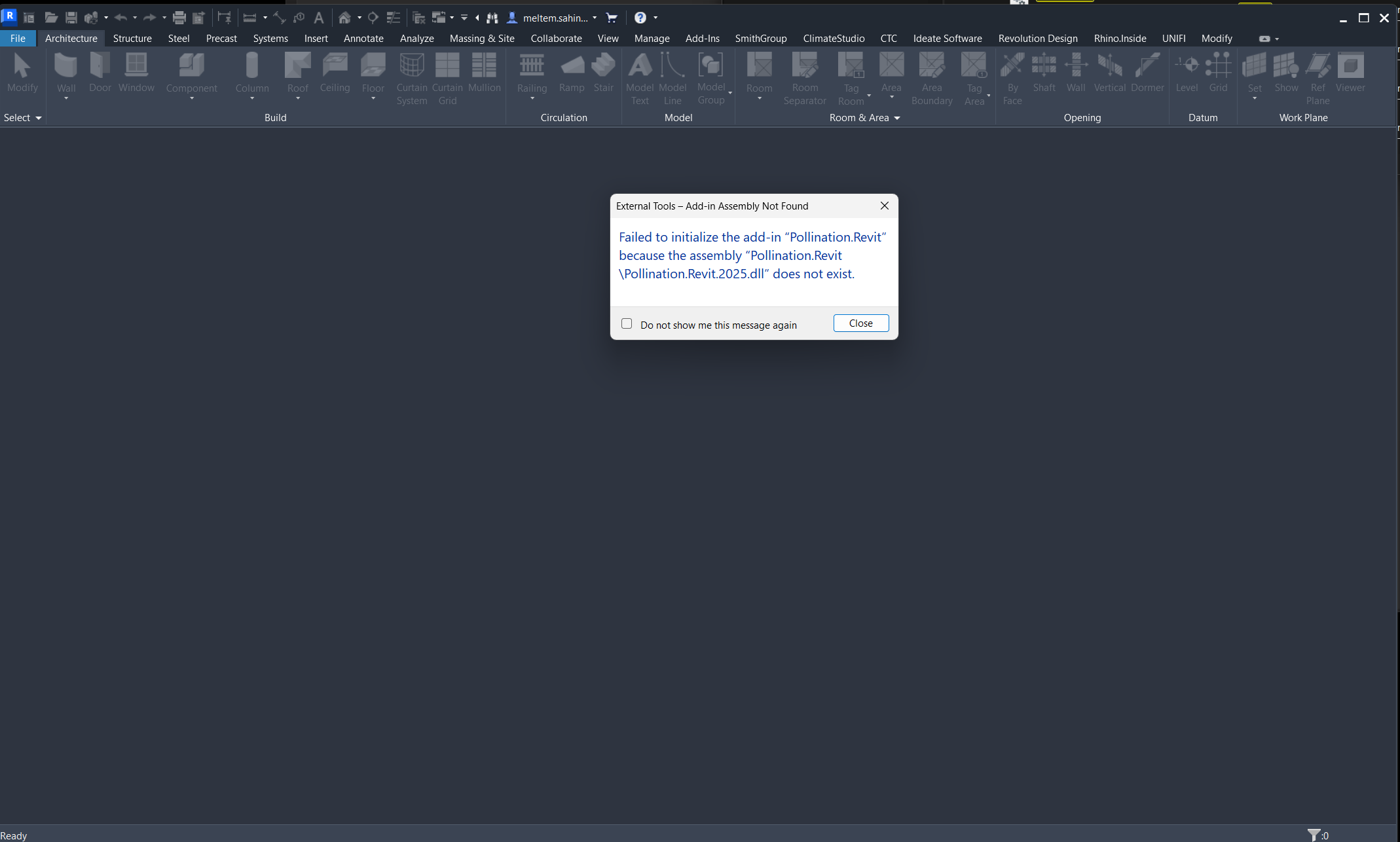
I have Pollination 2.238.4 installed on my laptop, and it works well with Revit 2024 and Rhino. However, the Pollination tab does not appear in the Revit 2025 interface. According to the official FAQ section Revit 2025 is not yet supported, but I’ve seen some forum posts suggesting that support may have started in 2024.
As a workaround, I tried exporting the model via IFC, but unfortunately, this results in the loss of glazing data —Pollination ends up reading the model without any glazing. I also attempted uninstalling, reinstalling, and updating Pollination, but the issue persists.
Sorry about the outdated information. I just updated the website. We do support Revit 2025, and the upcoming version supports Revit 2026 which for now you can download it from here.
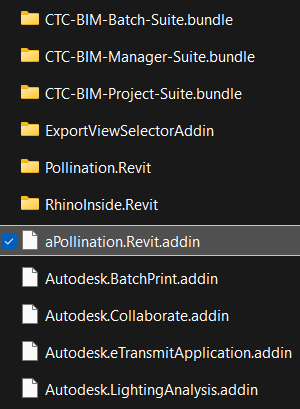
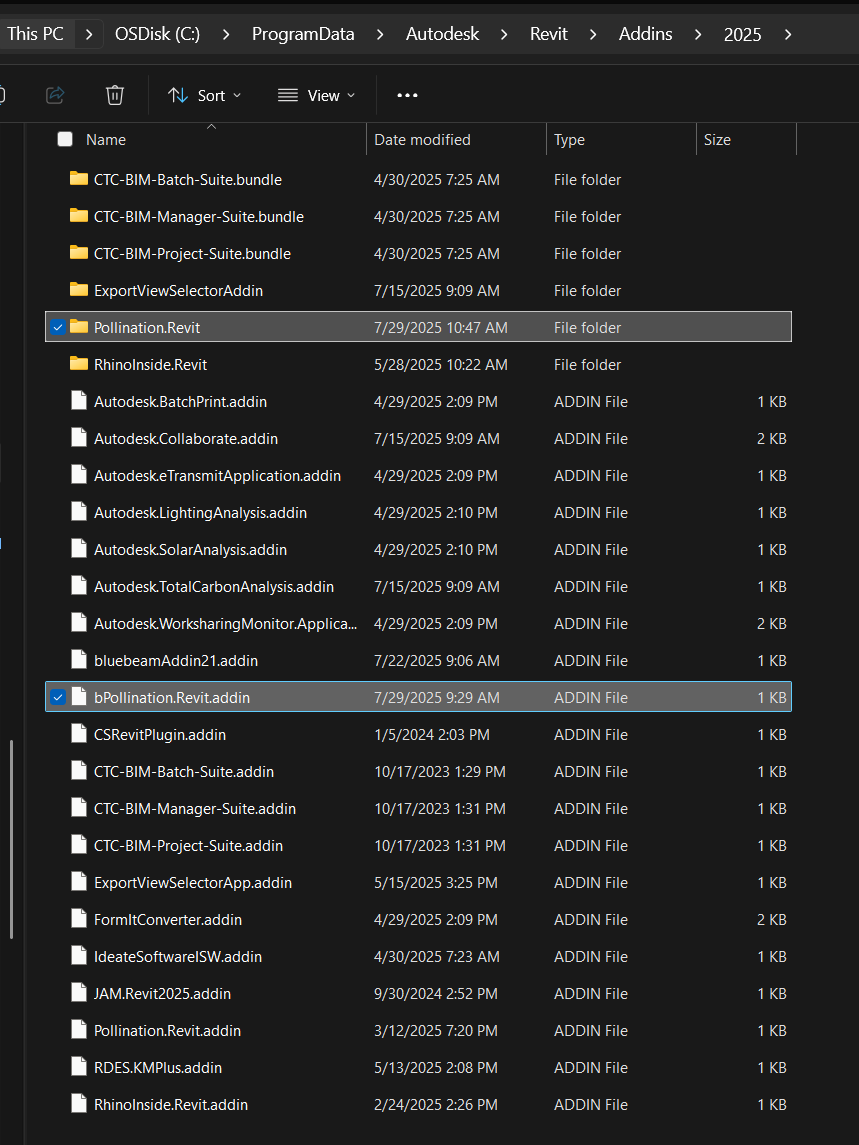
Renaming the addin file should resolve the problem as it gets loaded first. In that case, you don’t need to uninstall other plugins. Did you make sure to rename the correct one for the correct version of the Revit? Do you have any other addin that starts with an a or a number that loads before Pollination after adding a b in front of the name?
This is a different issue complaining about the assembly missing. Can you check inside the Pollination.Revit subfolder in your screenshot and confirm that the DLL is there? It might have been blocked or removed by your antivirus/firewall. If that’s the case, you should get in touch with your IT to resolve this issue.
Hmm. I’m not sure what to do at this point. @jakechevriersg, can you help @msahinoz with this? I remember you helped someone else from your company last month to get things sorted out with installing Pollination.
Me and Jake were on this yesterday and couldn’t solve the issue. The things I tried are:
.addin File Renaming: Renamed Pollination.Revit.addin to bPollination.Revit.addin to ensure it loads before CTC tools (lexical order).
Reinstallation: Uninstalled and reinstalled Pollination 2.281.2 using the standalone .exe you sent.
Folder Override: Replaced my Pollination folders under the Revit 2025 Addins directory with those from a colleague whose Pollination plugin works in Revit 2025.
IFC Export Workaround: Tried exporting the model from Revit 2025 to Revit 2024 via IFC, but this stripped out all glazing data — which is critical for our workflow.
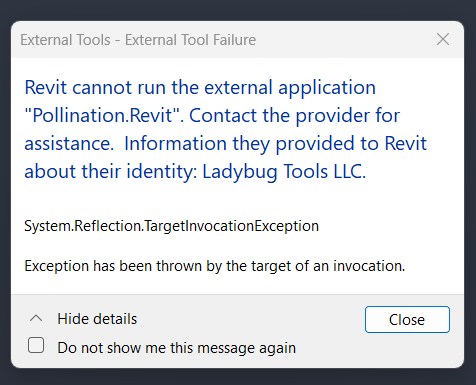
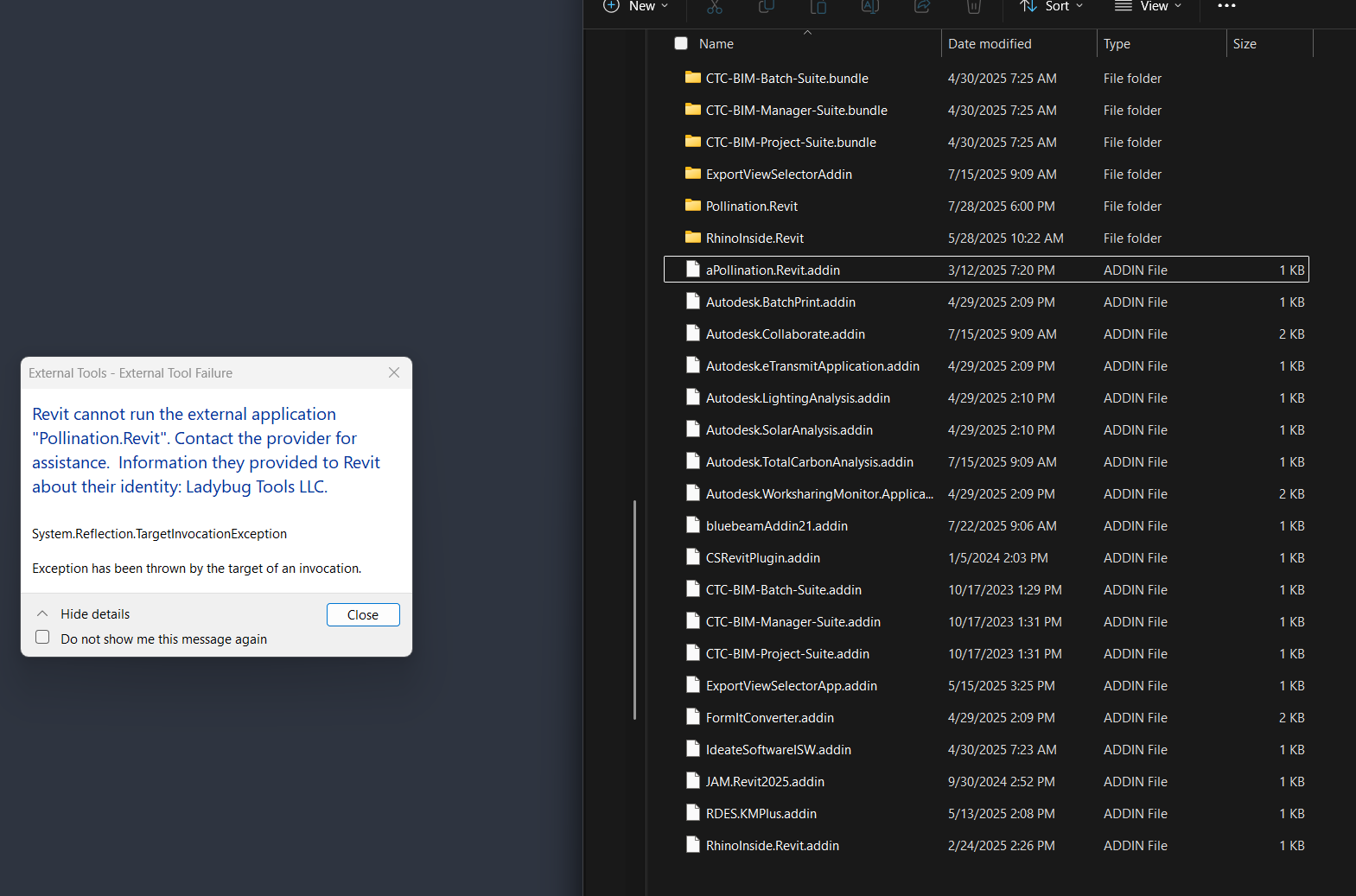
Manual DLL Move: I was missing the Pollination .dll file, so Jake sent it to me. I manually placed it into the Pollination.Revit folder. This made the plugin show up, but now I’m getting a new error:
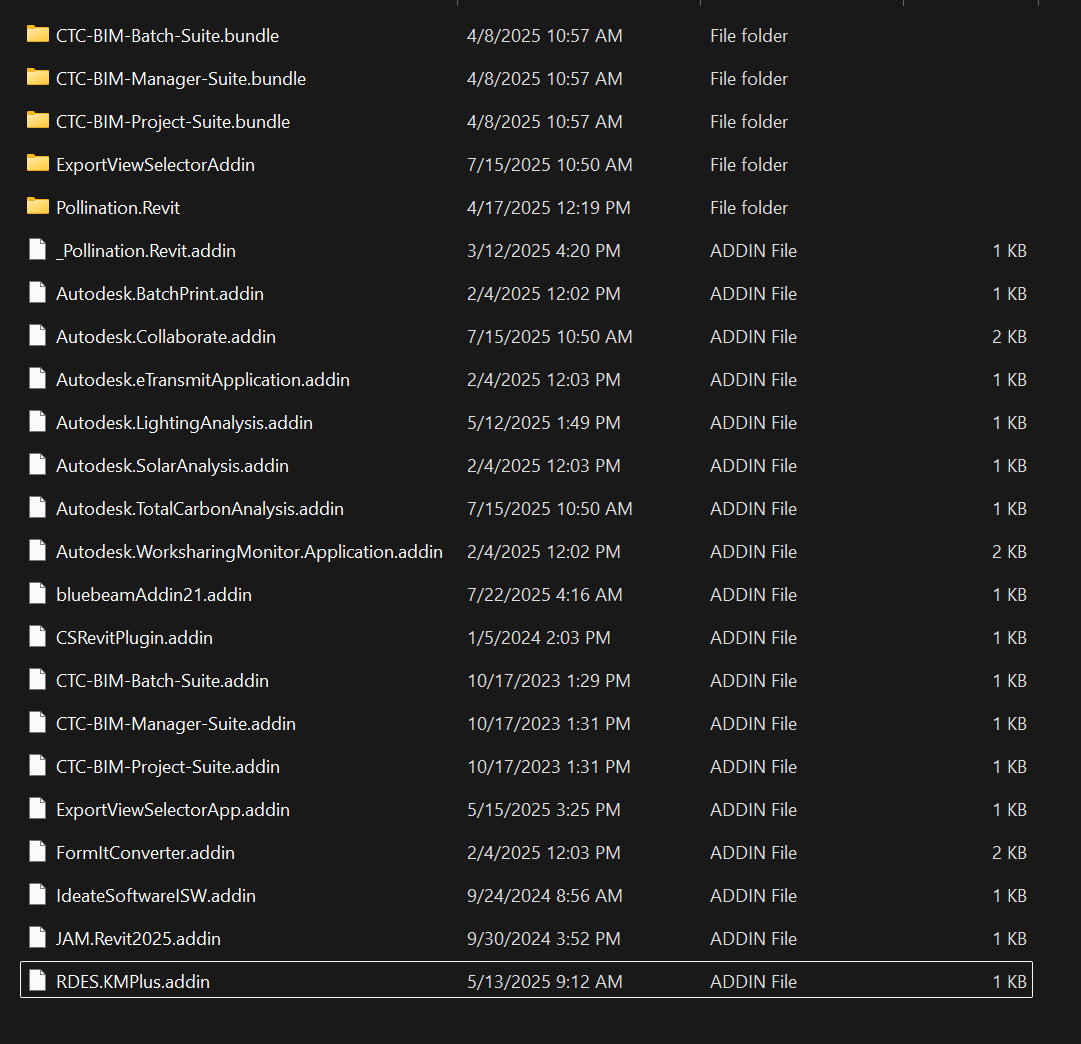
The issue is finally resolved. Jake suggested we add an underscore ‘’ in front of the Pollination add-in file name, and surprisingly, that did the trick. It’s odd because renaming it with ‘a’ or ‘b’ didn’t work, but '’ somehow did.
After making this change, we started seeing loading errors for some SG tools and Climate Studio during Revit launch. However, since Pollination is our top priority right now, we’re okay with not having those tools working for the time being.