We are currently working on large-scale energy modeling projects involving over 1000 thermal zones that utilize radiant floor/ceiling systems. We’ve encountered a procedural hurdle that, if resolved, would significantly improve our efficiency.
A critical detail in these models is that the radiant area typically covers only a partial area of the parent surface, usually ranging from 70% to 95%.
Our current process, while defining the precise geometry in Rhino, necessitates a very repetitive and time-consuming manual step after export. We have to manually add a subsurface object (representing the radiant construction) in DesignBuilder and assign its unique construction to each zone in the energy model.
As drawing these precise, partial areas from DWG plans in Rhino is far easier than creating them in the energy modeling software, this manual intervention seriously undermines our speed.
To streamline our workflow, we need the option to create the subsurface geometry directly within the Pollination Rhino plugin. This geometry must be definable as a partial subsurface object, allowing us to assign it a separate construction that is distinct from the parent surface’s construction.
Specifically, this partial subsurface geometry and its unique construction must then export correctly to the energy model and be recognized in DesignBuilder. Even if construction assignment within Pollination is not feasible initially, simply having the correct subsurface geometry recognized by DesignBuilder upon export would be a substantial help in reducing manual modeling effort.
Questions:
Existing Method: Does any formula or existing method in the Pollination Rhino plugin currently allow for this kind of subsurface construction override that applies the new construction only to the partial subsurface?
Future Version: If this capability is not currently available, could this feature be considered for a future version of the Rhino plugin?
We’re very excited about the potential of this feature. Thank you so much for taking the time to review this request and share your expertise!
Thank you for documenting the feature request here. I talked to @mingbo about this. We’re trying to understand what are the limitations in the current Rhino plugin that stops you from doing this?
Do you have a simple example that you could share with us? Ideally a couple of room. And then use those to explain the pain point. In particular, what stops you from building the sub-faces in the Rhino plugin? Is the hardship in creating the geometry? Or in assigning the construction?
Thank you for your assistance. I’ve created a simplified model which I believe illustrates our issue clearly.
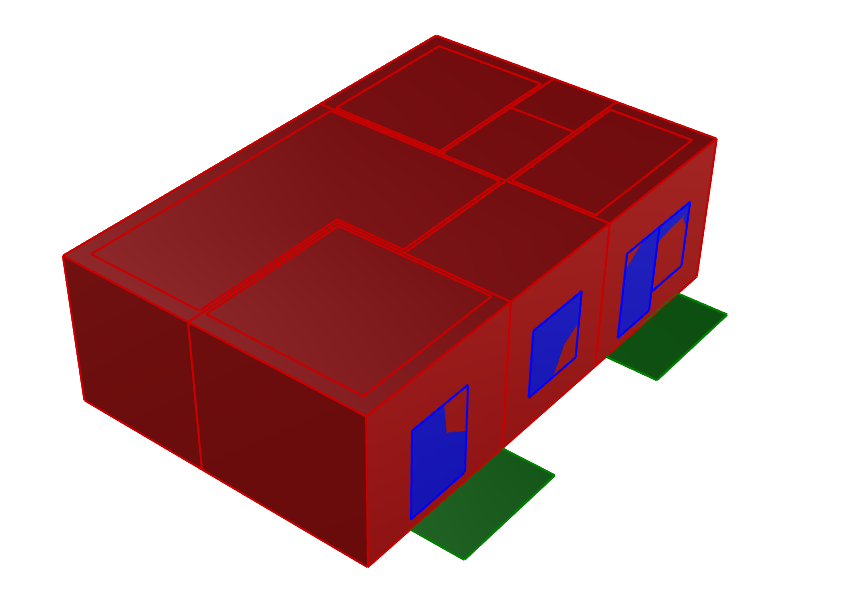
Our current models successfully export the following components, which works perfectly: Rooms, Apertures (Windows), and Building Shades.
Our Requirement: Exporting Subsurfaces (Surface on Parent Surface)
Our key question is whether it’s possible to export subsurfaces (surface on a parent surface) in a similar way that doors are handled.
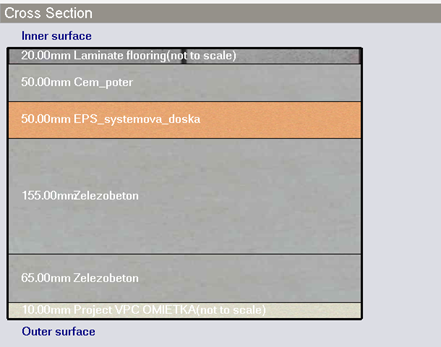
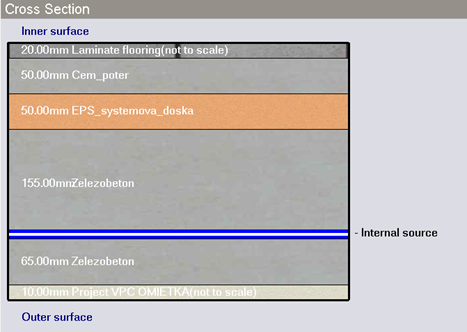
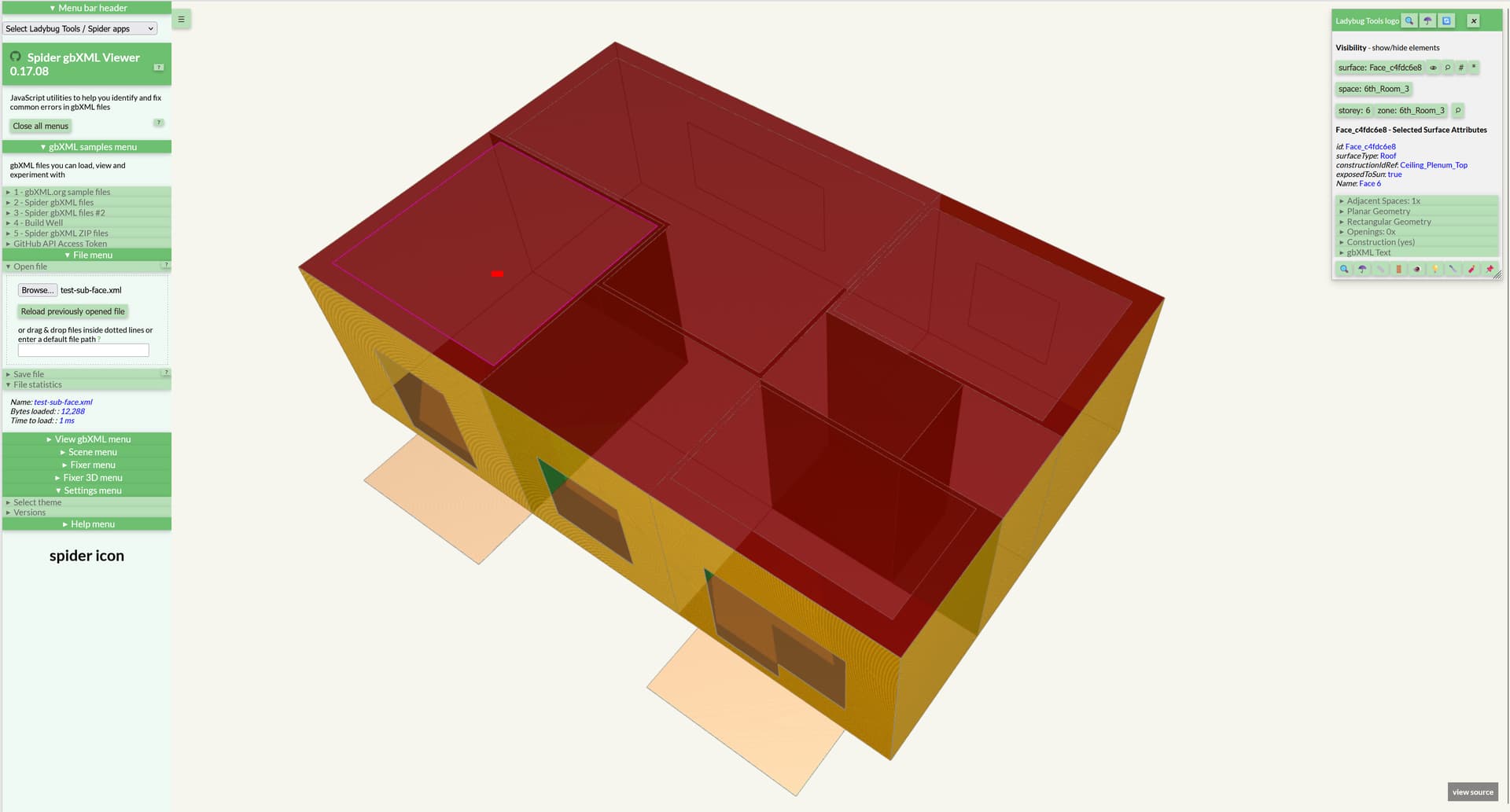
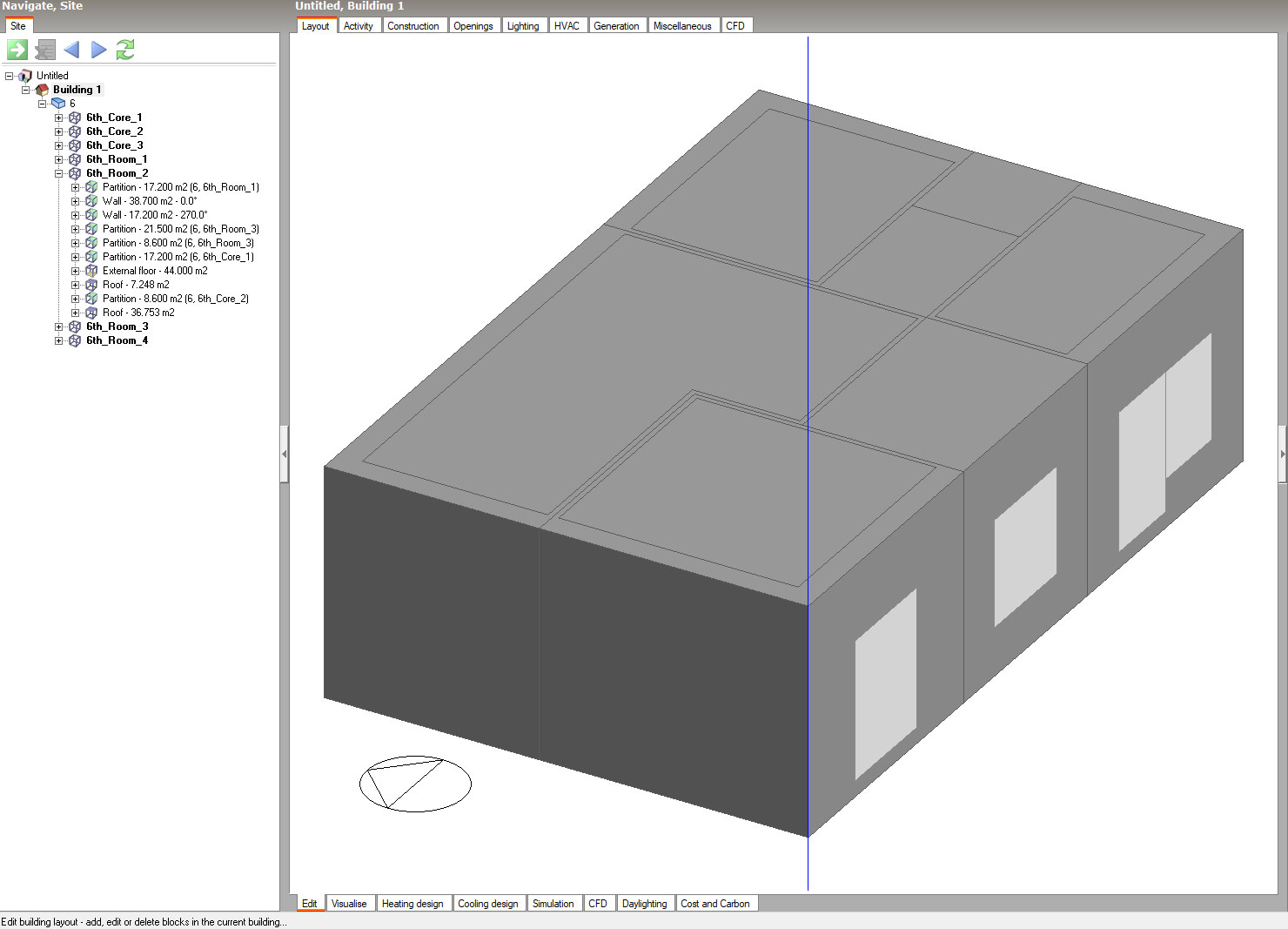
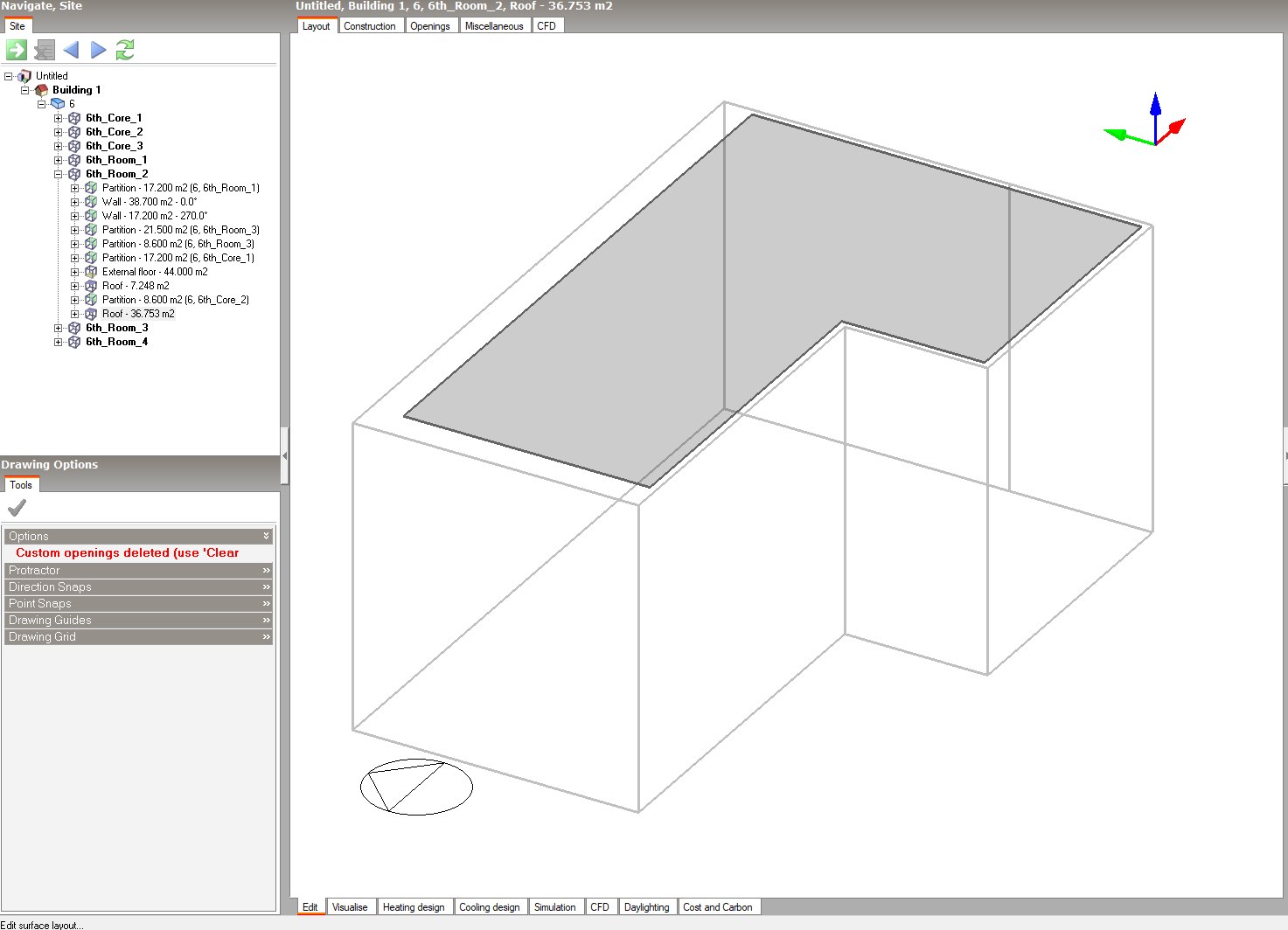
In DesignBuilder’s energy model, a wall or floor is typically treated as a single surface with one construction assembly. A subsurface allows us to divide this single parent surface into two or more distinct areas, each with its own unique construction assembly. (I have attached an image showing how these constructions differ.)
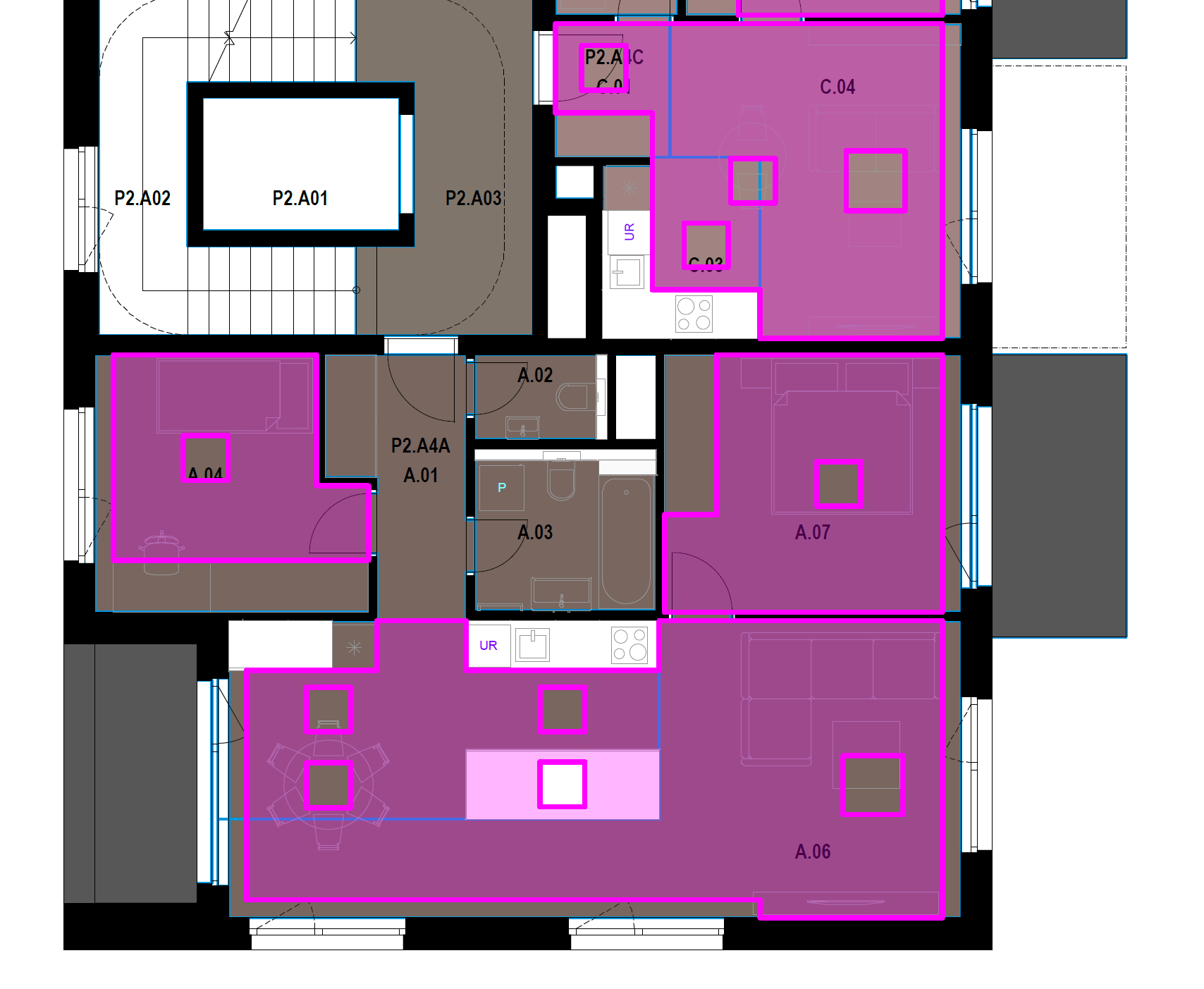
In the attached model, you will see that every “Room” (except “Core”) has a surface drawn on its ceiling in the layer “radiant_subsurface”. This is the desired subsurface geometry we would like to export to gbXML.
Alternative Option
I’ve also included a layer named “radiant_subsurface_edit”. This alternative geometry is significantly different between floors that do not have the same floor plan. This might be a viable solution, even though it doesn’t perfectly represent the physical reality of the construction site.
Summary
In summary, we need to know if the Pollination Rhino plugin supports exporting subsurfaces (defined as a surface on a parent surface, like the “radiant_subsurface” layer) into the gbXML for DesignBuilder, allowing for distinct construction assemblies on parts of a single parent surface.
If this feature for exporting subsurfaces already exists, I sincerely apologize. Could you please inform me of the specific command or workflow we should be using?
I will reach out to the DesignBuilder team to see if there is an existing solution to address this issue.
Otherwise, this might be something that gets resolved once we switch to the DesignBuilder native XML format known as dsbXML. @chriswmackey can confirm if that is a possibility.
I won’t really know for sure until we finish an initial version of the DsbXML exporter in a few and see what XML conditions DesignBuilder accepts. But there is nothing in the documentation they gave us to suggest that modeling this case is not possible in DesignBuilder and it does feel like it is a limitation of how they process gbXML geometry in order to clean up messes.
All of this is to say that you might get your answer sooner by asking the DesignBuilder team directly.
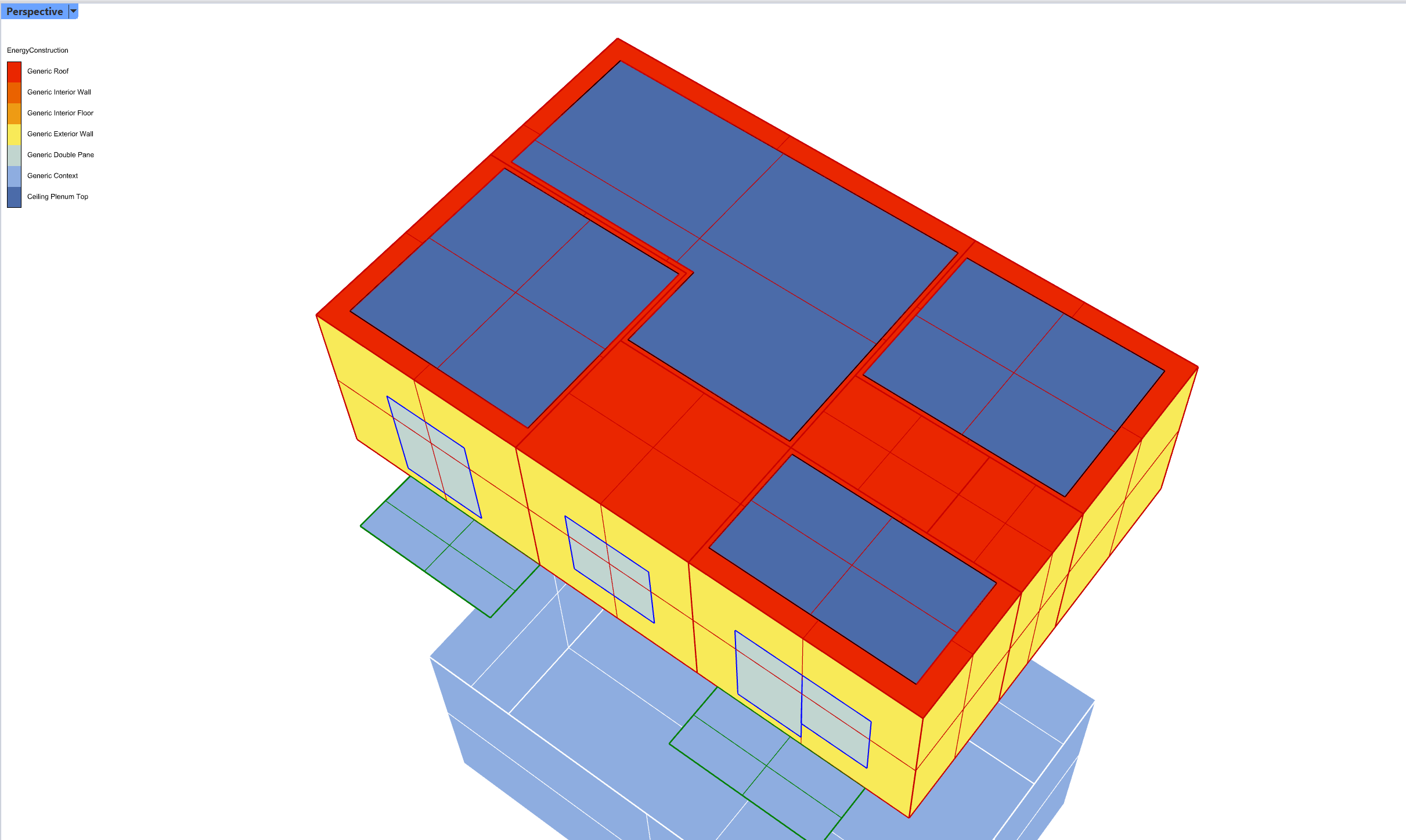
I am just letting you know that I am finalizing the initial release of DesignBuilder XML (aka. dsbXML) exporter for our Pollination plugins and I tested the top floor of your model with the new exporter. I can confirm that the split roof/ceilings import to DesignBuilder as separate ceiling elements. This is what it looks like in Rhino after doing the SplitFace command that @mostapha mentioned:
Here is the dsbXML of the top floor of your model, which you can unzip and then open in DesignBuilder by going to “File > Import > Import model from XML.” radiant_test.zip (7.8 MB)
If you can confirm that this model is in the format that you were hoping to get in order to set up a radiant system simulation, that would be helpful. And @mostapha can let you know once we have a release of the Rhino plugin that includes the new dsbXML exporter.
That’s fantastic news! Thank you, Chris and Mostapha, for the update and for testing the model—it’s extremely helpful to see the separate roof elements correctly imported into DesignBuilder using the dsbXML exporter. For small models, this workflow is really great!
However, we need to flag a significant workflow concern regarding the current approach. For our typical large-scale models, which often exceed 1000 or 2000 zones, the requirement to split the base geometry is not feasible. This manual splitting creates two major problems: it’s incredibly labor-intensive for high zone counts, and it makes design iteration difficult, as we frequently need to change the layout or size of radiant surfaces. Constantly re-splitting and re-managing the base zone surfaces is not a scalable process.
The ideal solution for us is to have the radiant area treated as a classic subsurface (like a window) on the original, unsplit ceiling. This would allow us to simply assign a special radiant construction to the subsurface element and easily modify it without disrupting the zone’s primary geometry. If the dsbXML exporter could support radiant elements as subsurfaces, that would be the scalable and flexible solution we need.
Thanks again for all the incredible work—we are very excited about the final release!
Am I right that this is a feedback for the Rhino plugin to be able to create sub-faces using a separate geometry? I can see how that could be helpful. The challenge is that we currently don’t have such a concept in our schema which makes it hard to implement it in the Rhino plugin. It could be a useful addition for cases like spandrels too.
Do I understand correctly that you’re happy with how the faces are currently exported to DesignBuilder using the dsbXML format? If I remember correctly, @chriswmackey told me that he is using a different approach other than subfaces in DesignBuilder. Did you get a chance to open the DesignBuilder model and see if it gives you what you need?
If so, we basically (almost) support this with the new dsbXML exporter. Just model your radiant sub-faces as overhead doors in Pollination. Then, you can convert those doors to sub-faces by using “Find and Replace” on the dsbXML in a text editor to replace this:
type="Door"
… with this:
type="Surface"
I would probably also imagine that there’s some way to turn a door into a sub-face in DesignBuilder but I am not familiar enough with their interface to know for sure.
In any event, if you confirm that the .dsb file is formatted the way that you want, we can add an option on the dsbXML exporter to convert the overhead doors to DesignBuilder SubSurfaces during translation.
Thank you so much! I’ve checked the .dsb file and it’s exactly what we wanted.
Since this works for us, please go ahead and add the option to the dsbXML exporter to convert overhead doors to DesignBuilder SubSurfaces. I love it—thanks again for the help!
I exposed the ability to specify a type of door to be translated to DesignBuilder sub-Surfaces as part of the translation:
For your case, you’ll want to use the OverheadDoor option to export any doors in RoofCeilings as sub-Surfaces during the dsbXMl export. I imagine some people might want to use some other convention like GlassDoor if they model spandrel panels like this in the Pollination model.
@mingbo should be exposing this all in the Rhino plugin soon and we will let you know when there is an installer ready to test.
If you download the latest Pollination Rhino plugin, you’ll see that it has the new “Save As dsbXML” feature and it has an option to select a “Sub Face Type,” which can be used to convert things like overhead doors to DesignBuilder Sub-Surfaces. So this should give you everything that you need to model the radiant panels the way that you want. I am working on a video to explain this all now, which I’m planning to put into a more formal announcement. Would you mind if I used a part of the .3dm model that you uploaded here for this video to demonstrate the how to export Sub-Surfaces for radiant ceiling panels? If not, I can create something more generic just to show the concept.
The new “SubFace Type” option is now available in the latest Rhino plugin. You can see an example of me using it in this video here under the release post:
Given that you previously confirmed that this would address your request, I’m going to unassign myself from this topic but just let me know if you have any other questions or requests and I am happy to field them.