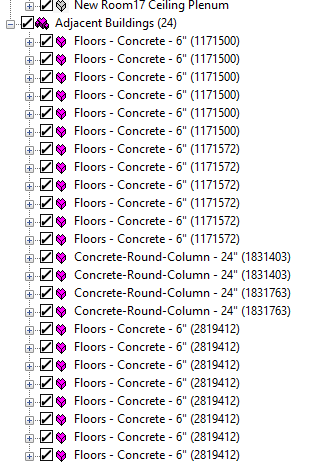
The shades came into the VE via GEM as adjacent building not local shade.
Hi @crduggin ,
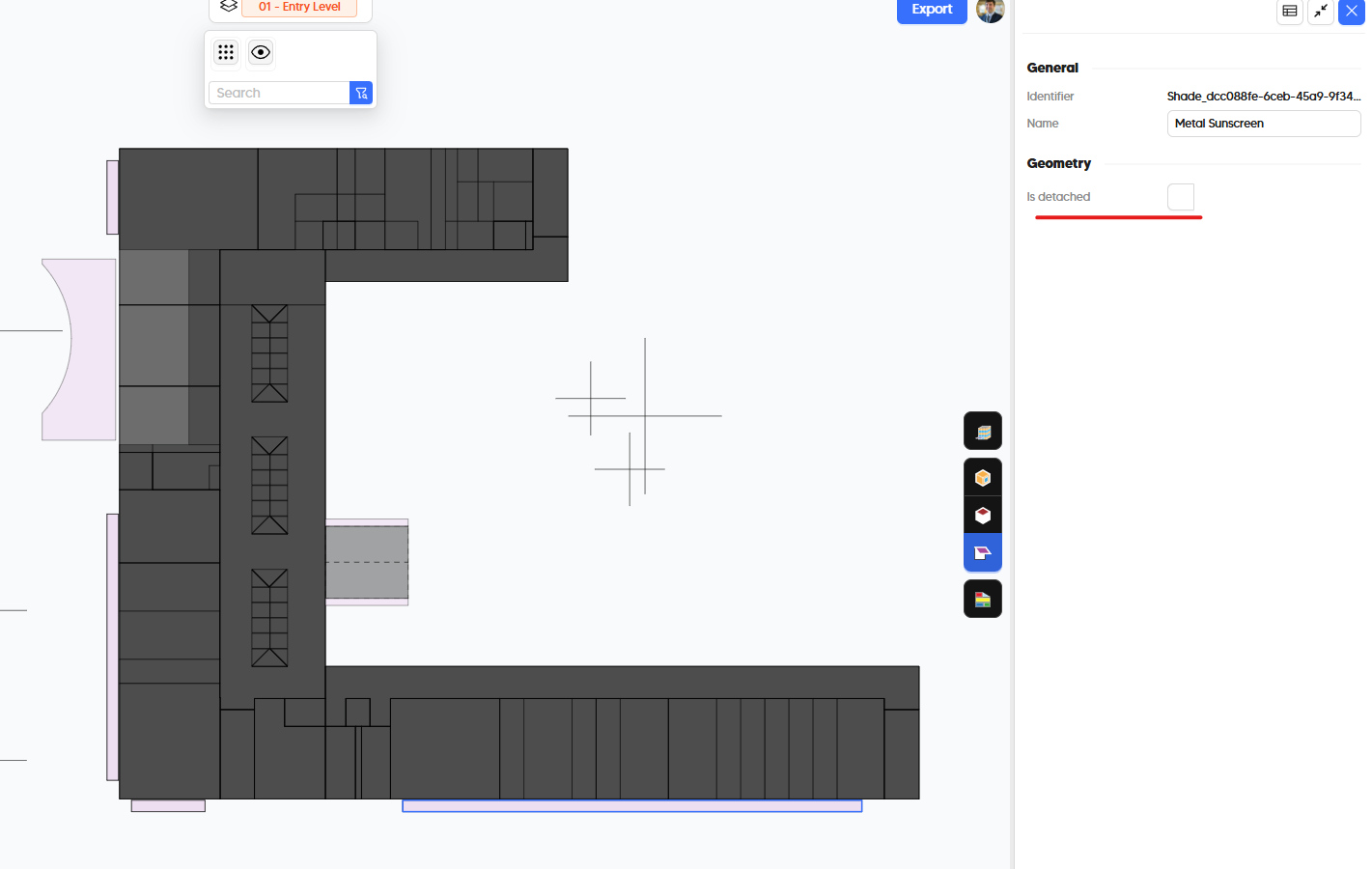
By default, all shades are considered detached from the building when you add them from Revit to the model in the Model Editor but you can change this by selecting the shades that are meant to be attached to the building and unchecking the “Is Detached” property in the Context Shade manager:
@mostapha will correct me if I am wrong but I am nearly positive that will cause them to be exported into the GEM as a local shade instead of an adjacent building.
In the previous workflow, shades came in as local shades. Is that attached vs detached a new setting meant to delineate between adjacent building shading objects and local shade objects? Also, this came up recently, but could we export a topo surface from a linked CAD survey as a topographical shade?
Hi @crduggin,
The option was always there but in the classic version we used to set the detached value to true only for plants, and it was set to false for the rest of the shades by default. I will document this for @ksobon so we will get it fixed.
I noticed this during the SimBuild workshops and fixed them manually in the table. You caught it before we get a chance to fix it. 
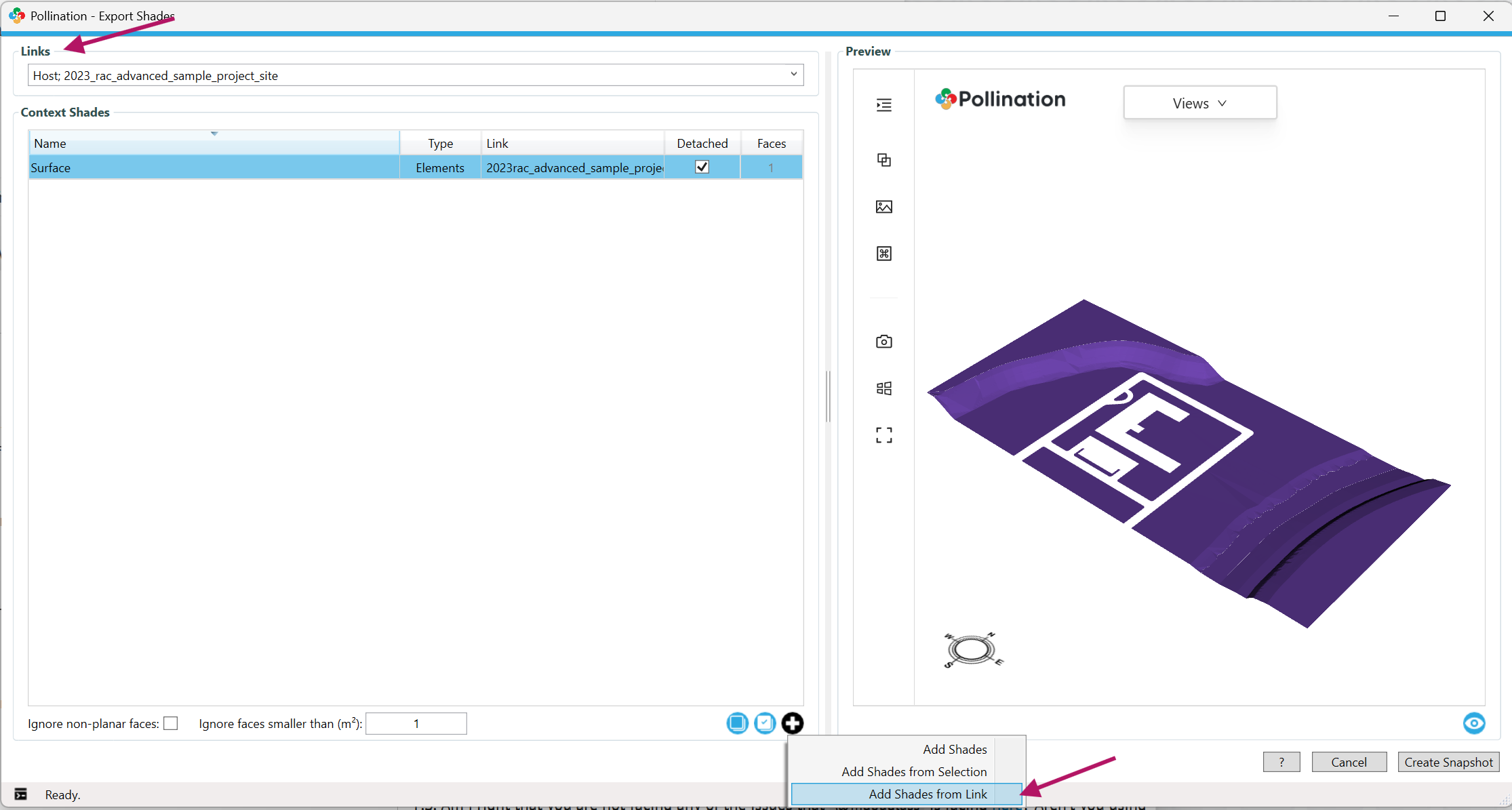
Yes. That should be possible. That’s a bug! For now, try using the Pollination Classic for exporting them. Select the linked model in the dropdown, and then use the Add Shades from link to add them. We will fix this for you!
Two bug reports in a single post! Ha. Well done! 

P.S. Am I right that you are not facing any of the issues that @mdouglass is facing here? Aren’t you using machines with the same set up?
P.P.S. Let me know if you have any other feedback about the new UI/workflow. I was hoping to catch up at SimBuild but unfortunately that didn’t happen. Hope you are feeling better, already!
I haven’t had the same issues as @mdouglass. Our setups should be similar if not the same. I went through the new workflow yesterday. I had some issues finding stuff, but overall it seemed to work really well. Just different way to get to some stuff. Yeah, i hated missing the chance to get caught up with everyone. That stomach bug seems to be all over.
This made me laugh. After all the effort that it took to embed the video inside the UI, I imagine you didn’t even need to watch the video.  It is both good and bad. In any case, I suggest taking the time to go through it quickly. There are some nice new additions that were not included in the older version. Particularly, the frame thickness should be something that will address the issue that you have brought up in the past for curtain wall panels.
I tried this again and everything works as expected. Are these standard Revit topo objects? In that case they should load. What’s the error that you get?
This is now fixed in the v3.19.2. Thank you for reporting the issue.